ComponentParts
⚪ Last updated 2018Preview
🔍 Analysis
- 👍 3.7% endorsement rate — high engagement, a strong quality signal
- 🏆 #25 of 116 User Interface mods in this game by downloads
📋 About This Mod
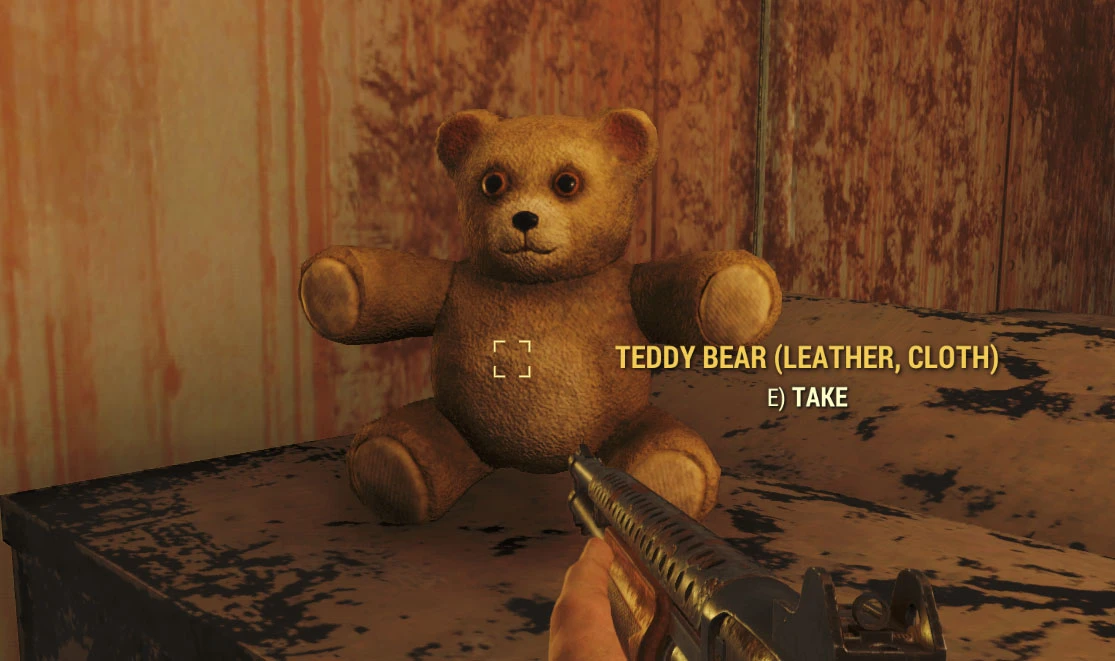
This is tutorial that let you edit the game strings so you can see the Component parts when you pick up a scrappable misc item.
------------------------------------
You might be interested by the SearchingTagGenerator I also added to xTranslator (tutorial here: https://www.nexusmods.com/fallout76/mods/74 )
It works the save way, by automation.
================================================================
How To see Components parts
(You can download the tutorial file in the file section, it contains a visual walk-through for the process.)
First, Get xTranslator 1. 1. 3+ there: https://www.nexusmods.com/skyrimspecialedition/mods/134/
It's a string editor for Skyrim, Fallout4, Skyrim SE and now, Fallout76.
Unzip the tool somewhere on your hard drive, then Start xTranslator.exe
------------------------------------
Added an option to indicate component quantity (The exact value is not available so it's only a range. this adds the tag + for medium amount, and ++ for high amount. Note that this quantity is also modified by your perks.). You need to update to xTranslator 1. 1. 5c to be able to do that.
V0. 2 / 0. 3
with xTranslator 1. 1. 4+ you have access a more options to customize the output.
-you can include the weight of each item (use the Output string combolist, or customize the entry). To disable an existing keyword just add an extra character in front of it (like *).
-you can exclude some items that match a given keyword. The default setup exclude bulk, armorMod and weaponmod items.
------------------------------------
A) The first window let you choice the workspace: choose Fallout 76.
B) If it's the first time you launch xTranslator, the option window popup automatically, otherwise, you can call it via Menu->options->Dictionaries and Languages
C) Verify if the .\data folder path for Fallout76 is correctly set, otherwise, set it by yourself, then, set the language you want to edit.
VERY IMPORTANT: both source et destination language must be the same: 'En', stands for english, 'Fr' for French etc...
Once it's done click ok
D) Now, open the game main file: Menu -> File -> Load Esp/esm, then choose 'SeventySix.esm' (if the path has been correctly set in C, you should be in the right folder directly.
E) Wait, few seconds until it's loaded andonce it's done you get a list of all games strings
F) Now, it's time to add component texts to all relevant items in the game. Choose Menu -> Tools -> DefUI Component Generator
G) The component generator windows shows up, all options are set by default for fallout 76. Just click OK (If you didnt set the correct language in options the Ok button is disable, if it's the
ComponentParts is a UI mod that displays the component parts of misc items when you pick them up. It uses an analytic process to work in all languages. With 1,001 endorsements and 27,409 downloads, it's a popular utility for players who want to know what they're looting.
✨ Key Features
📊 Pros & Cons
✅ Pros
- Community-approved with 1,001 endorsements
- Useful for looting decisions
- Language-independent thanks to analytic process
⚠️ Cons
- Last updated in 2018, may not be compatible with current game versions
- Limited to misc items only, not all item types
For players who want to know what components they get from misc items without checking a wiki. It's a quality-of-life UI improvement for looters and crafters. Skip if you don't care about component breakdowns or play a modded version that changes item data.
💡 Beginner Tips
- Since it's a UI mod, place the files in your Data folder or use a mod manager to avoid conflicts.
- If you use other UI mods, test load order to ensure ComponentParts displays correctly.
- Check the mod's forum posts for any compatibility notes with your game version.
📊 Mod Details
- Game
- Fallout 76 Mods
- Author
- McGuffin
- Version
- 0.4
- Downloads
- 27,409
- Endorsements
- 1,001
- Category
- User Interface
- Created
- 11/14/2018
- Updated
- 11/20/2018
🧩 Commonly Used Together
Users add these mods to the same collections — a real compatibility signal, not an AI guess.
🔧 How to Install Fallout 76 Mods
Use Vortex. Place .ba2 files in Data folder. Use cautiously online.
📖 Full step-by-step install guide for Fallout 76 →
Visit the official mod page for specific installation instructions for this mod.
🎮 Need cheat codes or console commands? Check ur gaming wiki for Fallout 76 commands, item IDs, and more.
Keep browsing — more Fallout 76 mods await