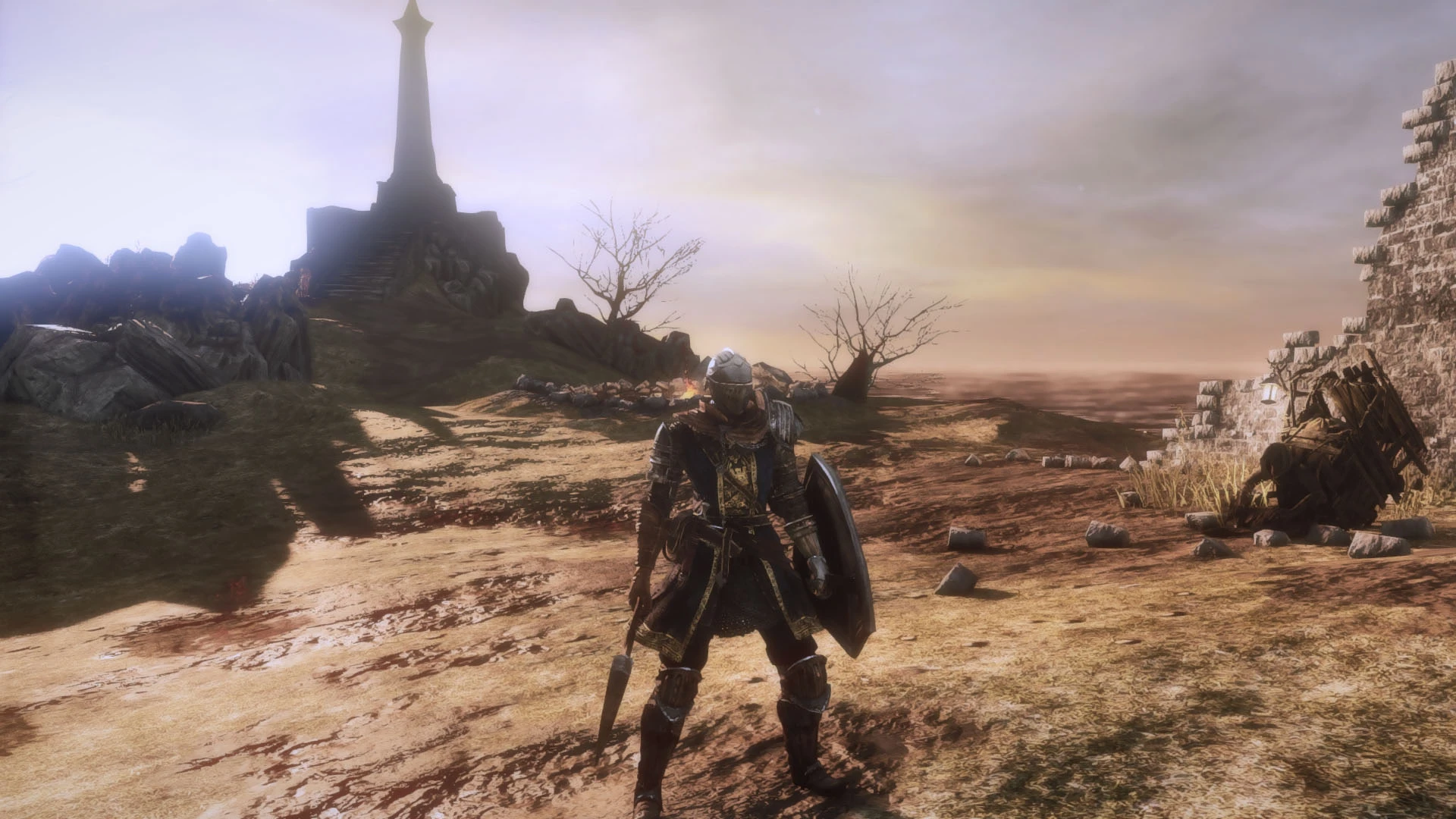
SainTShade - A ReShade 3.1.1 preset for SotFS
⚪ Last updated 2018Preview
🔍 Analysis
- 👍 3.3% endorsement rate — high engagement, a strong quality signal
- 🏆 #11 of 61 Miscellaneous mods in this game by downloads
📋 About This Mod
A customized ReShade preset to improve SotFS image quality.
I was trying to find something that could fit my taste, so I made it.
It has a huge bloom effect (but I like that way), but you can edit by your own taste, just press Shitf+F2 in game to open the editor. The effects can be turned off and on using the 'Scroll Lock' key.
It's blued to remove that original ugly color tint and not so dark at all, a little bit darker than vanilla.
Installation:
Download my preset
Download ReShade 3. 1. 1 here (https://reshade.me/downloads/ReShade_Setup_3. 1. 1.exe)
To get the .dll file, start the setup, hold CTRL key and click in the "Select Game" box.
ReShade64.dll will be exported to ReShade_Setup_3. 1. 1.exe folder.
Rename it to "d3d11.dll" and paste at Game folder.
"C:\Program Files (x86)\Steam\steamapps\common\Dark Souls II Scholar of the First Sin\Game"
Open my preset file and extract everything in the same location.
"C:\Program Files (x86)\Steam\steamapps\common\Dark Souls II Scholar of the First Sin\Game"
You could use iGP11 2. 1. 0 to retex your game. Updated version gives me CTD.
https://www.nexusmods.com/darksouls3/mods/28?tab=files
📊 Mod Details
- Game
- Darksouls2 Mods
- Author
- Yksin47
- Version
- 0.1
- Downloads
- 2,560
- Endorsements
- 85
- Category
- Miscellaneous
- Created
- 2/26/2018
- Updated
- 2/26/2018
🔧 How to Install Dark Souls 2 Mods
Download from Nexus Mods.
📖 Full step-by-step install guide for Dark Souls 2 →
Visit the official mod page for specific installation instructions for this mod.
🎮 Need cheat codes or console commands? Check ur gaming wiki for Dark Souls 2 commands, item IDs, and more.
Keep browsing — more Dark Souls 2 mods await