Majula_ReShade
⚪ Last updated 2019Preview
🔍 Analysis
- 👍 6.6% endorsement rate — high engagement, a strong quality signal
- 🏆 #10 of 26 ReShade Preset mods in this game by downloads
📋 About This Mod
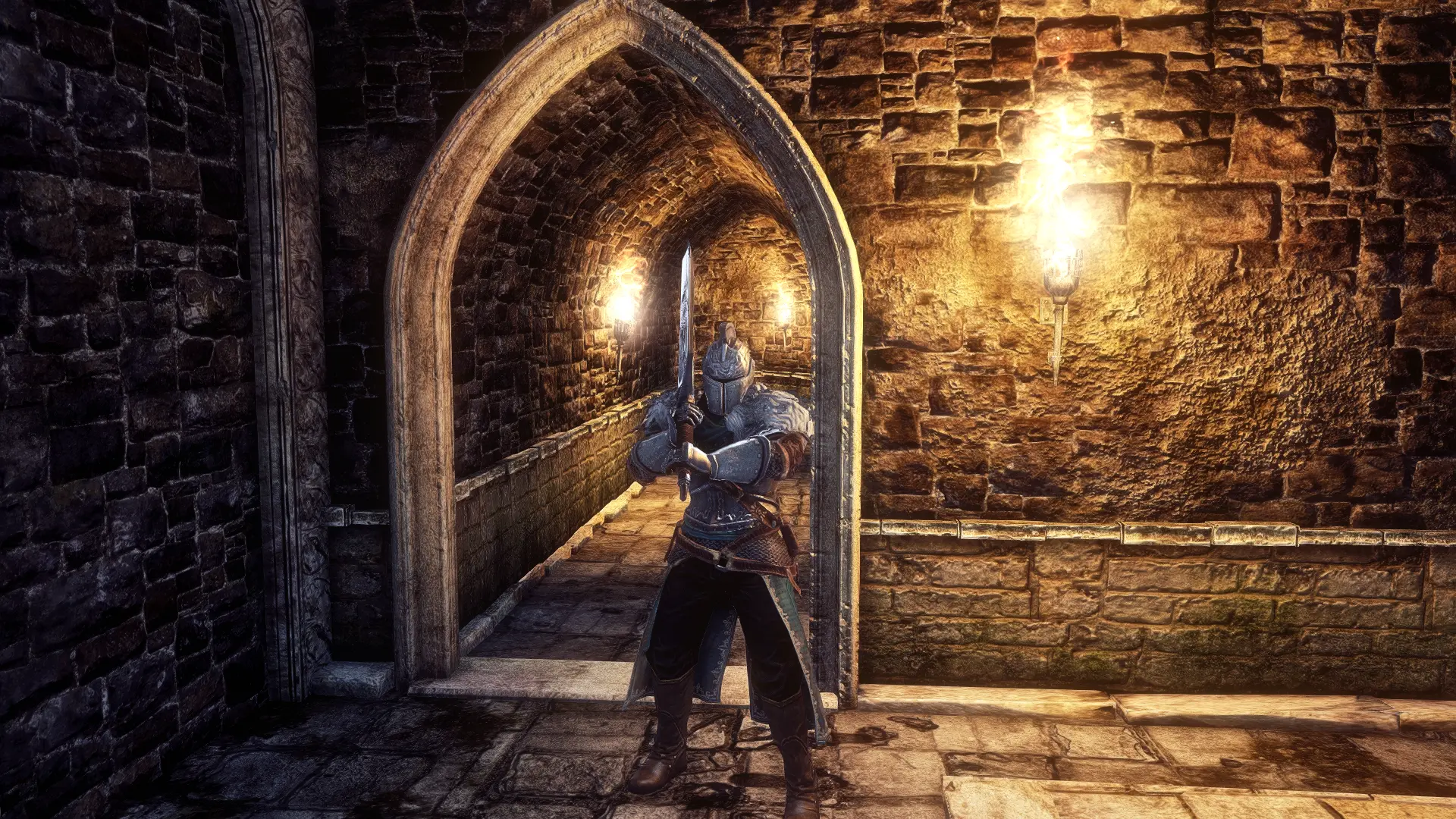
My version of a (E3) ReShade Preset that doesn't over-darken the game or over-saturate its color pallete. Instead it adds color correction, better lighting, hdr & sharpness. While using this preset it is HIGHLY RECOMMENDED to turn your
How To install my file: simply place it in your Dark Souls II Scholar of the First Sin Game Folder where the game's .exe is located ( D:\SteamLibrary\steamapps\common\Dark Souls II Scholar of the First Sin\Game ).
How To Install ReShade: 1.) Launch the ReShade Installer & select the game's .exe ( D:\SteamLibrary\steamapps\common\Dark Souls II Scholar of the First Sin\Game )
2.) Select the game's API - it is DX10+
3.) ReShade will ask if you want to download all the .fx files, click okay to download them & click okay to install them
4.) ReShade should now say Succeeded! Now, you can close the ReShade Installer.
IMPORTANT! when launching the game - if it fails to launch, Crashes To Desktop or your controller isn't working: you will need to rename the dxgi file to d3d11, it is located in the same folder you installed my file & ReShade ( D:\SteamLibrary\steamapps\common\Dark Souls II Scholar of the First Sin\Game ). If renaming the dxgi file doesn't work you will need to disable your Steam Overlay, as it can cause a conflict with the ReShade Overlay.
To open the ReShade menu in-game press the HOME (pos1) key on your keyboard & once the menu is open click the drop-down menu arrow. Once the drop-down menu is open select my file "Majula_ReShade" from the list. If you do not see my file in the list then you will have to manually add it by clicking the + symbol next to the drop-down arrow & type in the full name of my file just like this: Majula_ReShade.ini, then press enter.
To close the ReShade menu press the HOME (pos1) key on your keyboard.
📊 Mod Details
- Game
- Darksouls2 Mods
- Author
- Jeff B
- Version
- V1
- Downloads
- 2,006
- Endorsements
- 132
- Category
- ReShade Preset
- Created
- 8/26/2019
- Updated
- 8/26/2019
🔧 How to Install Dark Souls 2 Mods
Download from Nexus Mods.
📖 Full step-by-step install guide for Dark Souls 2 →
Visit the official mod page for specific installation instructions for this mod.
🎮 Need cheat codes or console commands? Check ur gaming wiki for Dark Souls 2 commands, item IDs, and more.
Keep browsing — more Dark Souls 2 mods await