Dark Souls 2 SweetFX Preset
⚪ Last updated 2014Preview
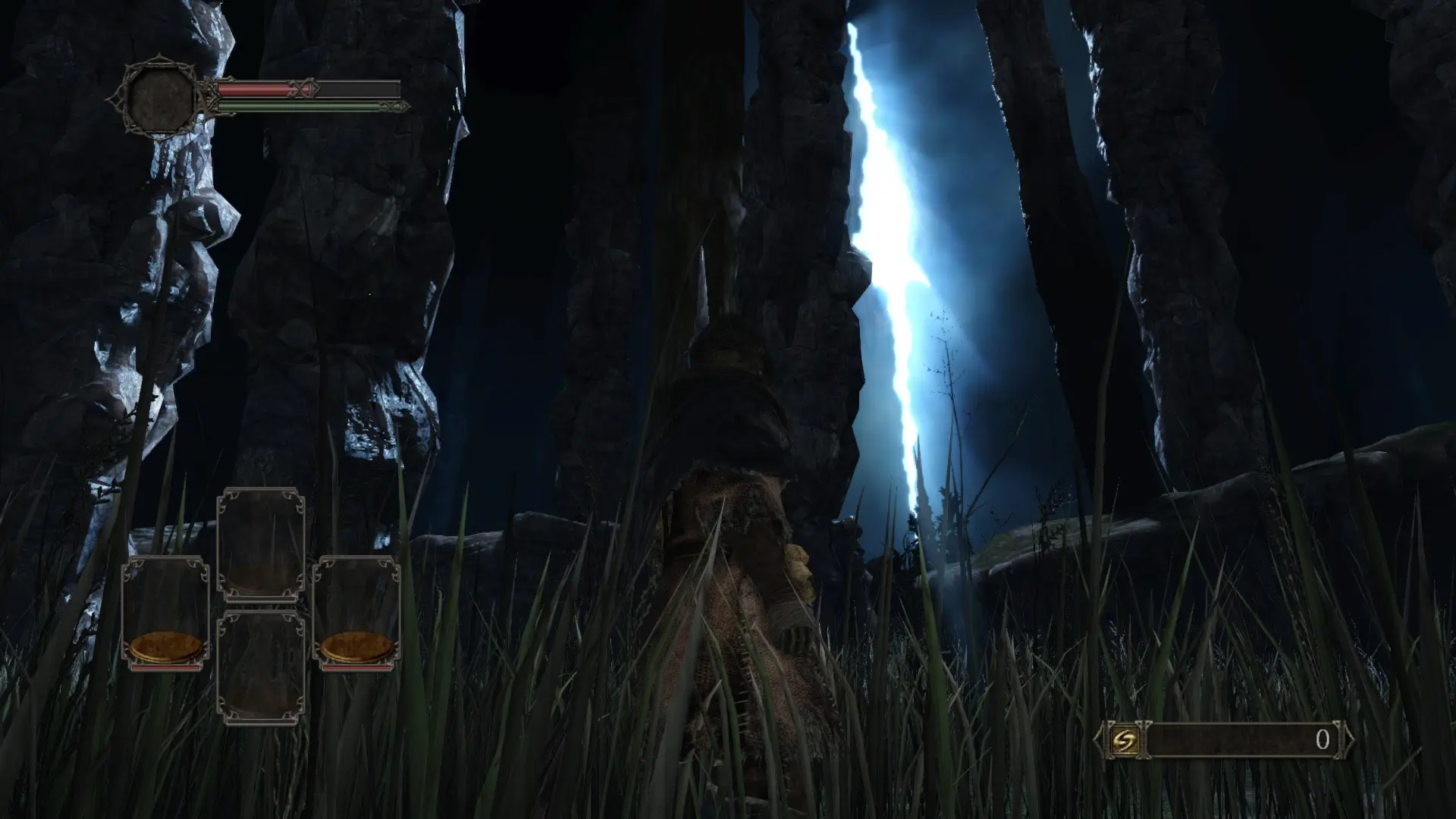
🔍 Analysis
- 👍 4.2% endorsement rate — high engagement, a strong quality signal
- 🏆 #2 of 26 ReShade Preset mods in this game by downloads
📋 About This Mod
This SweetFX preset attempts to improve colours, lighting and get rid of the washed out grey colour that surrounds the screen. See the before and after preview images for an idea of what it does.
Credit to CeeJay.dk for the creation of SweetFX.
For those looking for video footage, check out the video link below, or check out the raw footage below:
Raw Footage HIGHLY RECOMMENDED (to get the best result, open the link, right click and save the video to your HDD, otherwise the footage goes through compression): https://dl.dropboxusercontent.com/u/69969611/Dark%20Souls%20II%2004. 25. 2014%20-%2019. 51. 39. 72.mp4
Alternative Raw Footage Link: https://mega.co.nz/#!EZU0QSKR!gMo89uRG_QUrVVS_fZ9QrO0nck9w2Zw5MDxbRu9bx3g
Youtube Link: https://www.youtube.com/watch?v=qHpuLr4WIJc
Installation Guide (Normal and Darker Presets):
Download SweetFX from: http://www.guru3d.com/files_get/sweetfx_shader_suite_download,1.html
Extract the contents to the "Game" folder, which is inside the Dark Souls 2 folder.
Download the preset.
Extract the preset into the "Game" folder, which is inside the Dark Souls 2 folder.
Use the "Scroll Lock" key to toggle the effect, when it darkens the game, the effect is on.
GEM2 Compatible Preset Installation Guide:
Install GEM2, follow the instructions given.
Extract the GEM2 Compatible Preset into the "Game" folder, which is inside the Dark Souls 2 folder.
Use the "Scroll Lock" key to toggle the effect, when it darkens the game, the effect is on.
This mod may not be reuploaded anywhere where I have not given permission, that includes the Steam workshop.
A ReShade preset that enhances lighting and colors in Dark Souls 2, offering a more vibrant and visually striking experience. With 566 endorsements and over 13,000 downloads, it's a popular choice for players seeking a quick visual upgrade.
✨ Key Features
📊 Pros & Cons
✅ Pros
- Community favorite with 566 endorsements and over 13k downloads
- Simple visual overhaul that makes colors pop without heavy performance hit
- Works as a drop-in ReShade preset – no complex setup
⚠️ Cons
- Last updated in 2014 – may not be compatible with newer game patches or ReShade versions
- Preset is subjective – some players may find the color changes too strong or not to their taste
- Potential conflicts with other ReShade presets or ENB-like mods if not properly configured
For Dark Souls 2 players who want a quick, no-fuss visual upgrade to lighting and colors. If you're a purist who prefers the original look, skip it – this preset changes the atmosphere noticeably.
💡 Beginner Tips
- Make sure you have ReShade installed and set to the correct DirectX version for Dark Souls 2 (DX11).
- If the preset doesn't apply, check that the preset file is in the same folder as the game executable.
- Try toggling the preset in-game with the ReShade hotkey (default: Home) to compare before/after.
📊 Mod Details
- Game
- Darksouls2 Mods
- Author
- Nox
- Version
- 0.1a
- Downloads
- 13,402
- Endorsements
- 566
- Category
- ReShade Preset
- Created
- 4/25/2014
- Updated
- 4/27/2014
🔧 How to Install Dark Souls 2 Mods
Download from Nexus Mods.
📖 Full step-by-step install guide for Dark Souls 2 →
Visit the official mod page for specific installation instructions for this mod.
🎮 Need cheat codes or console commands? Check ur gaming wiki for Dark Souls 2 commands, item IDs, and more.
Keep browsing — more Dark Souls 2 mods await