Drangleic Enhanced Reshade
⚪ Last updated 2019Preview
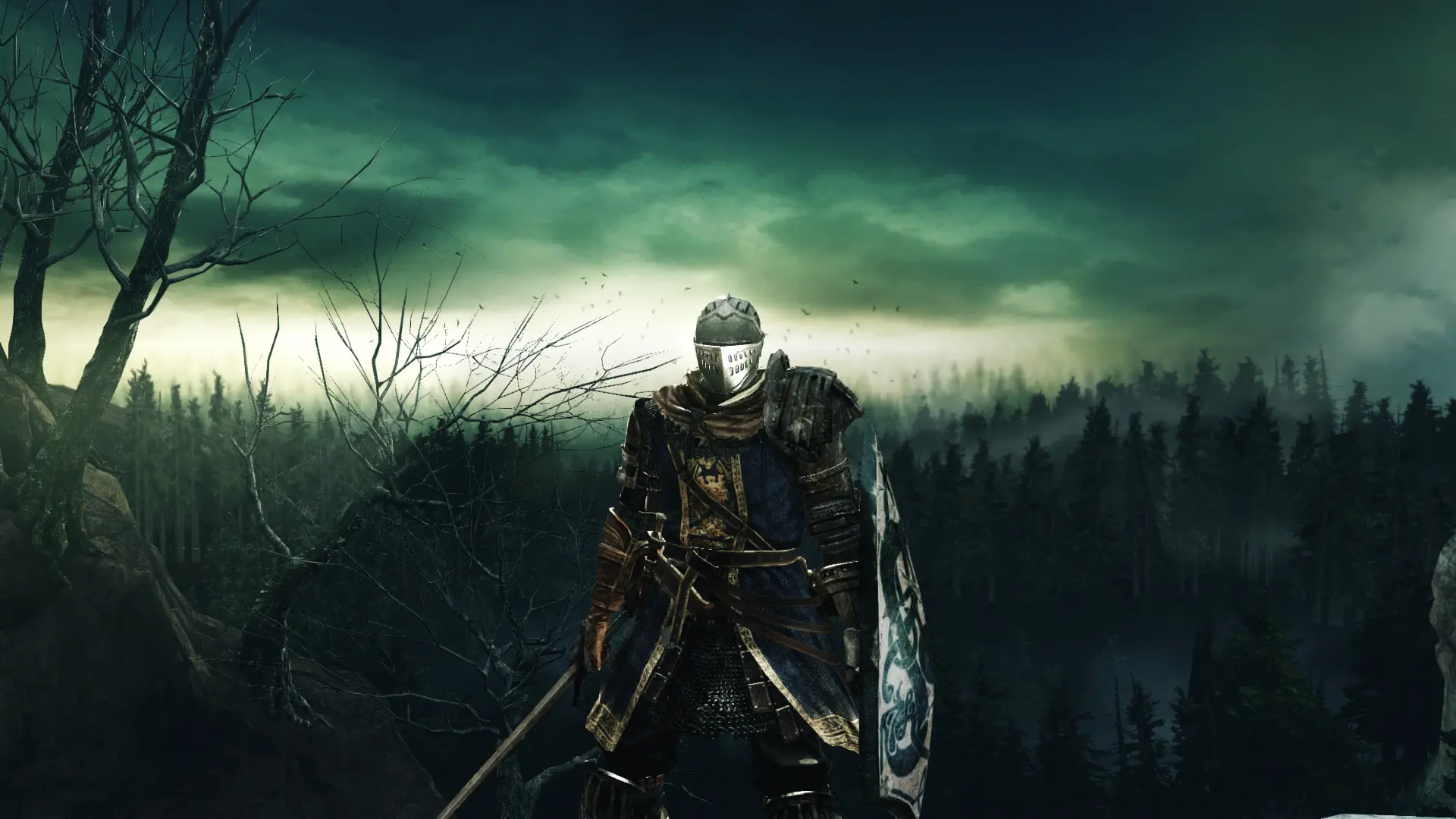
🔍 Analysis
- 👍 4.8% endorsement rate — high engagement, a strong quality signal
- 🏆 #5 of 26 ReShade Preset mods in this game by downloads
📋 About This Mod
A performance friendly Reshade preset for enhancement of Dark Souls II original graphics
PLEASE: If you downloaded and liked my preset, don't forget to return here and click on "ENDORSE"! That's my only request to you! I've spent time and work with it, so endorsing my mod you will be helping me and I will appreciate it so much. Thank you all!!
ALSO CHECK MY OTHER WORKS
PhoenixVivid ENB-Reshade for Skyrim SE
Phoenix Cinematic ENB-Reshade for Fallout 4
Phoenix Enhancer Reshade for The Elder Scrolls Online
Phoenix Luminance ENB for Dragon's Dogma DA
Phoenix Undead Reshade for Dark Souls III
Phoenix Samurai Reshade for Sekiro
Imaginarium ENB for Skyrim SE
Insanity ENB for Skyrim LE
NCW ENB for Fallout 4
Subscribe to my YouTube Channel
Follow me on Flickr
Drangleic Enhanced Reshade is a preset that will improve some details of the Dark Souls II original graphics with minimal or no performance impact. Several adjustments were made for a better color balance and for a better general look, removing a little the yellow tint from the game. It's intended to be used with Scholar of The First Sin version, but perhaps will work in the older version (DirectX9), feel free to try. Reshade resources used: Curves, DPX Cineon, LumaSharpen, Technicolor2, Tonemap and Vibrance.
1Dl637B9e3w
- REQUIREMENTS
ONLY for NVIDIA users: If you are using HDMI conection, Its VERY IMPORTANT to set your Dynamic Range in full, in the graphics card control panel (see this image). For AMD Users: open AMD control panel, click on Gaming tab > Games >Global Graphics > Display > Pixel Format and set to: RGB 4:4:4 Pixel Format PC Standard (Full RGB).
- INSTALLATION STEPS
1- Download the latest Reshade version from https://reshade.me/ ;
2- Run the executable to install the Reshade ----> select the game or browse until find the DS2 "Game" folder (usually [...... Steam\steamapps\common\DARK SOULS II\Game] ) and click on DS2 .exe file ----> [
📊 Mod Details
- Game
- Darksouls2 Mods
- Author
- Phoenix
- Version
- 1.0
- Downloads
- 4,896
- Endorsements
- 234
- Category
- ReShade Preset
- Created
- 1/25/2019
- Updated
- 1/25/2019
🔧 How to Install Dark Souls 2 Mods
Download from Nexus Mods.
📖 Full step-by-step install guide for Dark Souls 2 →
Visit the official mod page for specific installation instructions for this mod.
🎮 Need cheat codes or console commands? Check ur gaming wiki for Dark Souls 2 commands, item IDs, and more.
Keep browsing — more Dark Souls 2 mods await