Dark Souls 2 Scholar Of The First Sin InfiniDetail
🟡 Updated this yearPreview
🔍 Analysis
- 👍 3.3% endorsement rate — high engagement, a strong quality signal
- 🏆 #28 of 69 Visuals and Graphics mods in this game by downloads
📋 About This Mod
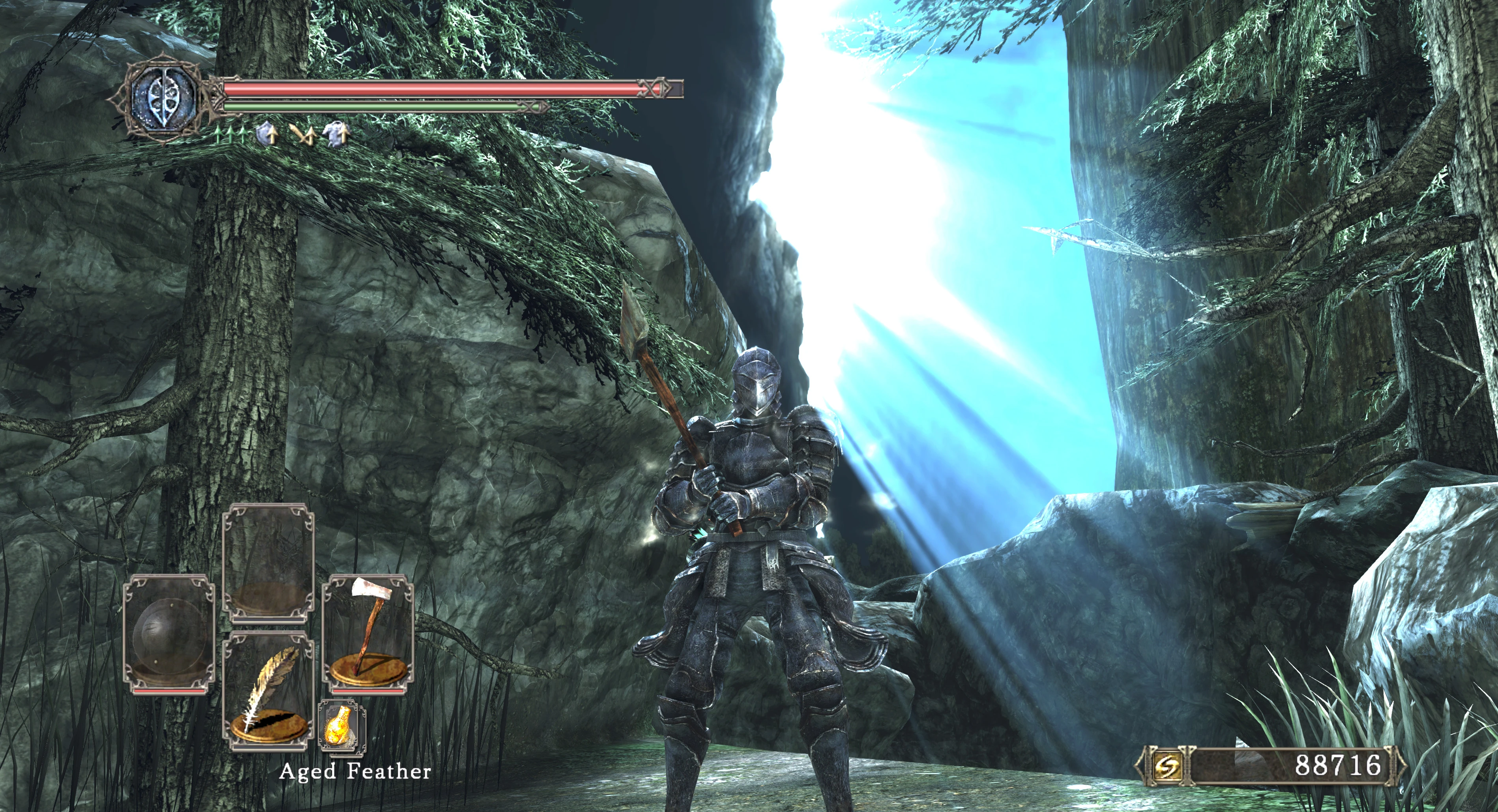
Eliminate texture LOD pop-in and greatly increase draw distance. Improved lightshaft quality. Improved Depth of Field (DoF). Also render some parts of the map that were in the game but were never rendered
Dark Souls 2: Scholar of the First Sin - InfiniDetail
This mod does the following:
-
[]Reduce/eliminate texture LOD (Level of Detail)
[
]Increase draw distances, less pop-in of mappieces and objects[]Draw some mappieces that were inside the level files but never rendered ingame
[]Improved lightshaft quality
[]Improved Depth of Field (DoF) quality, now has a bokeh-like effect
[]Increased shadowmap resolution (ModEngine1 required, supplied with the mod)
[]Increased light draw distance
This mod takes a conservative and disciplined approach. It does not seek to alter
the game's look, it does not add additional lighting, it does not remove spot lights or
remove baked shadows. In other words, it tries to look authentic to the original game,
and yet a still noticeable visual upgrade.
NOTE: Mappieces that have shadow source/target disabled have not been altered.There will be a second version of the mod in the future that will enable shadow
source for certain mappieces. Enabling it for all mappieces at once did not turn
out to be a good idea, so it has to be done judiciously.
Altered objects meanwhile do have shadow sources enabled
REQUIREMENTS
-
[]A copy of Dark Souls II: Scholar Of The First Sin (PC version)
This mod will not work with vanilla Dark Souls II.
HOW TO INSTALL
Easy mode (recommended)
-
[]Extract the contents of the zip archive to the Dark Souls II: Scholar Of The First Sin directory (usually C:\Program Files (x86)\Steam\steamapps\common\Dark Souls II Scholar of the First Sin\Game).
[
]Start Dark Souls II: Scholar Of The First Sin from Steam, or run DarkSoulsII.exe from the DS2 install dir.[]This will start the InfiniDetail mod with ModEngine (supplied in the zip archive)
[]Extract the contents of the zip archive to a temporary directory.
[]Download UXM (https://www.nexusmods.com/sekiro/mods/26)
[]Run UXM, point it to the DS2 SOTF exe (usually C:\Program Files (x86)\Steam\steamapps\common\Dark Souls II Scholar of the First Sin\Game\DarkSoulsII.exe). Click on 'Unpack' and wait until it's done. Close UXM.
[]Take the contents of the 'InfiniDetail' directory, and copy them over to the DS2 SOTF directory (usually C:\Program Files (x86)\Steam\steamapps\common\Dark Souls II Scholar of the First Sin\Game).
[]Run UXM, point it to the DS2 SOTF exe (usually C:\Program Files (x86)\Steam\steamapps\common\Da
-
[]Extract the contents of the zip archive to the Dark Souls II: Scholar Of The First Sin directory (usually C:\Program Files (x86)\Steam\steamapps\common\Dark Souls II Scholar of the First Sin\Game).
-
[]A copy of Dark Souls II: Scholar Of The First Sin (PC version)
📊 Mod Details
- Game
- Darksouls2 Mods
- Author
- libretro
- Version
- 0.6
- Downloads
- 2,387
- Endorsements
- 78
- Category
- Visuals and Graphics
- Created
- 11/1/2023
- Updated
- 3/25/2026
🔧 How to Install Dark Souls 2 Mods
Download from Nexus Mods.
📖 Full step-by-step install guide for Dark Souls 2 →
Visit the official mod page for specific installation instructions for this mod.
🎮 Need cheat codes or console commands? Check ur gaming wiki for Dark Souls 2 commands, item IDs, and more.
Keep browsing — more Dark Souls 2 mods await