Black Loading Screen
⚪ Last updated 2021Preview
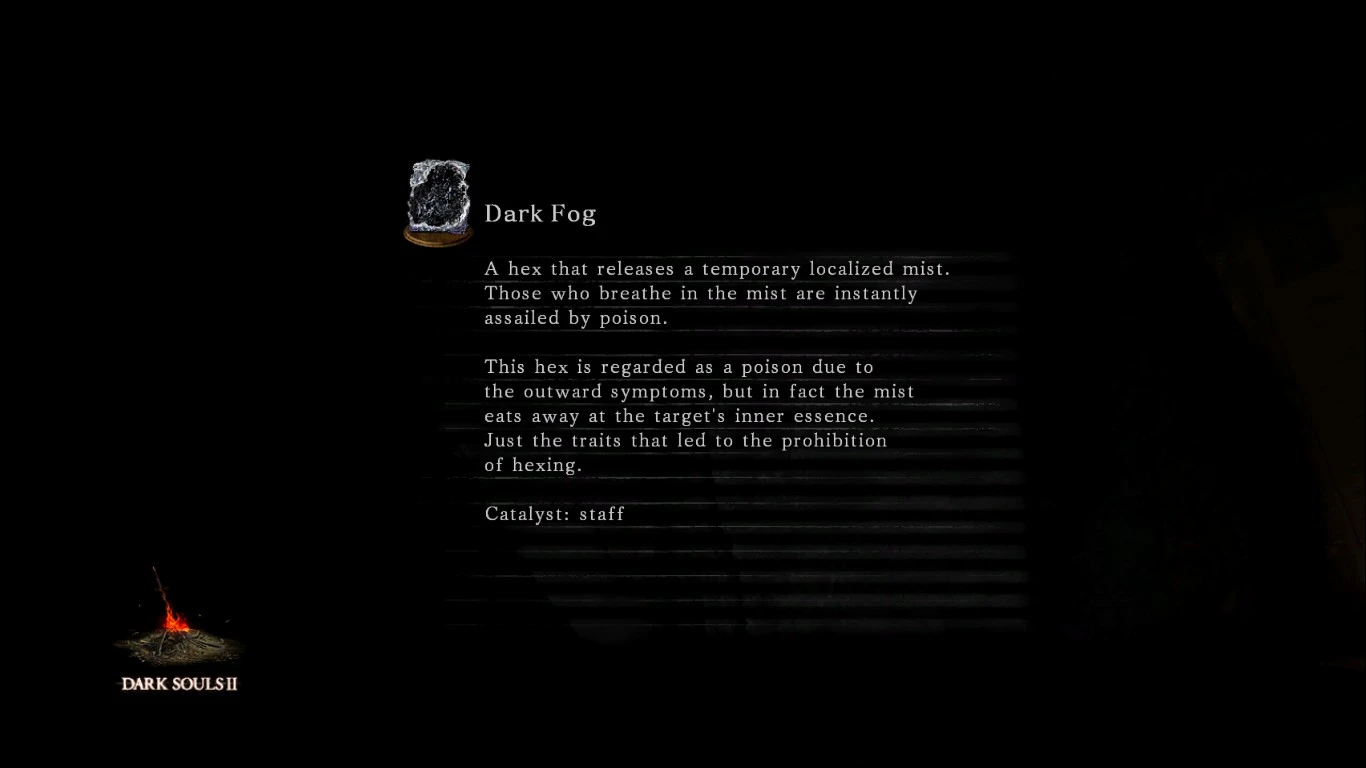
🔍 Analysis
- 🏆 #44 of 61 Miscellaneous mods in this game by downloads
📋 About This Mod
This mod replaces the old book-like loading screen for one more akin to DS1/DS3 screens.
I tried to make the loading screen black while retaining the white lines underlining the text.
Someone has already done this on vanilla DS2, so I just did my own version for SOTFS.
For use with iGP11.
How to install:
- Download the file.
- Copy the .dds files into your "override" folder. The path to it should be something like this:
...\Dark Souls II Scholar of the First Sin\Game\iGP11\tex_override
- Start the iGP11 Tool.
- Go to "Textures". You will have 3 options: "none", "dumping" and "override"; choose "override".
- Launch the game via iGP11.
📊 Mod Details
- Game
- Darksouls2 Mods
- Author
- Aquarius
- Version
- 1.0
- Downloads
- 162
- Endorsements
- 10
- Category
- Miscellaneous
- Created
- 9/23/2021
- Updated
- 9/23/2021
🔧 How to Install Dark Souls 2 Mods
Download from Nexus Mods.
📖 Full step-by-step install guide for Dark Souls 2 →
Visit the official mod page for specific installation instructions for this mod.
🎮 Need cheat codes or console commands? Check ur gaming wiki for Dark Souls 2 commands, item IDs, and more.
Keep browsing — more Dark Souls 2 mods await