Phunky Phantoms
⚪ Last updated 2022⚠️ Install Order · 1 step
Install in this order, then this mod last — most mods fail to load without their framework and dependencies in place.
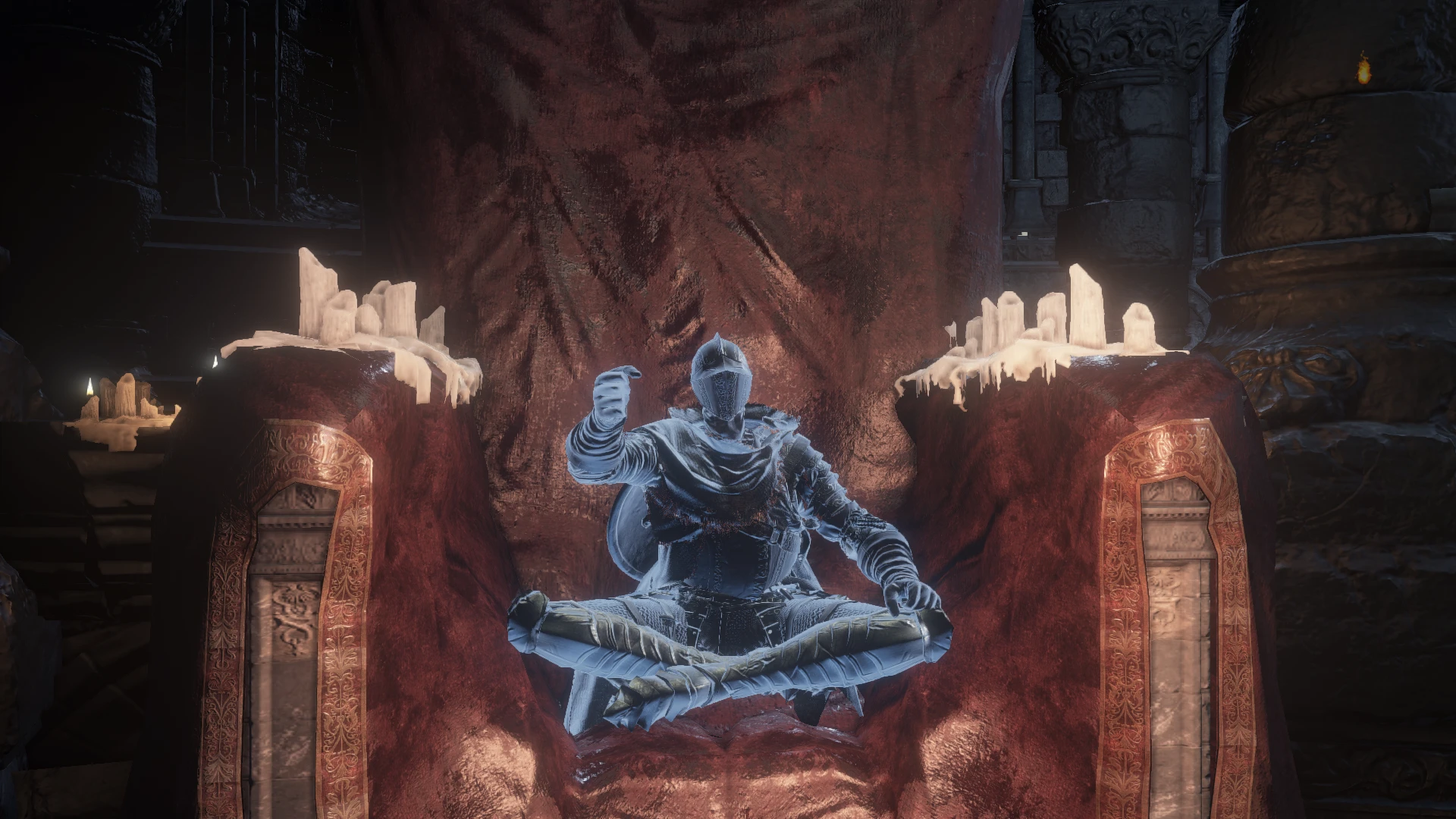
Preview
🔍 Analysis
- 👍 4.7% endorsement rate — high engagement, a strong quality signal
- 🏆 #48 of 195 Visuals and Graphics mods in this game by downloads
📋 About This Mod
Phunky Phantoms allows for custom client side changes to phantom colors on the latest retail steam copy of Dark Soul 3.
Install:
-
[]Move dinput8.dll to the same directory as DarkSoulsIII.exe
[
]If you want the sample phantom colors, move the included PhunkyPhantoms.ini file in to the same directory. If you'd rather start from scratch, a default file will be generated for you if PhunkyPhantoms.ini is not present.[]Launch the game and enjoy
Optional:
-
[]From time to time I'll add optional files, these will be other presets I came up with. Feel free to give those a try.
Q&A:
Q: Does this work on consoles?
A: No, I have no plans to try and figure out how to even move this to a console.
Q: My copy of the game isn't the latest retail steam copy of Dark Soul 3, will it work?
A: I have no idea, I only support the latest steam licensed version of Dark Souls 3(v1. 15).
Q: Can others see the changes I made?
A: No, these changes are local to your game this mod is purely cosmetic
Q: Can this mod ban me?
A: In testing CE versions of this mod and previous revisions of the dll. None of the accounts involved have been banned across the weeks of testing, so 99. 99% sure this is safe to use, 0. 01% unsure for plausible deniability.
-
[]From time to time I'll add optional files, these will be other presets I came up with. Feel free to give those a try.
Phunky Phantoms is a client-side visual mod for Minecraft that lets players customize the colors of phantoms. It has 142 endorsements and 3,044 downloads, last updated in November 2022. Ideal for players who want to personalize the appearance of these mobs without affecting server-side gameplay.
✨ Key Features
📊 Pros & Cons
✅ Pros
- Lightweight client-side mod that won't affect server performance
- Decent community support with 142 endorsements
- Easy to install and use for visual tweaks
⚠️ Cons
- Last updated in 2022, may not be compatible with the latest Minecraft versions
- Limited scope—only changes phantom colors, not other mobs or features
- No detailed documentation or configuration options provided
For Minecraft players who want to personalize the look of phantoms without altering gameplay. Great for builders and content creators who want a unique visual twist. Skip if you're looking for broader visual overhauls or gameplay changes.
💡 Beginner Tips
- Since it's client-side, you can use it on any server without needing admin permissions.
- Check if the mod is compatible with your Minecraft version before installing, as it hasn't been updated since 2022.
- If you use a mod loader like Forge or Fabric, make sure to place the mod file in the correct mods folder.
📊 Mod Details
- Game
- Dark Souls 3 Mods
- Author
- Church Guard
- Version
- 0.3.0
- Downloads
- 3,044
- Endorsements
- 142
- Category
- Visuals and Graphics
- Created
- 5/20/2020
- Updated
- 11/17/2022
🔧 How to Install Dark Souls 3 Mods
Download from Nexus.
📖 Full step-by-step install guide for Dark Souls 3 →
Visit the official mod page for specific installation instructions for this mod.
🎮 Need cheat codes or console commands? Check ur gaming wiki for Dark Souls 3 commands, item IDs, and more.
Keep browsing — more Dark Souls 3 mods await