Lothric Unfiltered
⚪ Last updated 2018⚠️ Install Order · 2 steps
Install in this order, then this mod last — most mods fail to load without their framework and dependencies in place.
Preview
🔍 Analysis
- 👍 5.6% endorsement rate — high engagement, a strong quality signal
- 🏆 #38 of 195 Visuals and Graphics mods in this game by downloads
📋 About This Mod
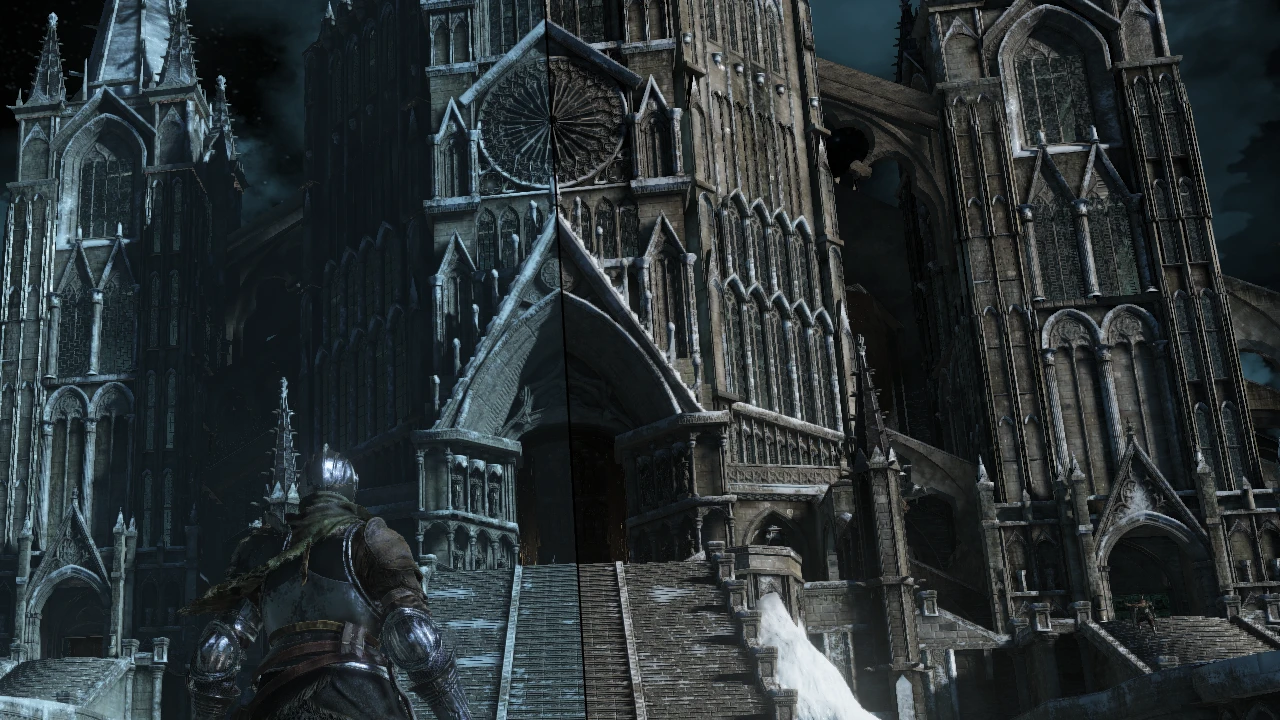
Specifically, the RGB values of all global lighting were averaged to remove the coloring without affecting overall brightness. Distance fog color was averaged in the same manner. Also included is an option to completely remove distance fog, making scenery much less washed out in some cases, and an option to remove bloom, most noticeable in Cemetery of Ash.
Installation
-
[]Unpack and patch your game with UXM to enable file mods.
[
]Copy the "param" folder from the directory with the options you want into your game install and overwrite.Uninstallation
- Copy the "param" folder from the "Vanilla" directory into your game install and overwrite.
I am fairly certain that graphics files like this are not subject to anticheat, but if you play with it in online mode, you do so at your own risk.
Lothric Unfiltered is a visual mod for Dark Souls 3 that removes the constant colored tint from many areas by editing graphics parameter files. It requires UXM to install. With 251 endorsements and 4,462 downloads, it's a niche but appreciated mod for players who want a more neutral color palette.
✨ Key Features
📊 Pros & Cons
✅ Pros
- Community-approved with 251 endorsements and over 4,400 downloads
- Gives the game a more neutral look, which can be a refreshing change
- Directly edits graphics parameters, so it's a precise fix
⚠️ Cons
- Last updated in 2018, so it may not be compatible with the latest game patches
- Requires UXM, an external tool, which adds setup complexity
- Only affects tinted areas; other visual aspects remain unchanged
For Dark Souls 3 players who are tired of the constant color grading and want a more natural look. If you're a purist who wants the original aesthetic, skip this. It's purely cosmetic, so don't expect gameplay changes.
💡 Beginner Tips
- Make sure you have UXM installed and know how to unpack the game files before using this mod.
- Back up your original graphics parameter files so you can revert if you don't like the change.
- Check the mod's comments for any known compatibility issues with the current game version.
📊 Mod Details
- Game
- Dark Souls 3 Mods
- Author
- TKGP
- Version
- 1.1
- Downloads
- 4,462
- Endorsements
- 251
- Category
- Visuals and Graphics
- Created
- 9/30/2018
- Updated
- 10/16/2018
🔧 How to Install Dark Souls 3 Mods
Download from Nexus.
📖 Full step-by-step install guide for Dark Souls 3 →
Visit the official mod page for specific installation instructions for this mod.
🎮 Need cheat codes or console commands? Check ur gaming wiki for Dark Souls 3 commands, item IDs, and more.
Keep browsing — more Dark Souls 3 mods await