Wild Hunt Re-Engaged
⚪ Last updated 2018⚠️ Install Order · 4 steps
Install in this order, then this mod last — most mods fail to load without their framework and dependencies in place.
Preview
🔍 Analysis
- 👍 3.2% endorsement rate — high engagement, a strong quality signal
- 🏆 #5 of 74 ReShade Preset mods in this game by downloads
📋 About This Mod
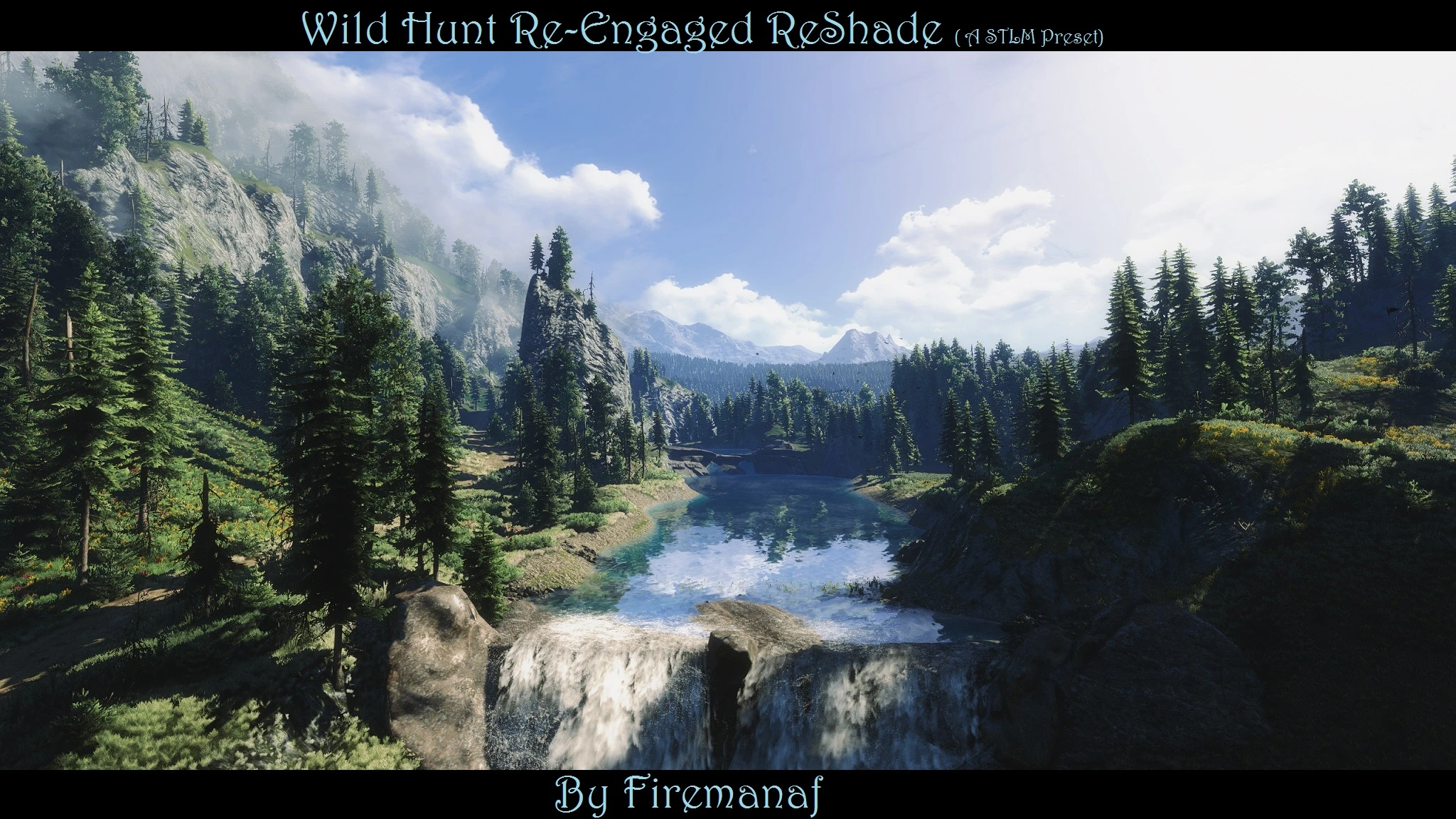
(Updated 17 June) Wild Hunt Re-Engaged a ReShade that is adaptive and changes preset based on location. Presets for both Wiedzmin Lighting and STLM. My goal was bluer skies, darker green grass, remove yellow tint from lighting and bring
Wild Hunt Re-Engaged is a ReShade preset for The Witcher 3 that adapts based on location, offering presets for both Wiedzmin Lighting and STLM. It aims for bluer skies, darker green grass, and removes the yellow tint from lighting. With 2,779 endorsements and 86,200 downloads, it's a popular choice for visual enhancement.
✨ Key Features
📊 Pros & Cons
✅ Pros
- Huge community trust with 2,779 endorsements and 86k downloads.
- Adaptive presets mean you get the best look for each area without manual switching.
- Works with two popular lighting mods, so you can pick your base.
⚠️ Cons
- Last updated in 2018 — may not be fully compatible with the latest ReShade versions or game patches.
- Requires you to have either Wiedzmin Lighting or STLM installed, adding extra setup.
For Witcher 3 players who want a more vibrant, less yellow-tinted world and are already using lighting overhaul mods. If you're a purist who wants a simple drop-in preset without extra dependencies, this might be more hassle than it's worth.
💡 Beginner Tips
- Make sure you have ReShade installed first, then drop the preset files into your Witcher 3 directory.
- If you're using STLM, select the STLM preset; if you're using Wiedzmin, use that one — don't mix them.
- Test the preset in different areas (like White Orchard vs. Novigrad) to see the adaptive changes in action.
📊 Mod Details
- Game
- Witcher 3 Mods
- Author
- firemanaf
- Version
- 6.1
- Downloads
- 86,200
- Endorsements
- 2,779
- Category
- ReShade Preset
- Created
- 9/18/2016
- Updated
- 6/17/2018
🔧 How to Install Witcher 3 Mods
Download from Nexus.
📖 Full step-by-step install guide for Witcher 3 →
Visit the official mod page for specific installation instructions for this mod.
🎮 Need cheat codes or console commands? Check ur gaming wiki for Witcher 3 commands, item IDs, and more.
Keep browsing — more Witcher 3 mods await