Ultra4 Graphic setting W3 NG
⚪ Last updated 2023⚠️ Install Order · 2 steps
Install in this order, then this mod last — most mods fail to load without their framework and dependencies in place.
Preview
🔍 Analysis
- 👍 2.4% endorsement rate — high engagement, a strong quality signal
- 🏆 #55 of 132 Tweaks mods in this game by downloads
📋 About This Mod
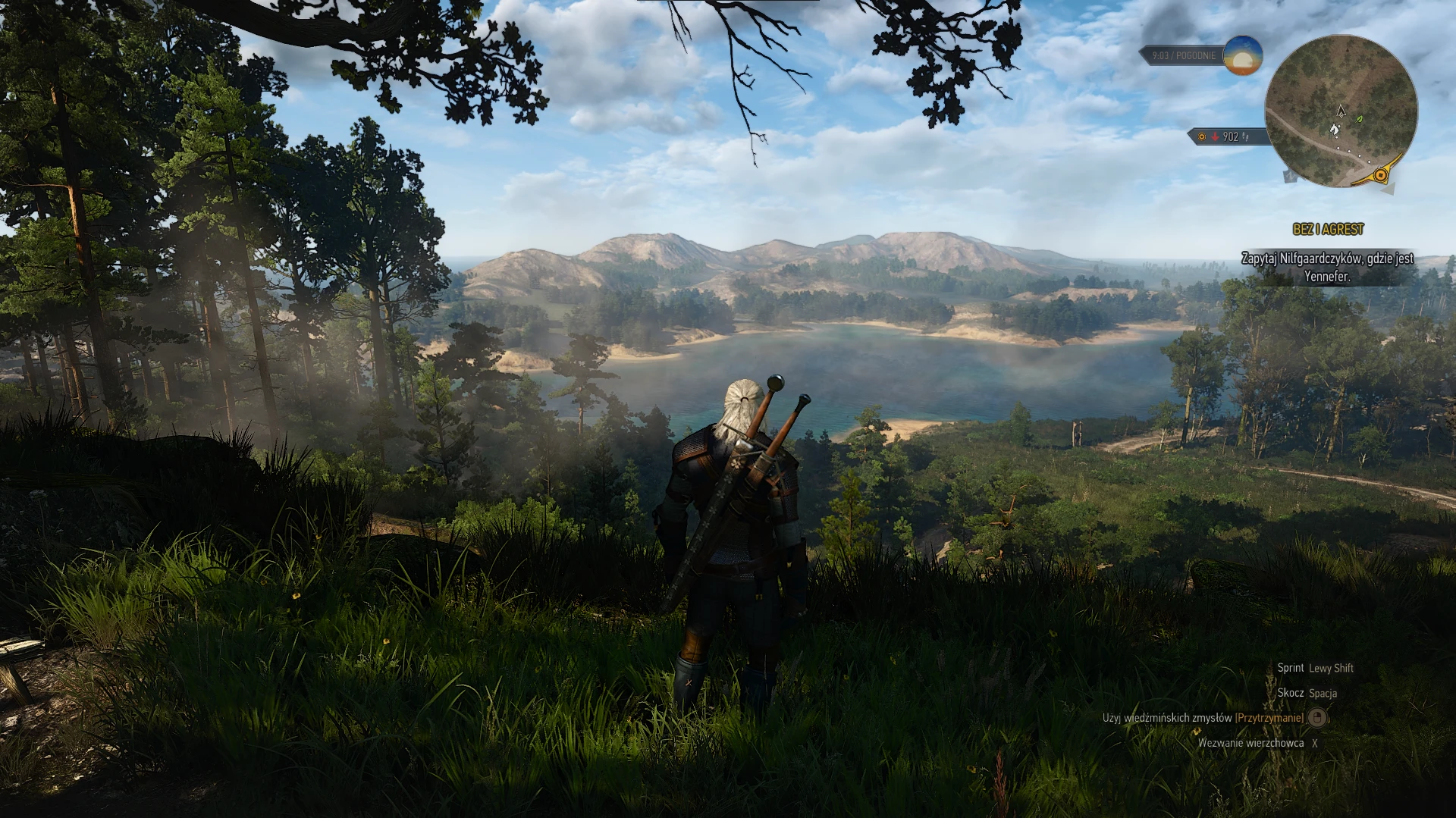
The modification adds more settings in the graphics section to match the graphics quality of 2022 hardware :)
The modification adds one to three additional graphics settings (3 for shadows and water).
The modification includes all settings related to display quality and range.
Now we have options for dx11 and dx12
Modification with the highest settings will be most effective in open spaces. And for RT players it will additionally provide unforgettable views over water!
Ready for Game update 4. 02!
Detailed specifications
number of background characters +2 setting.
shadow quality +4 setting.
terrain quality +1 setting.
water quality +3 setting.
foliage visiblity range +2 setting.
grass density +3 setting.
texture quality +2 setting.
detail level +2 setting.
UPDATE 1v5 - Important update. Resolves an issue for Extreme settings related to under-reading of building textures in cities.
An even higher setting "AWESOME" has been added for the "2. Extreme-Awesome setting W3 NG DX12" file is only available for a few graphics options. For all files, in the "foliage visiblity range" setting, an option for Automatic Texture Reloading has been added, so that from now on you don't have to restart the game, or reload, in order for the required distance textures to load correctly.
Please note that the most stressful Extreme* setting is "foliage visiblity range" this setting is responsible for the range of visibility of trees, bushes and grass. Another heavy load is "shadow quality" and in cities "number of background characters". If these three setti
Ultra4 Graphic setting W3 NG is a tweak mod for The Witcher 3 Next-Gen that adds more options to the graphics settings menu, allowing players to push visual quality beyond the default limits. With 686 endorsements and 28,201 downloads, it's a popular choice for PC players seeking enhanced visuals.
✨ Key Features
📊 Pros & Cons
✅ Pros
- Community-approved with 686 endorsements and over 28k downloads.
- Simple tweak that expands graphics options for better visuals.
- Targets the Next-Gen version, so it's relevant for current players.
⚠️ Cons
- Last updated in March 2023, so it may not be compatible with the latest game patches.
For Witcher 3 Next-Gen players who want more control over graphics settings and are willing to experiment to find the best visual balance. Skip if you're happy with the default options or prefer a mod with detailed documentation.
💡 Beginner Tips
- Make sure you're running the Next-Gen version of The Witcher 3, as this mod is specifically for that.
- After installing, go to Options > Graphics to see the new settings and adjust them gradually to avoid performance hits.
- If the mod doesn't work, check that your game is updated to a version close to the mod's last update date.
📊 Mod Details
- Game
- Witcher 3 Mods
- Author
- A100N
- Version
- 1v8
- Downloads
- 28,201
- Endorsements
- 686
- Category
- Tweaks
- Created
- 12/16/2022
- Updated
- 3/14/2023
🔧 How to Install Witcher 3 Mods
Download from Nexus.
📖 Full step-by-step install guide for Witcher 3 →
Visit the official mod page for specific installation instructions for this mod.
🎮 Need cheat codes or console commands? Check ur gaming wiki for Witcher 3 commands, item IDs, and more.
Keep browsing — more Witcher 3 mods await