Turn On The Lights
⚪ Last updated 2024⚠️ Install Order · 2 steps
Install in this order, then this mod last — most mods fail to load without their framework and dependencies in place.
Preview
🔍 Analysis
- 👍 1.1% endorsement rate — high engagement, a strong quality signal
- 🏆 #47 of 264 Visuals and Graphics mods in this game by downloads
📋 About This Mod
Check this video for a demo of the mod and explanation how it works. Note: This video was made before the ingame config menu was added.
bTnQZDlB0v0
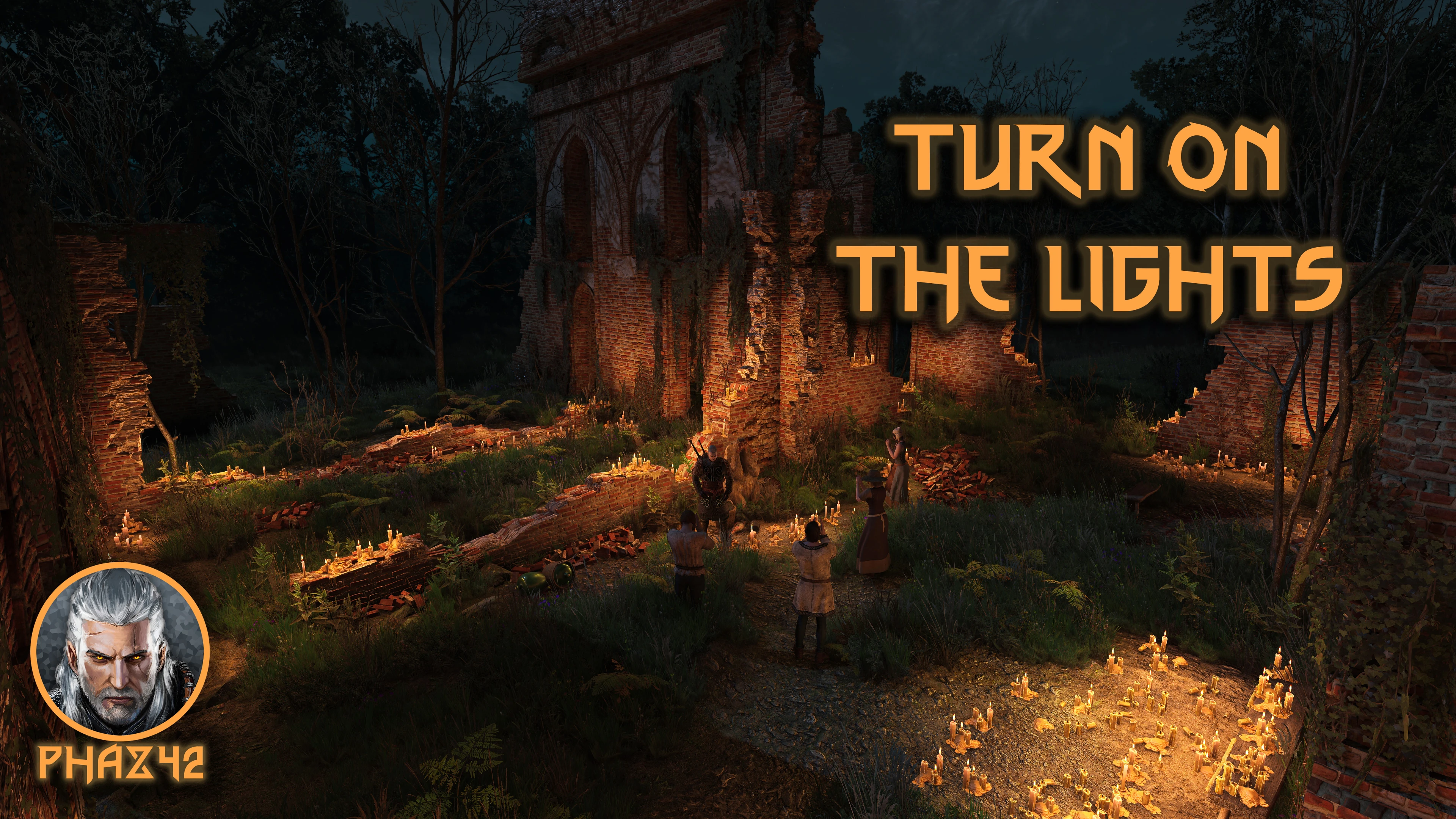
Do you find yourself wanting to ignite every torch and light in the game, but don't do so because it's too much work? Then this mod is for you. Or if you just want a better looking game. :) This mod automatically (or manually if you prefer) ignites all lights/torches in a radius (default 20m) around Geralt.
There are a lot of lights in the game, but many are turned off by default, quite a few even at night. Turning them on can make a big visual difference, depending on where you are and is just a convenience in some places. See the screenshots for an example and try it out!
By default the MOD starts in Automatic Mode. Quickly tap the Action button (see picture below) 3 times to switch to Manual Mode (and do it again to go back to Automatic). In Manual Mode you can Double tap the action button to turn on/off lights.
If you want to use a different range you can choose 10m or 50m. To change range, quickly tap the action button 4 times.
Instead of using the action button, you can also use the ingame menu to change options: Main Menu, Options, Mods, Turn On The Lights.
Note 2: The mod applies only to lights that are also possible to Ignite/Extinguish manually. But that should be the large majority.
Note 3 for Controller users: You have to enable Quick Sign Casting in in-game Options (under Gameplay) for the action button to work! If you don't, you can only switch options via the menu.
Note 4: When playing as Ciri, only Automatic Mode is available. Manual Mode and the Action button do not work. You can also switch to Manual Mode if you don't want this working for Ciri for lore reasons. :)
Options and Controls
Ingame Menu
Check out my other Mods
I've released 13 Witcher 3 mods so far (and counting), I'm sure there's some
Turn On The Lights is a visual mod for The Witcher 3 that lets players automatically or manually toggle lights around Geralt or Ciri. It includes an optional custom key bind for quick toggling. With 1,596 endorsements and 147,380 downloads, it's a popular quality-of-life enhancement for immersion.
✨ Key Features
📊 Pros & Cons
✅ Pros
- Community favorite with 1,596 endorsements and 147k downloads.
- Adds immersion by letting you control lighting dynamically.
- Custom key bind option gives flexibility for quick toggling.
⚠️ Cons
- Last updated January 2024 – may not be compatible with the latest game patches.
- Limited to lights around Geralt/Ciri – doesn't affect other light sources.
For The Witcher 3 players who want more control over lighting for screenshots or roleplay. Also great for those who enjoy immersive toggles without breaking gameplay. Skip if you prefer vanilla lighting or want broader environmental changes.
💡 Beginner Tips
- Check the video in the description to see the mod in action before installing.
- If you use a mod manager, let it handle the installation to avoid file conflicts.
- Test the custom key bind in a safe area to ensure it doesn't interfere with existing controls.
📊 Mod Details
- Game
- Witcher 3 Mods
- Author
- Phaz42
- Version
- 4.4.2
- Downloads
- 147,380
- Endorsements
- 1,596
- Category
- Visuals and Graphics
- Created
- 12/17/2022
- Updated
- 1/2/2024
🧩 Commonly Used Together
Users add these mods to the same collections — a real compatibility signal, not an AI guess.
🔧 How to Install Witcher 3 Mods
Download from Nexus.
📖 Full step-by-step install guide for Witcher 3 →
Visit the official mod page for specific installation instructions for this mod.
🎮 Need cheat codes or console commands? Check ur gaming wiki for Witcher 3 commands, item IDs, and more.
Keep browsing — more Witcher 3 mods await