Selfie Stick
⚪ Last updated 2017⚠️ Install Order · 2 steps
Install in this order, then this mod last — most mods fail to load without their framework and dependencies in place.
Preview
🔍 Analysis
- 👍 5.6% endorsement rate — high engagement, a strong quality signal
- 🏆 #30 of 37 Camera mods in this game by downloads
📋 About This Mod
What does this mod do:
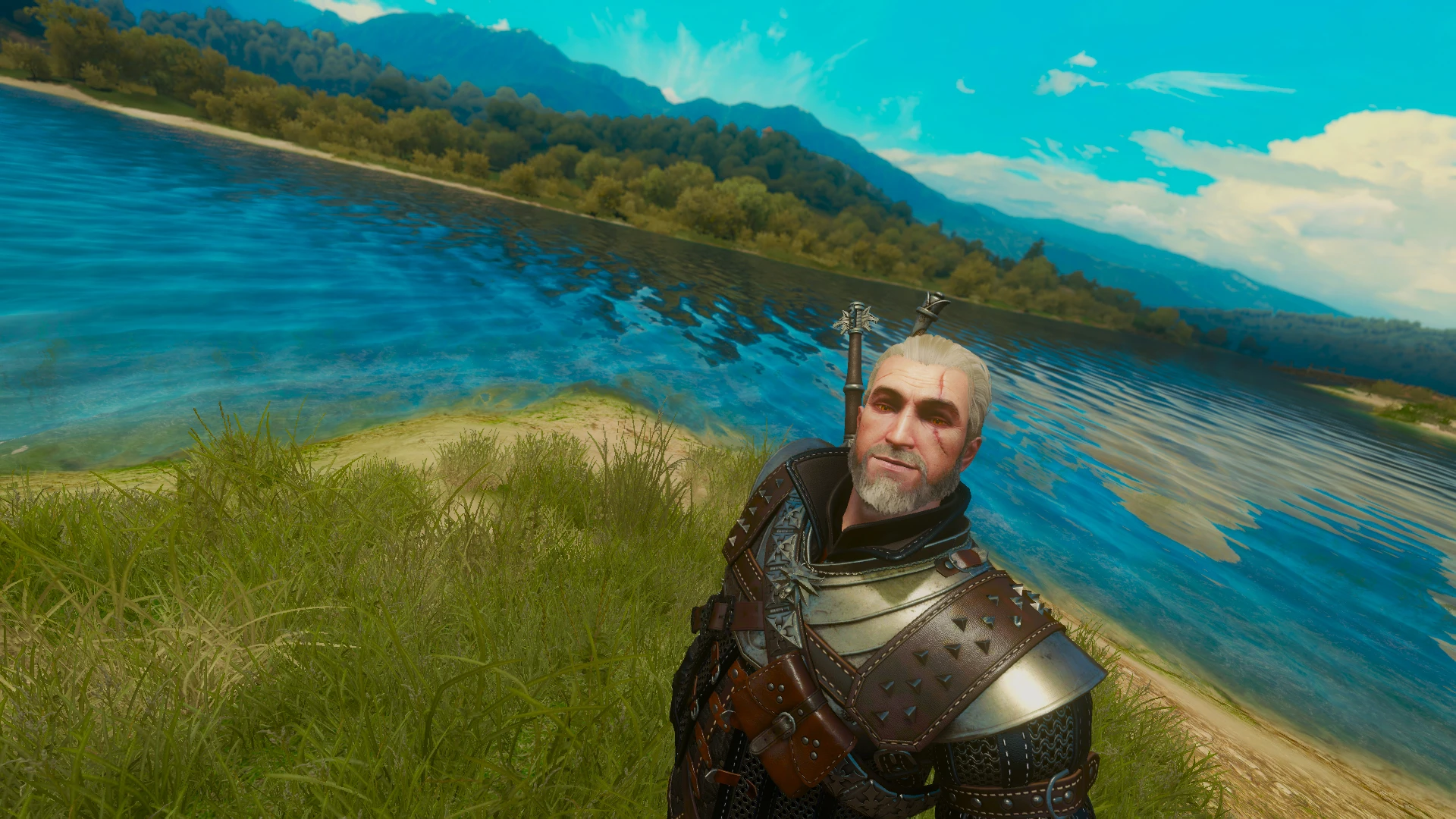
It adds a selfie stick to the game - an item that can be placed in your quickslot and used like any other usable item in game.
Once used it allows players to take screenshots(via external means) from the infamous "selfie" perspective.
Player character and 10 nearest NPCs will look at the camera and smile (however, for the NPCs to smile you need to have appropriate mod installed)
R4ewE147hkE
Installation: Unzip contents of the .zip file and place them inside your Witcher 3/GOTY(installation folder). BEAR IN MIND THIS MOD HAS BEEN CREATED FOR 1. 31 GOTY VERSION OF THE GAME, ALTHOUGH THE MOD IS 100% NON-CONFLICTING, I CANNOT (AND WILL NOT) GUARANTEE IT'S COMPATIBILITY WITH ANY OTHER VERSION OF THE GAME!
USAGE:
Selfie stick can be bought from Novigrad book vendor (shop is on the main square). To use the stick, equip it in your quickslot and use it like any other usable item, using it again will deactivate the selfie stick. Keys 1,2,3 (non-numeric) on the keyboard will toggle effects like sepia, depth of field, and the painting effect from Hearts of Stone DLC
if you're feeling lazy you can also add it to your inventory right away by using additem(SelfieStick) command.
USAGE OF OPTIONAL CIRI MODULE: Type "Ciri" in console (without quotation marks) to play as Ciri, then use command console "CiriSelfieOn" to enable the selfie stick. Press your "use item" key to use the selfie, just like you would do with Geralt. Keybinds are: 1 - Sepia effect, 2 - Depth of field effect, i - Painting effect. Once you are done with selfies, disable the stick and type "CiriSelfieOff" in console in order to make sure you don't mess with game scripting in case you're still not done with Ciri storyline (in any other case you don't really need to care). Bear in mind that this module is potentially conflicting as it edits ciri.ws file, i cannot guarantee it's compatibility with other mods and will NOT provide help with conflict/compilation issues!
EXTRA - WHAT DO YOU MEAN BY "EXTERNAL MEANS"? It means that the game by itself does not have any (available to end-user) screenshotting functionality and although this mod gives you an appropriate perspective modification, actual screenshot has to be taken using other means like one of following: [*]When playing on Windows 8, 8. 1 or 10 using combination of WinKey + PrintScreen keys will automatically ta
Selfie Stick is a compact camera mod for The Witcher 3 that adds a selfie stick item, letting Geralt take in-game selfies. With 418 endorsements and 7,408 downloads, it's a niche but popular cosmetic tool for players who want to capture their adventures from a new angle. Last updated in 2017, it may require compatibility checks with newer game versions.
✨ Key Features
📊 Pros & Cons
✅ Pros
- Community favorite with 418 endorsements and over 7,000 downloads.
- Simple concept that adds a fun, modern twist to Geralt's adventures.
- Perfect for players who love capturing in-game moments and sharing them.
⚠️ Cons
- Last updated in 2017 — may not be compatible with the latest game patches.
- Purely cosmetic; doesn't add any gameplay mechanics or quests.
For The Witcher 3 players who enjoy photography and want to take selfies with Geralt. Also for modders looking for a lighthearted addition to their game. Skip if you want gameplay changes — this is purely for fun and screenshots.
💡 Beginner Tips
- Make sure to back up your save files before installing any mod, just in case.
- Check if the mod requires a script merger or compatibility patch with other mods.
- Use the selfie stick in photogenic locations to get the best shots.
📊 Mod Details
- Game
- Witcher 3 Mods
- Author
- SkacikPL
- Version
- 1.02
- Downloads
- 7,408
- Endorsements
- 418
- Category
- Camera
- Created
- 1/27/2017
- Updated
- 1/28/2017
🔧 How to Install Witcher 3 Mods
Download from Nexus.
📖 Full step-by-step install guide for Witcher 3 →
Visit the official mod page for specific installation instructions for this mod.
🎮 Need cheat codes or console commands? Check ur gaming wiki for Witcher 3 commands, item IDs, and more.
Keep browsing — more Witcher 3 mods await