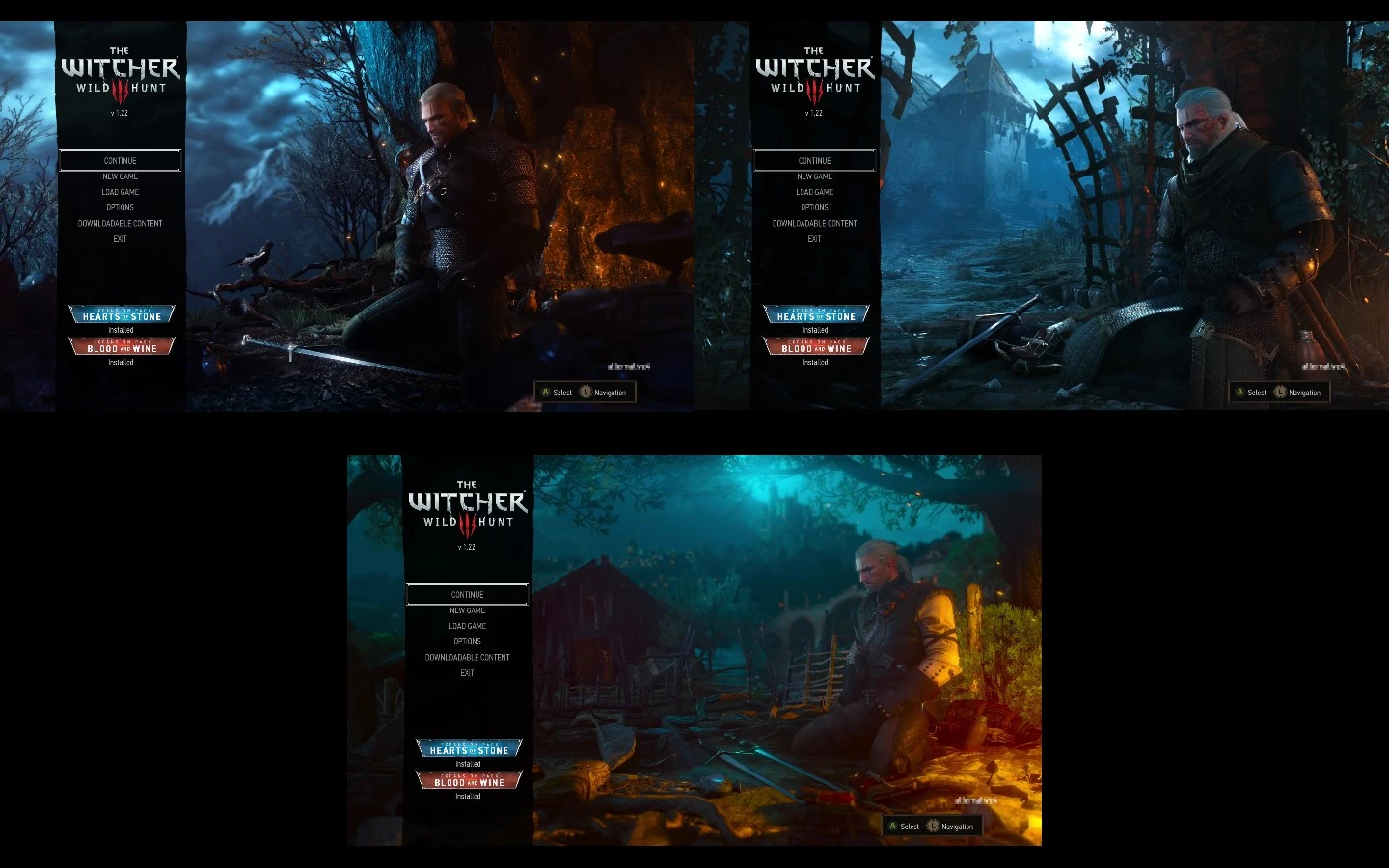
Selectable Main Menu
⚪ Last updated 2016⚠️ Install Order · 2 steps
Install in this order, then this mod last — most mods fail to load without their framework and dependencies in place.
Preview
🔍 Analysis
- 👍 4.7% endorsement rate — high engagement, a strong quality signal
- 🏆 #78 of 155 User Interface mods in this game by downloads
📋 About This Mod
This mod allows you to change both background and music in main menu. Works with 1. 22 version of the game.
INSTALLATION ----------------- To install this mod, do the following: - copy "modSelectableMainMenu" folder to "<your Witcher folder>\Mods" folder - from "modSelectableMainMenu" copy "bin" folder to "<your Witcher folder>" so a file "modSelectableMainMenu.xml" should appear in "<your Witcher folder>\bin\config\r4game\user_config_matrix\pc\" folder
CONFIGURATION -------------------- In main menu go to 'Options' -> 'Video' -> 'Main menu' and select prefered background and music. The "default" value means the game will use background and music of the most recent expansion pack you have installed. You need to restart the game for the changes to take effect.
UNINSTALLATION -------------------- - delete the file "<your Witcher folder>\bin\config\r4game\user_config_matrix\pc\modSelectableMainMenu.xml" - delete the folder "<your Witcher folder>\Mods\modSelectableMainMenu"
- ------------------------------
- My mods:
- Kill Count
- Quick Quest Tracking
Selectable Main Menu is a simple UI mod for Skyrim that lets you customize the main menu's background and music. With 852 endorsements and 18,011 downloads, it's a popular choice for players wanting a personal touch. Last updated in 2016, it may require compatibility checks.
✨ Key Features
📊 Pros & Cons
✅ Pros
- Community favorite with 852 endorsements and 18k downloads.
- Easy way to make the main menu feel uniquely yours.
- Lightweight UI mod that doesn't affect gameplay.
⚠️ Cons
- Last updated in 2016 – might not work with the latest Skyrim version without tweaks.
- No detailed instructions included – you'll need to figure out file placement.
- Only changes the main menu – doesn't touch other UI elements.
For Skyrim players who want to personalize their game's first impression without overhauling the UI. Perfect for modders who enjoy tweaking visuals and audio. Skip if you're looking for gameplay changes – this is purely cosmetic.
💡 Beginner Tips
- Make sure your custom background image is the right resolution (e.g., 1920x1080) to avoid stretching.
- Use a mod manager like Vortex or Mod Organizer 2 to handle file conflicts easily.
- Test the mod after installing – if the menu doesn't change, check that the files are in the correct Data folder.
📊 Mod Details
- Game
- Witcher 3 Mods
- Author
- alt4
- Version
- 1.0
- Downloads
- 18,011
- Endorsements
- 852
- Category
- User Interface
- Created
- 6/16/2016
- Updated
- 6/17/2016
🔧 How to Install Witcher 3 Mods
Download from Nexus.
📖 Full step-by-step install guide for Witcher 3 →
Visit the official mod page for specific installation instructions for this mod.
🎮 Need cheat codes or console commands? Check ur gaming wiki for Witcher 3 commands, item IDs, and more.
Keep browsing — more Witcher 3 mods await