Replacement Loading Screens
⚪ Last updated 2022⚠️ Install Order · 2 steps
Install in this order, then this mod last — most mods fail to load without their framework and dependencies in place.
Preview
🔍 Analysis
- 👍 0.3% endorsement rate
- 🏆 #36 of 264 Visuals and Graphics mods in this game by downloads
📋 About This Mod
THIS MOD IS COMPATIBLE WITH THE NEXT-GEN UPDATE!
Overview
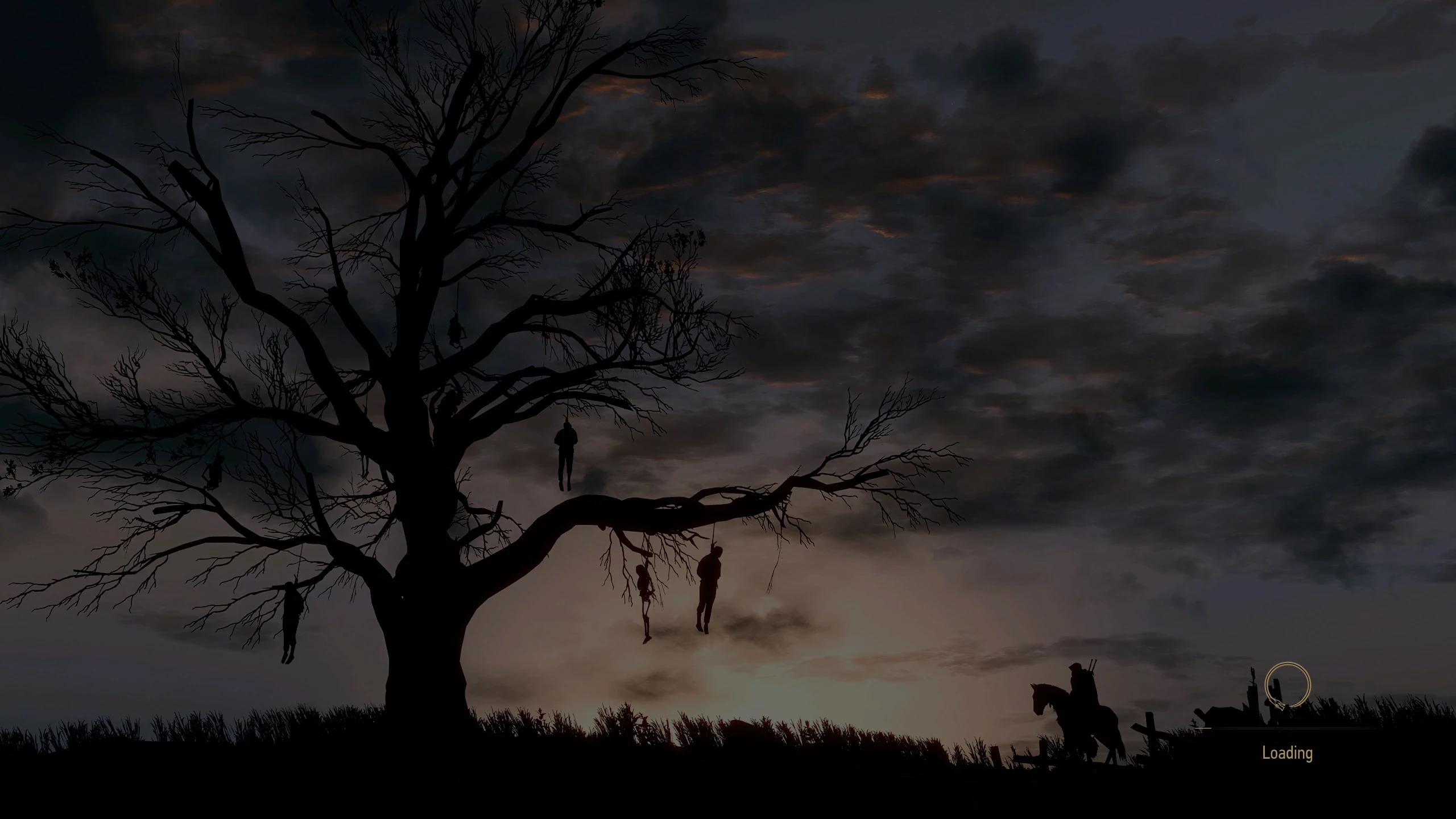
This mod replaces the default, vanilla loading screens with ultra high-resolution images. The replacement images come from Witcher 3 promotional art and are appropriate for each region in the game. Some items of note:
-
[]All images were taken from high-resolution sources and were upscaled using an AI software program to be 11,312 x 4,096 pixels. Yes, this is larger than 4K. Yes, this is nearly as large as 8K. By way of comparison, 8K resolution is 7,680 x 4,320 pixels whereas vanilla is 2,828 x 1,024 pixels.[/]
[]To the best of knowledge, there is no impact to performance using this mod. These are loading screens, not textures, so it should not affect your load times or frames per second.[/]
[]Mod is available in two versions: 30 fps (the game's default), or 60 fps (use this if you use the 60 fps GUI mod - just be sure to give this mod higher priority in your load order).[/]
[]All regions in the game are represented:[/]
Kaer Morhen
Isle of Mist
Prologue Winter
Installation
There are two ways to install this mod:
1) Extract the contents of the file to your \Mods folder, typically found at:
\The Witcher 3 Wild Hunt GOTY\Mods
2)You may also use a mod manager. This has been fully tested and works with Vortex.
To uninstall, simply delete the mod from your \Mods folder or disable in your mod manager.
Compatibility
This mod should be compatible with most other mods out there. If you use the 60 fps mod, give this mod higher priority.
Special thanks and shoutout to Tinnaib for the help, tips, and insight on how to make this mod.
Thanks to MrFlashMode for providing the template for 60 fps GUI and for allowing it to be used as a modder's resource.
Other Works
[]Brothers In Arms - The Witcher 3 Ultimate Bug Fix and Restored Content Collection[/]
[]Crones Tapestry Replacement[/]
[]Cyberpunk Gwent Cards Collection[/]
[]Dandelion Gigolo[/]
[]Dedicated to Lady of the Lake[/]
[]Geralt the Unstoppable - Skip Fist Fighting Quests[/]
[]Grammar of the Path: TW3 Text Cleanup Project[/]
[]How to Edit Gwent Card Attributes Using WolvenKit[/]
Replaces the default loading screens with ultra high-res images from Witcher lore. A simple visual overhaul for players who want more immersive loading screens. With 692 endorsements and 204,716 downloads, it's a popular choice for The Witcher 3.
✨ Key Features
📊 Pros & Cons
✅ Pros
- Community favorite with 692 endorsements and over 200k downloads.
- Ultra high-res images make loading screens look crisp and detailed.
- Easy to install and uninstall – just drop in and go.
⚠️ Cons
- Only affects loading screens – no other visual improvements.
- Last updated in 2022 – may not be compatible with the latest game patches.
- No preview images or detailed description provided by the author.
For Witcher 3 players who want to replace the vanilla loading screens with high-res lore-friendly art. Perfect for those who appreciate visual polish without changing gameplay. Skip if you're looking for gameplay overhauls or if you rarely notice loading screens.
💡 Beginner Tips
- Make sure to back up your original loading screen files before replacing them.
- If you use other visual mods, check for conflicts with loading screen replacements.
- Consider using a mod manager like Vortex to easily enable/disable this mod.
📊 Mod Details
- Game
- Witcher 3 Mods
- Author
- PaulR0013
- Version
- 1.0
- Downloads
- 204,716
- Endorsements
- 692
- Category
- Visuals and Graphics
- Created
- 1/30/2022
- Updated
- 1/30/2022
🧩 Commonly Used Together
Users add these mods to the same collections — a real compatibility signal, not an AI guess.
🔧 How to Install Witcher 3 Mods
Download from Nexus.
📖 Full step-by-step install guide for Witcher 3 →
Visit the official mod page for specific installation instructions for this mod.
🎮 Need cheat codes or console commands? Check ur gaming wiki for Witcher 3 commands, item IDs, and more.
Keep browsing — more Witcher 3 mods await