PhotoMode 2inOne for Debug Console Enabler
⚪ Last updated 2023⚠️ Install Order · 4 steps
Install in this order, then this mod last — most mods fail to load without their framework and dependencies in place.
Preview
🔍 Analysis
- 👍 2.8% endorsement rate — high engagement, a strong quality signal
- 🏆 #12 of 21 Debug Console mods in this game by downloads
📋 About This Mod
V2. 7. 2 Sry the trouble... it's fixed now.
Version 2. 7. 1
Not so minor Update: Fix "game breaking" bug where if you set timescale once, the game would not slowdown when aiming or attacking with horse.
Added the Weathers of Toussain. You can now change the weathers there.
__________________________________
Version 2. 7
Compatibility with 1. 21 patch
Did not have time to check about the weathers on Blood & Wine yet, but they should change if they have some default weather names there.
One addition to the effects. On this version...
My prototype of the Icebreath... lol yeah It was already there and I didn't removed it
It will make just Geralt and NPCs in a 30 meters radius to have that breath on the moment of the button push. ________________________________ Version 2. 6. 2
Ok Photomode is Back. Compatible with patch 1. 12. Just compatibility nothing new yet... sry.
Ah, don't forget to reapply the lines to the input.settings file, with the 1. 12 patch it may have returned to default.
_________________________________________________________
Version 2. 6(. 1 Patch 1. 11 compatible) Important: After patch 1. 11 the inputs were reset input.xml and input.settings... you will have to redo the installation steps. Also playerInput.ws was changed so if you have another mod that uses it merge to the new file.
Hum.. just a new feature.
Actually a old one known by cheating table users.
Freeze Them!
9Nm5rZJoO78 Just to be clear on how to use, select as a FX and Activate with the FX button. It works as a Toggle. ________________________________________ Version 2. 5. 1 - Patch 1. 10 compatible.
PhotoMode is Back!
Unfortunately you will have to follow the installation steps again, since the patch changes the input.xml file, and the playerInput.ws
Again, don't forget to set the Despawn Fog key.
Any problems let me know!
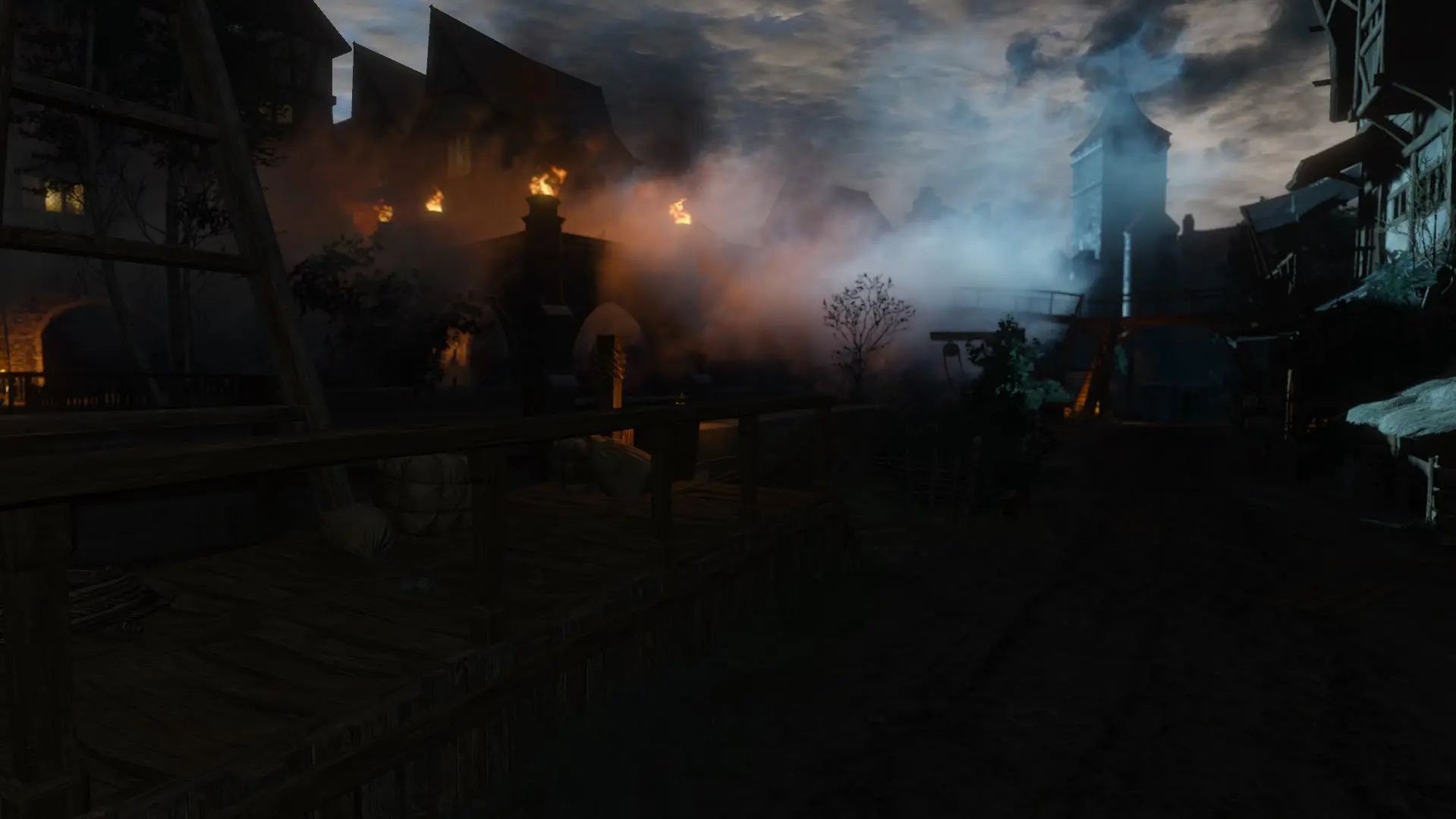
Btw, looks like CDPR changed the Mist effect it's apparently it's more volumetric now! (or was just my impression... to where I spawned it. Don't know really lol)
_______________________________________________________________________________ It's Uploaded! Version 2. 5!
- Added Player Invisibility Toogle! For landscapes, screenshots with DoF enabled ;)
- Fog/Mist on demand!
- Place them wherever, whenever, in any env and any weather.
- They will stay ON until you Despawn them.
PhotoMode 2inOne for Debug Console Enabler is a script mod for playerInput.ws that lets you instantly hide/show the HUD (including subtitles) and pause/unpause the game with a single customizable key. It also adds weather, effect, and time controls. With 1,309 endorsements and 46,825 downloads, it's a popular tool for taking clean screenshots.
✨ Key Features
📊 Pros & Cons
✅ Pros
- Community favorite with 1,309 endorsements and 46k downloads
- One key does it all—hide HUD and pause, perfect for screenshots
- Adds weather and time controls, so you can set the scene without extra mods
⚠️ Cons
- Requires Debug Console Enabler and playerInput.ws, so it's not a standalone install
- Last updated in 2023—might not work with the latest game patches
- No detailed instructions in the description, so you'll need to figure out the key binding yourself
For screenshot enthusiasts and machinima creators who want a quick way to clear the UI and freeze the action. Also for players who like to tweak weather and time for perfect lighting. Skip if you're not into photo mode or don't want to mess with script mods.
💡 Beginner Tips
- Make sure you have Debug Console Enabler installed first, as this mod depends on it.
- Check the mod's forum posts or comments for key binding instructions, since the description doesn't detail them.
- Test the key in a safe area before using it in combat, to avoid accidental pauses.
📊 Mod Details
- Game
- Witcher 3 Mods
- Author
- CAPA
- Version
- v2.7.4
- Downloads
- 46,825
- Endorsements
- 1,309
- Category
- Debug Console
- Created
- 6/14/2015
- Updated
- 7/19/2023
🔧 How to Install Witcher 3 Mods
Download from Nexus.
📖 Full step-by-step install guide for Witcher 3 →
Visit the official mod page for specific installation instructions for this mod.
🎮 Need cheat codes or console commands? Check ur gaming wiki for Witcher 3 commands, item IDs, and more.
Keep browsing — more Witcher 3 mods await