Instant Tooltips
⚪ Last updated 2020⚠️ Install Order · 2 steps
Install in this order, then this mod last — most mods fail to load without their framework and dependencies in place.
Preview
🔍 Analysis
- 👍 0.9% endorsement rate
- 🏆 #13 of 155 User Interface mods in this game by downloads
📋 About This Mod
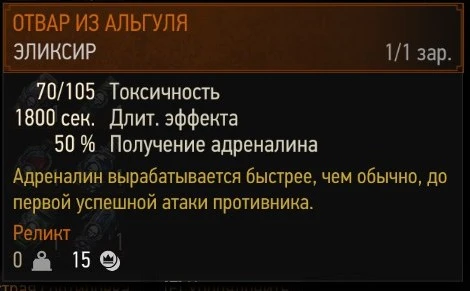
Reduces popup delay for all ingame tooltips from 450ms to 10ms. Made by request from fellow witchers on CDPR forums.
Compatibility:
Mod contains modified componentslib.redswf so it will conflict with any mod which changes the same file (as far as I know no such mod exists so this one should be compatible with everything).
My other mods and tools
-
[]Additional Armor Stands
[
]Additional Stash Locations[]Alternate Lightsources Interaction
[]Colored Map Markers
[]Enemy Healthbar On Top
[]Long Journey - Extended
[]More Shadows
[]No Herbs and Enemy Dots on Minimap
[]Quen Alternate Colors
[]Sort Everything
[]Toxicity - Clean Face and Screen
[]Unseen Monsters
[]Vampires Have No Shadows
[]Witcher 3 Mod Merger
Instant Tooltips is a lightweight UI mod for Skyrim that removes the delay before tooltips appear, making them open instantly when you hover over items. With 1,777 endorsements and 193,535 downloads, it's a popular quality-of-life improvement for players who find the default tooltip lag annoying. Last updated in 2020, it remains a simple, effective fix.
✨ Key Features
📊 Pros & Cons
✅ Pros
- Huge community trust – 1,777 endorsements and nearly 200k downloads show this mod is a proven fix.
- Zero hassle – just install and tooltips respond instantly, no settings to fiddle with.
- Tiny footprint – doesn't touch gameplay or visuals, just the UI responsiveness.
⚠️ Cons
- Last updated in 2020 – might not be compatible with the latest Skyrim version or other UI mods.
- No documentation on compatibility with popular UI overhauls like SkyUI – you'll have to test it yourself.
- Doesn't add any new features – if you want tooltip customization, this isn't it.
For Skyrim players who are tired of the sluggish tooltip delay when looting or managing inventory. If you use a UI overhaul, you might want to check compatibility first, but for vanilla or light UI setups, this is a must-have.
💡 Beginner Tips
- Install with your mod manager (Vortex or MO2) and place it after any UI overhauls in your load order to ensure it takes effect.
- If you use SkyUI, test tooltips in-game – if they still lag, try moving Instant Tooltips lower in the load order.
- Since it's a simple .esp, you can safely remove it anytime without breaking saves.
📊 Mod Details
- Game
- Witcher 3 Mods
- Author
- DJ_Kovrik
- Version
- 1.31.1
- Downloads
- 193,535
- Endorsements
- 1,777
- Category
- User Interface
- Created
- 9/20/2016
- Updated
- 7/18/2020
🔧 How to Install Witcher 3 Mods
Download from Nexus.
📖 Full step-by-step install guide for Witcher 3 →
Visit the official mod page for specific installation instructions for this mod.
🎮 Need cheat codes or console commands? Check ur gaming wiki for Witcher 3 commands, item IDs, and more.
Keep browsing — more Witcher 3 mods await