Hud Positioning and Scale
⚪ Last updated 2016⚠️ Install Order · 2 steps
Install in this order, then this mod last — most mods fail to load without their framework and dependencies in place.
Preview
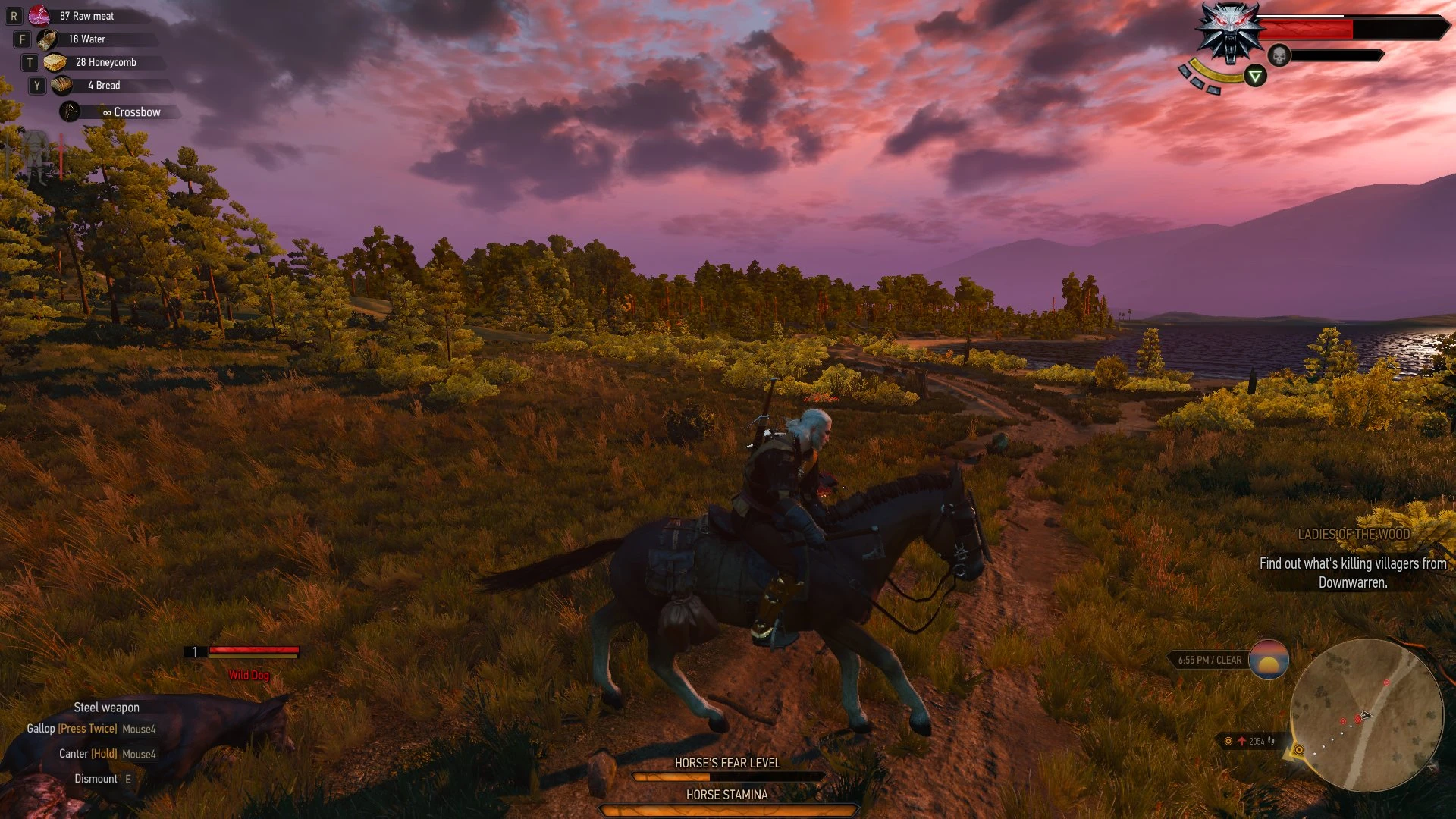
🔍 Analysis
- 👍 4.3% endorsement rate — high engagement, a strong quality signal
- 🏆 #60 of 155 User Interface mods in this game by downloads
📋 About This Mod
COMPATIBLE WITH PATCH 1. 11 - 1. 31
FEATURES:
- Sliders to change the Position and Scale of almost all HUD modules
- - A global Opacity and Scale slider
- - Default and Cornered presets for position and scale
- - Control over when to show the minimal view mode for buffs
- - Ability to disable the mod
- - Optional Enemy Health Bar positioning (thanks to DJ_Kovrik's mod)
- - Optional Menu-less version
- EDIT MODE: a new feature which shows force all hud modules to show on screen.
- if you install the keybindings you can change the Positions and Scales straight from the HUD with input keys:
- Via Console,Via Input Keys
- INSTALL:
- 1) Use NMM or unpack the archive to <gamedirectory>\Mods\
2) Copy and paste the bin folder inside <gamedirectory>\Mods\modHudPositioningandScale into <gamedirectory> to add the in-game menu.
3) If you would like to use Edit Mode with input keys, use the ReadMe in modHudPositioningandScale\keybindings to install the keybindings.
4) In-game, go to Options > Mods > Hud Positioning And Scale > All and select either the Default or Cornered Preset. [url=http://imgur.c
Hud Positioning and Scale is a UI mod for Fallout 4 that lets you adjust the position and scale of nearly all HUD elements. With 1,431 endorsements and 33,391 downloads, it's a popular tool for players who want a customized interface. Last updated in 2016, it may have compatibility issues with current game versions.
✨ Key Features
📊 Pros & Cons
✅ Pros
- Community favorite with 1,431 endorsements and 33k downloads.
- Gives you full control over HUD layout for a personalized UI.
- Lightweight UI mod that doesn't touch gameplay.
⚠️ Cons
- Last updated in 2016 – might break with the latest Fallout 4 patches.
- Requires manual configuration to get the HUD just right.
For Fallout 4 players who want to tweak their HUD's position and size for better visibility or a cleaner look. Perfect for those who use ultrawide monitors or just want a more immersive interface. Skip if you're fine with the default HUD or want gameplay changes.
💡 Beginner Tips
- Use a mod manager like Nexus Mods' Vortex to install and manage the mod easily.
- After installing, load your save and open the mod's configuration menu (check the mod page for hotkey) to adjust HUD elements.
- If you're on an ultrawide monitor, this mod is a lifesaver for repositioning HUD elements that get stretched.
📊 Mod Details
- Game
- Witcher 3 Mods
- Author
- FPSRazR
- Version
- 2.8
- Downloads
- 33,391
- Endorsements
- 1,431
- Category
- User Interface
- Created
- 10/18/2015
- Updated
- 9/9/2016
🔧 How to Install Witcher 3 Mods
Download from Nexus.
📖 Full step-by-step install guide for Witcher 3 →
Visit the official mod page for specific installation instructions for this mod.
🎮 Need cheat codes or console commands? Check ur gaming wiki for Witcher 3 commands, item IDs, and more.
Keep browsing — more Witcher 3 mods await