Enhanced Targeting
⚪ Last updated 2016⚠️ Install Order · 2 steps
Install in this order, then this mod last — most mods fail to load without their framework and dependencies in place.
Preview
🔍 Analysis
- 👍 3.3% endorsement rate — high engagement, a strong quality signal
- 🏆 #15 of 61 Combat mods in this game by downloads
📋 About This Mod
Enhanced Targeting (for Witcher 3 1. 12) GIVE ME A COUPLE DAYS TO UPDATE FOR BLOOD AND WINE AFTER IT'S OUT!
Description:
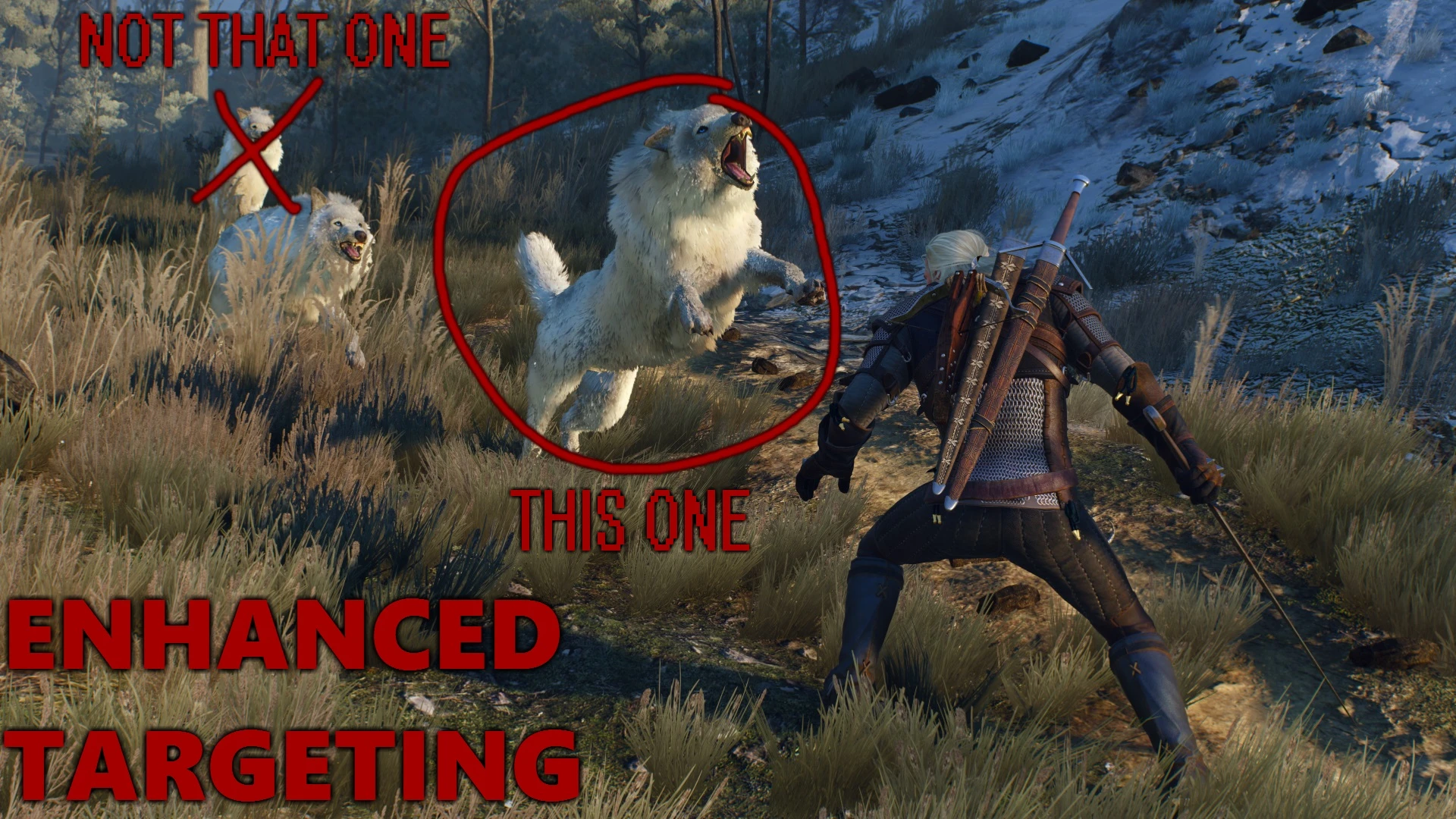
Witcher 3's automatic targeting fails to impress, especially in combination with the "softlock" mechanism -- targets can change wildly for seemingly no particular reason, during a dodge, for example, which can lead to violent (and frustrating!) deaths from being locked in an animation in a completely unintended direction. This mod replaces Witcher 3's automatic targeting with one that is much more consistent, particularly for mouse and keyboard controls, though a controller preset is available in the menu. An options menu is also provided with which to tweak exactly how targeting works -- find what works for you and your playstyle!The new algorithm (with the default values) tries to pick targets that are, in order of importance:
- []close to the player []near the angle of camera []near to player movement []near player's facing
Installation:
1. Copy the entire "modEnhancedTargeting" folder into "\mods" folder 2. (Optional but recommended) Install the menu by navigating to "\mods\modEnhancedTargeting" folder and copying the entire "bin" folder into your "" folderBe sure to run Script Merger if you have any other mods installed.
Extra Long Description:
But how does vanilla targeting actually work?Vanilla targeting has a system that ranks targets based on three weighted criteria: distance, angular difference (from a situation dependent vector), and a weighted ring. The relative weights of these criteria are also based on the situation. The weighted ring is a flat value based on if the target is within 6 meters of the player or another value if it is outside of that ring. The ultimate "rank" is basically each criteria, multiplied by their weight, added together. For example, the formula for getting the "rank" when the player is standing still is:
(. 75 angularDistanceFromCamera) + (. 25 distanceFromEnemy) + (0 * weightedRing)
Which seems fine, right? The enemy that is closest to the angle of the camera and is the closest to the player is chosen, which makes sense. What happens when the player starts moving?
Enhanced Targeting replaces Witcher 3's automatic targeting algorithm with a more consistent one, offering an options menu to tweak it to your playstyle and control method. With 1,795 endorsements and 55,010 downloads, it's a popular combat mod for players frustrated with the default targeting.
✨ Key Features
📊 Pros & Cons
✅ Pros
- Community favorite with 1,795 endorsements and over 55k downloads.
- Directly addresses a common complaint about Witcher 3's targeting.
- Customizable via options menu to suit different playstyles and control methods.
⚠️ Cons
- Last updated in 2016 — may not be compatible with the latest game version or DLCs.
- Requires manual configuration to get the desired feel, which may take trial and error.
For Witcher 3 players who find the default targeting frustrating and want more control over combat. Great for those who prefer keyboard/mouse or gamepad and want to fine-tune targeting to their style. Skip if you're happy with the vanilla targeting or want a mod with active updates.
💡 Beginner Tips
- After installing, open the options menu in-game to adjust targeting sensitivity and behavior to your preference.
- If you use a gamepad, test different settings to find what feels most responsive for your playstyle.
- Check the mod's comments section on Nexus for user-recommended settings and compatibility notes.
📊 Mod Details
- Game
- Witcher 3 Mods
- Author
- Mpstark
- Version
- 2c
- Downloads
- 55,010
- Endorsements
- 1,795
- Category
- Combat
- Created
- 4/15/2016
- Updated
- 4/23/2016
🔧 How to Install Witcher 3 Mods
Download from Nexus.
📖 Full step-by-step install guide for Witcher 3 →
Visit the official mod page for specific installation instructions for this mod.
🎮 Need cheat codes or console commands? Check ur gaming wiki for Witcher 3 commands, item IDs, and more.
Keep browsing — more Witcher 3 mods await