(Classic Edition) Enhanced Targeting
⚪ Last updated 2019⚠️ Install Order · 2 steps
Install in this order, then this mod last — most mods fail to load without their framework and dependencies in place.
Preview
🔍 Analysis
- 👍 3.7% endorsement rate — high engagement, a strong quality signal
- 🏆 #13 of 61 Combat mods in this game by downloads
📋 About This Mod
This mod is a continuation of original work by Mpstark, which can be found here: Enhanced Targeting.
Mpstark is not developing the mod any further and I was unable to reach him via PM, but fortunately, he licensed his mod under the MIT license — you can find README.txt and LICENSE.txt both inside the original package and inside this new package made by me. What this means is that he allowed anyone to use his work in any way.
Changes in this version:
Latest Classic Edition compatibility;
Modded targeting is now used when in combat only, preventing weird issues with interaction while in exploration mode;
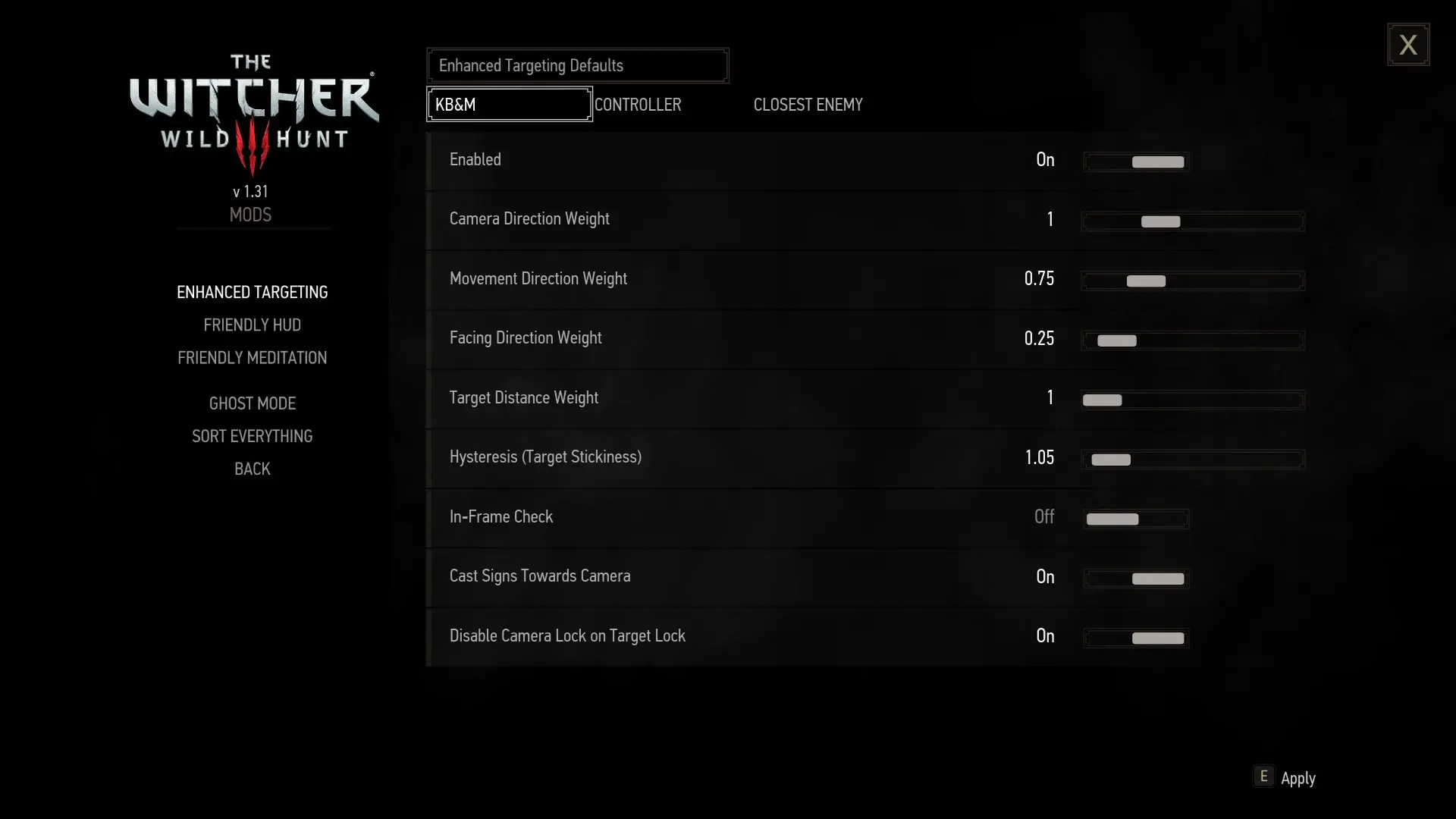
Distance weight is now exposed to options menu and a new preset added for always soft-locking to closest enemy.
Description by Mpstark:
Witcher 3's automatic targeting fails to impress, especially in combination with the "softlock" mechanism — targets can change wildly for seemingly no particular reason, during a dodge, for example, which can lead to violent (and frustrating!) deaths from being locked in an animation in a completely unintended direction. This mod replaces Witcher 3's automatic targeting with one that is much more consistent, particularly for mouse and keyboard controls, though a controller preset is available in the menu. An options menu is also provided with which to tweak exactly how targeting works — find what works for you and your playstyle!
The new algorithm (with the default values) tries to pick targets that are, in order of importance:
close to the player;
near the angle of camera;
near to player movement;
* near player's facing.
It also tends to "snap" to targets, particularly if the player is attacking them, drastically minimizing target jitter.
Installation:
1. Copy the entire "modEnhancedTargeting" folder into "\mods" folder
2. (Optional but recommended) Install the menu by navigating to "\mods\modEnhancedTargeting" folder and copying the entire "bin" folder into your "" folder.
Be sure to run Script Merger if you have any other mods installed.
Uninstallation:
Delete modEnhancedTargeting from your "\mods" directory and modEnhancedTargetingConfig.xml from your "/bin/config/r4game/user_config_matrix/pc" folder.
Be sure to run Script Merger if you have any other mo
This mod overhauls the vanilla soft-targeting system in a game, improving target selection for both keyboard/mouse and controller users. With nearly 3,000 endorsements and over 81,000 downloads, it's a proven quality-of-life improvement for players frustrated by default targeting.
✨ Key Features
📊 Pros & Cons
✅ Pros
- Community favorite with 2,978 endorsements and 81k+ downloads.
- Improves a core combat mechanic without changing the game's balance.
- Supports both KB/M and controller, so no one gets left out.
⚠️ Cons
- Last updated in 2019 — may not be compatible with the latest game version.
- Only affects soft-targeting; if you wanted hard lock-on changes, this isn't it.
For players who find the default soft-targeting frustrating, especially in fast-paced combat. If you're on controller or KB/M and want more reliable target switching, this is a must-try. Skip if you're happy with vanilla targeting or want more extensive combat overhauls.
💡 Beginner Tips
- Since it's a simple mod, just drop the files into your game's data folder or use your mod manager.
- If you're on PC, test with both KB/M and controller to see which feels better.
- Check the mod's comments section for any compatibility notes with other combat mods.
📊 Mod Details
- Game
- Witcher 3 Mods
- Author
- Mpstark
- Version
- 3.1
- Downloads
- 81,442
- Endorsements
- 2,978
- Category
- Combat
- Created
- 10/14/2017
- Updated
- 7/5/2019
🔧 How to Install Witcher 3 Mods
Download from Nexus.
📖 Full step-by-step install guide for Witcher 3 →
Visit the official mod page for specific installation instructions for this mod.
🎮 Need cheat codes or console commands? Check ur gaming wiki for Witcher 3 commands, item IDs, and more.
Keep browsing — more Witcher 3 mods await