(Classic Edition) Pause and Menu Anytime
⚪ Last updated 2016⚠️ Install Order · 2 steps
Install in this order, then this mod last — most mods fail to load without their framework and dependencies in place.
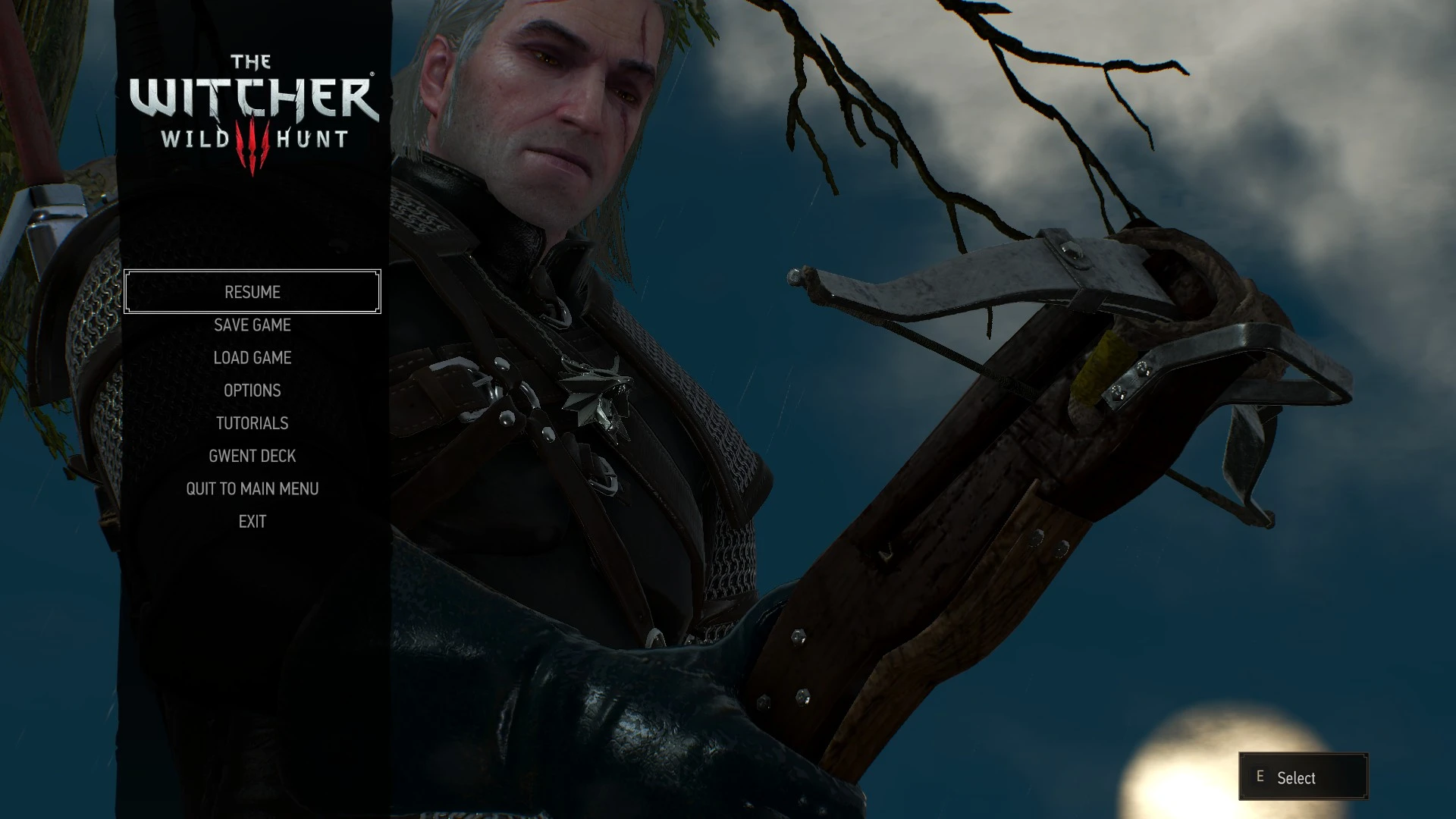
Preview
🔍 Analysis
- 👍 5.0% endorsement rate — high engagement, a strong quality signal
- 🏆 #85 of 155 User Interface mods in this game by downloads
📋 About This Mod
Description
This mod is obsolete for the next gen (4. 0+) version of the game. You only need it if you're still running the pre-next gen version.
Standalone feature of my Friendly HUD mod, if you have Friendly HUD installed, you don't need to install this one.
Allows to access main menu whenever you need it, even from dialogs and cutscenes/prerendered movies.
Allows to pause the game whenever you need it, even in dialogs and cutscenes. Prerendered movies cannot be paused.
Default hotkey to pause the game: F11 (configurable in hotkeys menu).
Installation
Unification patch is required for this mod to work properly.
1. Copy modPauseAndMenuAnytime to your Path To\The Witcher 3\Mods folder.
2. Insert the content of input.settings.part.txt at the beginning of your Documents\The Witcher 3\input.settings file (needed for pause hotkey to work).
3. Insert the content of input.xml.part.txt into your Path To\The Witcher 3\bin\config\r4game\user_config_matrix\pc\input.xml right before <!-- --> line (needed for pause hotkey to work).
4. Use Script Merger to find and resolve conflicts with other mods.
Uninstallation
1. Remove modPauseAndMenuAnytime from your Path To\The Witcher 3\Mods folder.
2. Remove the content you inserted from input.xml.part.txt from your Path To\The Witcher 3\bin\config\r4game\user_config_matrix\pc\input.xml file (needed to remove pause hotkey from hotkeys menu).
3. Use Script Merger to fix your merged scripts.
Troubleshooting
Basic guide to installing TW3 mods.
This UI mod lets you pause the game and open the main menu at any time, including during dialogues and cutscenes. It's a standalone version of a feature from the author's Friendly HUD mod, offering convenience for players who want to take breaks or adjust settings without losing progress.
✨ Key Features
📊 Pros & Cons
✅ Pros
- Community favorite with 834 endorsements and over 16k downloads.
- Solves a real annoyance—no more waiting for a safe moment to pause.
- Lightweight and focused; does one thing well.
⚠️ Cons
- Last updated in 2016—may not be compatible with newer game versions.
- Only adds pause/menu access; no other UI tweaks included.
For players who hate being locked into long dialogues or cutscenes without a pause option. Great for parents or anyone who needs to step away mid-conversation. Skip if you're looking for a full UI overhaul—this is a single-purpose convenience mod.
💡 Beginner Tips
- Check if your game version is compatible, since the mod is from 2016.
- If you use other UI mods, test for conflicts by enabling this one last.
- Make a backup of your original files before replacing anything.
📊 Mod Details
- Game
- Witcher 3 Mods
- Author
- wghost81 aka Wasteland Ghost
- Version
- 1.0
- Downloads
- 16,592
- Endorsements
- 834
- Category
- User Interface
- Created
- 12/26/2016
- Updated
- 12/26/2016
🔧 How to Install Witcher 3 Mods
Download from Nexus.
📖 Full step-by-step install guide for Witcher 3 →
Visit the official mod page for specific installation instructions for this mod.
🎮 Need cheat codes or console commands? Check ur gaming wiki for Witcher 3 commands, item IDs, and more.
Keep browsing — more Witcher 3 mods await