Alternate Lightsources Interaction
⚪ Last updated 2023⚠️ Install Order · 2 steps
Install in this order, then this mod last — most mods fail to load without their framework and dependencies in place.
Preview
🔍 Analysis
- 👍 3.9% endorsement rate — high engagement, a strong quality signal
- 🏆 #25 of 155 User Interface mods in this game by downloads
📋 About This Mod
Alternate Lightsources Interaction
--------------------------------------------------
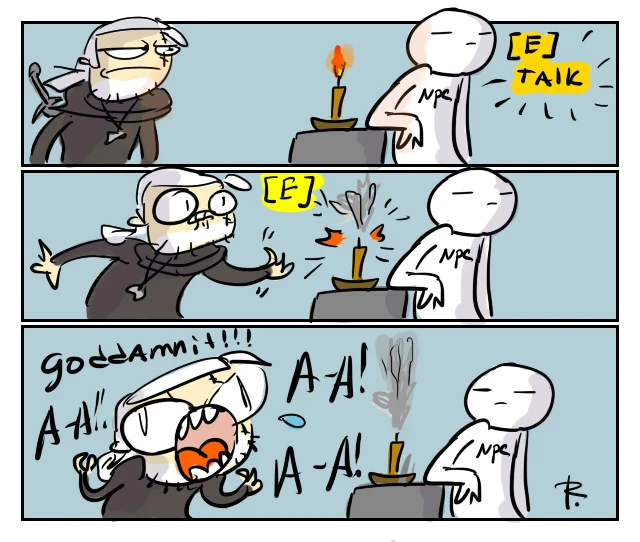
Just a simple mod which hides Ignite / Extinguish buttons for all ingame light sources unless you have Aard/Igni equipped.
Compatible with the next gen update.
Installation
----------------
-
[]Download preferred version and extract archive into "...\The Witcher 3\Mods\" folder (if you do not have Mods folder - create it manually).
[
](For toggleable version only) Open your "Documents\The Witcher 3\input.settings" file, find section and add line IK_RShift=(Action=InteractionToggle) there.[]Use Script Merger to check for possible conflicts with other mods.
Versions difference
----------------------------
-
[]Normal version: Ignite appears only when you have Igni equipped, Extinguish appears only when you have Aard equipped.
[]Igni Only: Ignite / Extinguish appears only when you have Igni equipped.
[]Toggleable: you can toggle light sources interaction availability with Right Shift. Disabled by default.
Quest Related Notes
------------------------------
During "Practicum in Advanced Alchemy" quest you must interact with fire under evaporator so "No Interaction" mod version has been replaced with "Toggleable". If you are using signs version make sure that Geralt stays close enough and has Igni equipped.
My other mods and tools
-------------------------------------
Additional Armor Stands
Additional Stash Locations
Colored Map Markers
Enemy Healthbar On Top
Instant Tooltips
Long Journey - Extended
More Shadows
No Herbs and Enemy Dots on Minimap
Quen Alternate Colors
Sort Everything
Toxicity - Clean Face and Screen
Unseen Monsters
Vampires Have No Shadows
Witcher 3 Mod Merger
This UI mod for The Witcher 3 makes candles, torches, campfires, and other light sources interactable only when you have Aard or Igni equipped. It streamlines exploration by preventing accidental interactions with lights when you don't need them. With over 4,000 endorsements and 100,000 downloads, it's a popular quality-of-life improvement for players who want more control over their interactions.
✨ Key Features
📊 Pros & Cons
✅ Pros
- Huge community approval (4,112 endorsements) and over 100k downloads—clearly a must-have for many players.
- Solves a real annoyance: no more accidentally blowing out candles or lighting torches when you're just trying to loot.
- Lightweight UI tweak that doesn't affect gameplay balance—pure convenience.
⚠️ Cons
- Only works if you actually use Aard/Igni—if you rarely equip those signs, you'll lose the ability to interact with lights entirely unless you switch.
- No documentation on compatibility with other UI mods or the next-gen update—might conflict with custom UI overhauls.
- Last updated in July 2023—could be outdated if the game has received patches since then.
For Witcher 3 players who hate accidentally interacting with every candle and torch in the world. If you're a completionist who likes to light up every brazer or a roleplayer who wants to control when Geralt uses signs, this mod is for you. Skip it if you never use Aard or Igni or if you prefer a more immersive, always-interactable world.
💡 Beginner Tips
- Make sure to equip Aard or Igni before trying to interact with light sources—otherwise the prompt won't appear.
- If you're using other UI mods, test this mod in a safe area first to ensure no conflicts.
- This mod is for the PC version of The Witcher 3; console players won't be able to use it.
📊 Mod Details
- Game
- Witcher 3 Mods
- Author
- DJ_Kovrik
- Version
- 1.44
- Downloads
- 104,529
- Endorsements
- 4,112
- Category
- User Interface
- Created
- 9/29/2015
- Updated
- 7/21/2023
🔧 How to Install Witcher 3 Mods
Download from Nexus.
📖 Full step-by-step install guide for Witcher 3 →
Visit the official mod page for specific installation instructions for this mod.
🎮 Need cheat codes or console commands? Check ur gaming wiki for Witcher 3 commands, item IDs, and more.
Keep browsing — more Witcher 3 mods await