Debug Helper (BepInEx)
⚪ Last updated 2024⚠️ Install Order · 2 steps
Install in this order, then this mod last — most mods fail to load without their framework and dependencies in place.
Preview
🔍 Analysis
- 👍 2.1% endorsement rate — high engagement, a strong quality signal
- 🏆 #4 of 7 Modding Tools mods in this game by downloads
📋 About This Mod
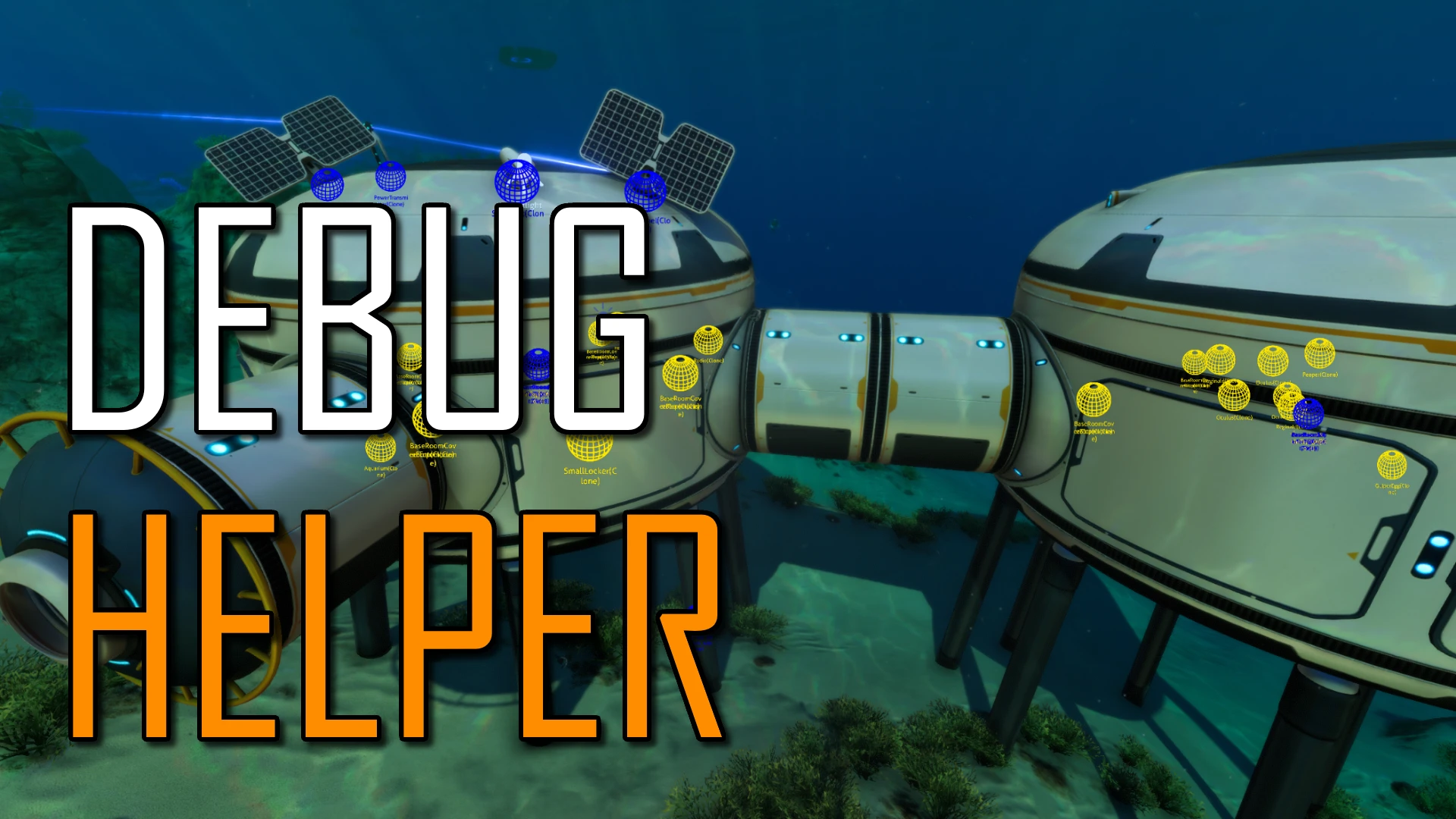
This mod adds over 30 useful commands and tools for debugging to make Subnautica modding a more smooth experience. If you are a modder, feel free to contribute!
This mod can help you...
-
[]Spawn ANY entity by using its Class ID or path[/]
[]Play any FMOD event in-game[/]
[]Show colliders of nearby objects[/]
[]Display normally hidden components on the screen[/]
[]See the debug overlay in-game[/]
[]Force the player to walk while underwater[/]
[]And MUCH more![/]
There are several new options in the Mod Options menu to help modders, playtesters, and even the average player to discover things about the Subnautica world that were once hidden behind obscure code. Several options related to visualization of once abstract concepts (including lights, colliders, sky appliers, creature actions, etc.) are available.
Comprehensive list of features
On this page: https://github.com/32Kallies/SubnauticaMods/blob/main/Pages/DebugHelperInfo.md.
Installation (Automatic)
You can use the Mod Manager to automatically install mods. If you decide to use it, simply place the
downloaded file into the ModDownloads folder and press Install in the
in-game mod menu.
You can also use Vortex to automatically install this mod.
Installation (Manual)
-
[]If you haven’t already, download and install the Subnautica BepInEx Pack.[/]
[]Download the latest version of this mod.[/]
[]Place the downloaded zip file into your Subnautica\BepInEx folder.[/]
[]Right click the zip file and select extract --> unzip here (NOT "Extract all").
If you can’t find that button, you can instead open the zip file, copy
the "plugins" folder, and paste it into the BepInEx folder[/]
GitHub source code
-
[]If you haven’t already, download and install the Subnautica BepInEx Pack.[/]
Debug Helper (BepInEx) by Kallie23 adds over 30 console commands, many in-game options, and a new class for use with the REPL console. It's a modding tool for players who want to tweak and debug their game, with 24 endorsements and 1,118 downloads, last updated in April 2024.
✨ Key Features
📊 Pros & Cons
✅ Pros
- Packed with over 30 console commands—plenty of tools for deep debugging.
- In-game options mean you can tweak settings without leaving the game.
- The new class for REPL console adds scripting potential for advanced users.
⚠️ Cons
- Low endorsement count (24) suggests it's a niche tool with a small user base.
- Last updated in April 2024—might not be compatible with the latest game patches.
For modders and tinkerers who want to debug or experiment with game mechanics via console commands. If you're into scripting or need to test things, this is handy. Skip if you're a casual player looking for content—this is a tool, not a gameplay mod.
💡 Beginner Tips
- Make sure you have BepInEx installed first, as this mod is built for it.
- Check the mod's page for any dependencies or load order notes before installing.
- Test the console commands in a safe save to avoid breaking your main game.
📊 Mod Details
- Game
- Subnautica Mods
- Author
- Kallie23
- Version
- 1.2.0
- Downloads
- 1,118
- Endorsements
- 24
- Category
- Modding Tools
- Created
- 4/10/2024
- Updated
- 4/10/2024
🔧 How to Install Subnautica Mods
Download from Nexus.
📖 Full step-by-step install guide for Subnautica →
Visit the official mod page for specific installation instructions for this mod.
🎮 Need cheat codes or console commands? Check ur gaming wiki for Subnautica commands, item IDs, and more.
Keep browsing — more Subnautica mods await