Mouse Move Mode
🟠 Updated over a year ago⚠️ Install Order · 2 steps
Install in this order, then this mod last — most mods fail to load without their framework and dependencies in place.
Preview
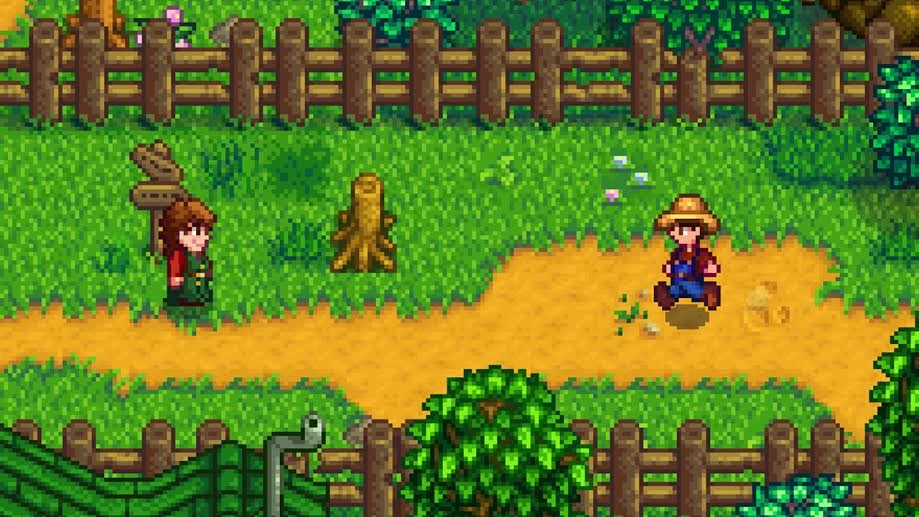
🔍 Analysis
- 👍 2.6% endorsement rate — high engagement, a strong quality signal
- 🏆 #251 of 382 Gameplay Mechanics mods in this game by downloads
📋 About This Mod
Version 1. 4. 4:
- Fix following NPC bug when they goes out of current Game Location bug
Version 1. 4. 3:
- Fix sometime stuck in Menu window when interact with some furniture object (eg: Junimo Catalogue)
Version 1. 4. 2:
- Fix sometime right-click action at the end of movement isn't working
- Fix stuck when interacting with Joja membership and "lost and found box" in Lewis's house
Version 1. 4. 1:
- Fix sometime player can't right click when using chest/inventory
Version 1. 4. 0:
- Fix how the mod handle action at the end of movement (which cause a lot of soft lock bug report), it should be more intelligent now
- Add config menu support through Generic Mod Config Menu https://www.nexusmods.com/stardewvalley/mods/5098
- Add config to enable and disable Path finding"EnablePathFinding": true
Remember to delete the old config file if thing didn't work
Mod feature
-
[]Right-click or Holding right mouse will make the player move, holding move stop the player after release
[
]Holding shift when riding will make right-click to be only move[]Right-click too far from the player will perform an action on the pointed object when you come close
-
[]Press F6 for On/Off the Right mouse move mode in-game (auto On at start, can change in config)
[]Alt + Enter to change between fullscreen and window mode
[]Crtl + Wheeling will zoom in and out
Config file option
{"MouseWhellingZoomStep": 0. 25, (Increase it make wheel scroll quicker)
"MouseWhellingMaxZoom": 2. 0,
"MouseWhellingMinZoom": 0. 75, (Extended Mode mouse wheel zooming cap)
"FullScreenKeybindShortcut": "RightAlt + Enter" (Some may want to use "F11")
"ExtendedModeDefault": true, (set it to false will disable Ctrl+Wheel and RightAlt+Enter)
"RightClickMoveModeDefault": true, (change it to 'false' will make the mod disable at startup)
"RightClickMoveModeToggleButton": "G", (hotkey to enable/disable the mod in-game)
"HoldingMoveOnly": true, (only move player when holding right-mouse)
"HoldTickCount": 15,
Mouse Move Mode enhances mouse functionality in the game, allowing movement by clicking or holding, Ctrl+wheel zoom, and Alt+Enter fullscreen toggle. With 1,333 endorsements and 51,284 downloads, it's a popular utility mod for players who prefer mouse-driven controls.
✨ Key Features
📊 Pros & Cons
✅ Pros
- Solid endorsement count (1,333) shows the community digs it.
- 51k downloads means plenty of players have tried it out.
- Simple, focused features that do exactly what they say.
⚠️ Cons
- Last updated January 2025 — might not work with future game patches.
- No compatibility notes for other mods or game versions.
For players who want to ditch keyboard movement and use the mouse for everything. If you're tired of WASD and want a more point-and-click style, this is for you. Skip if you're happy with default controls or want more complex gameplay changes.
💡 Beginner Tips
- Check if your game version is compatible with the mod's last update (January 2025).
- Test the mouse movement in a safe area first to get used to the new control scheme.
- If you use other control mods, try this one alone to avoid conflicts.
📊 Mod Details
- Game
- Stardew Valley Mods
- Author
- ylsama
- Version
- 1.4.4
- Downloads
- 51,284
- Endorsements
- 1,333
- Category
- Gameplay Mechanics
- Created
- 8/4/2018
- Updated
- 1/29/2025
🔧 How to Install Stardew Valley Mods
Download from Nexus.
📖 Full step-by-step install guide for Stardew Valley →
Visit the official mod page for specific installation instructions for this mod.
🎮 Need cheat codes or console commands? Check ur gaming wiki for Stardew Valley commands, item IDs, and more.
Keep browsing — more Stardew Valley mods await