Combat Controls - Fixed Mouse Click
⚪ Last updated 2021⚠️ Install Order · 2 steps
Install in this order, then this mod last — most mods fail to load without their framework and dependencies in place.
Preview
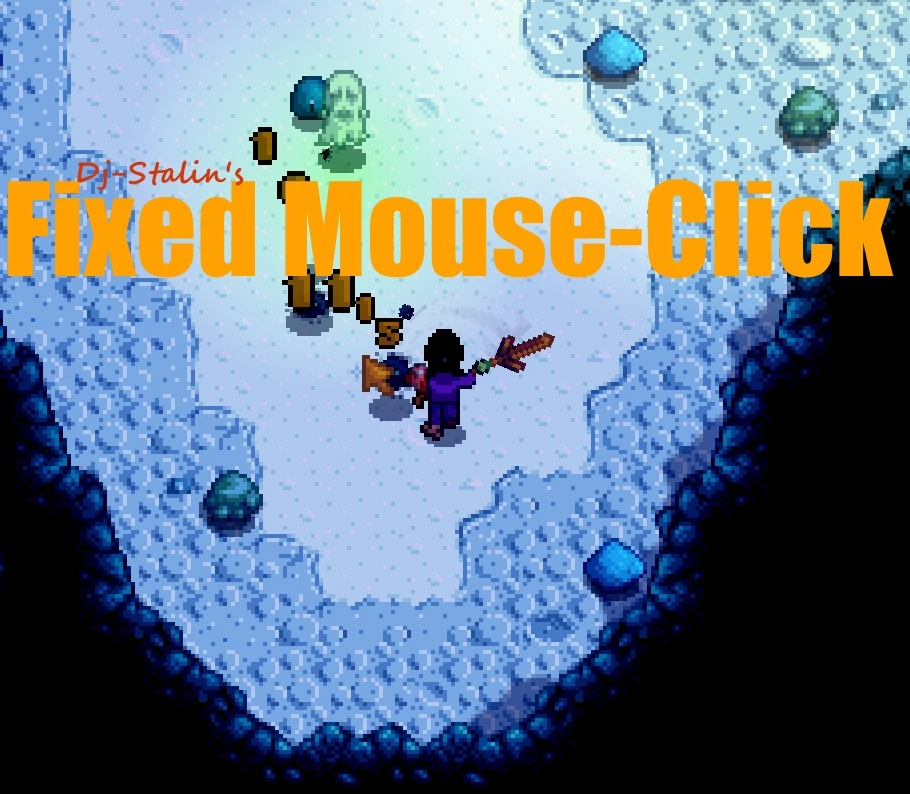
🔍 Analysis
- 👍 3.7% endorsement rate — high engagement, a strong quality signal
- 🏆 #137 of 382 Gameplay Mechanics mods in this game by downloads
📋 About This Mod
CombatControls
-
[]Download the files.
[
]Put CombatControls.zip folder into your StardewValley/Mods folder.[]Unpack CombatControls.zip
[]Launch the Game and Enjoy! :)
DISCLAIMER: This isn't a big combat overhaul, it's a simple Quality of Life improvement. Adds nothing gamebreaking, and breaks nothing.
Fixed Mouseclick controls!
-
[]Turns the character in the direction of your click, when using mouse clicks for tools.
The game's normal functions for turning a character with mouse clicks check what specific tile is clicked,
requiring that the exact tile next to the character is clicked in order to turn the character towards it.
This simple mod makes it so that clicking in the general direction of a tile is enough to turn the character.
Auto-Swing!
- [
This feature is meant to help prevent finger bourneout. And hugely helps with some weapon types like daggers.
Like most of the features of this mod it is possible to turn this feature on/off in the config.js
Slick Moves!
-
[]Sideways Swipe: When running and attacking to the sides, the character will slide along the ground while swinging the weapon.
[
]Block Dash: A quick dash while blocking, used by hitting 'left-click' immediately after blocking and moving in the direction you want to dash.I always found it slightly boring to stand completely still, spamming my sword at innocent slimes.
I decided to add the option to move a bit during attack and block moves. These can be turned on/off(true/false) in the config file, in the mod folder.
1. 0. 3
Fixed an issue with the manifest.json, causing the mod to not update from github correctly.
1. 0. 4
Config file was added, allowing to enable or disable the 'SlickMoves' and 'MouseFix', by setting the values either 'true' or 'false'. These both default to 'true'.
1. 1. 0
Better accuracy across all resolutions.
1. 1. 1
Better handling of attack cooldowns.
1. 1. 2
Optimized code.
Fixed animation issues when fishing.(It has come to my attention there are a couple of other animations that become awkward, these will be fixed in upcoming releases.).
1. 1. 3
Added 'WeaponsOnly' option to the config.json.
Added 'ClickToMove' option to the confi
-
[]Turns the character in the direction of your click, when using mouse clicks for tools.
Combat Controls - Fixed Mouse Click is a simple gameplay fix that makes your character turn toward the direction of your mouse click, improving combat against flying enemies. With over 4,000 endorsements, it's a popular quality-of-life mod for players who find the default controls clunky.
✨ Key Features
📊 Pros & Cons
✅ Pros
- Community favorite with 4,072 endorsements and over 110k downloads.
- Directly addresses a common complaint about clunky combat.
- Simple fix that makes dealing with flying enemies much more enjoyable.
⚠️ Cons
- Last updated in January 2021 — may not be compatible with the latest game version.
- Only affects mouse-click turning; doesn't address other control issues.
For players who find the default combat controls clunky, especially when fighting flying enemies. If you're tired of missing attacks because your character doesn't face the right way, this mod is for you. Skip if you're happy with the default controls or want more comprehensive combat overhauls.
💡 Beginner Tips
- Make sure to place the mod files in the correct game directory (e.g., Data folder) to ensure it loads properly.
- If the mod doesn't work, check that you have the latest version of the game and that no other mods conflict with control changes.
- Test the mod in a low-stakes area first to get used to the new turning behavior before diving into combat.
📊 Mod Details
- Game
- Stardew Valley Mods
- Author
- DJ-STLN
- Version
- 2.0.1
- Downloads
- 110,955
- Endorsements
- 4,072
- Category
- Gameplay Mechanics
- Created
- 7/31/2018
- Updated
- 1/4/2021
🔧 How to Install Stardew Valley Mods
Download from Nexus.
📖 Full step-by-step install guide for Stardew Valley →
Visit the official mod page for specific installation instructions for this mod.
🎮 Need cheat codes or console commands? Check ur gaming wiki for Stardew Valley commands, item IDs, and more.
Keep browsing — more Stardew Valley mods await