Immersive Bookreading and Lockpicking
⚪ Last updated 2016⚠️ Install Order · 5 steps
Install in this order, then this mod last — most mods fail to load without their framework and dependencies in place.
Preview
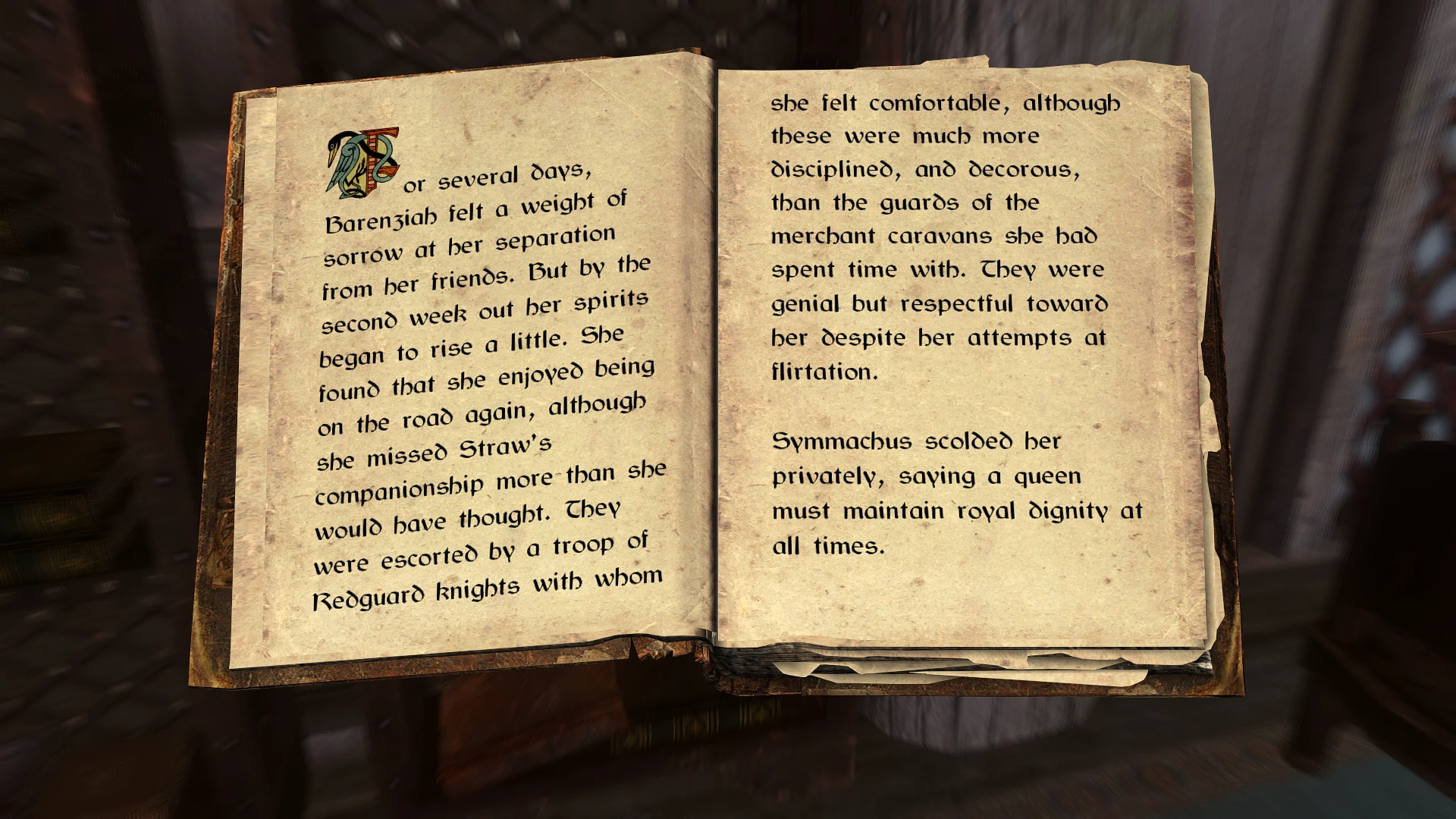
🔍 Analysis
- 👍 0.9% endorsement rate
- 🏆 #83 of 136 User Interface mods in this game by downloads
📋 About This Mod
Thieves and librarians everywhere rejoice!
Immersive Bookreading: This mod removes the user interface while reading, showing only the book itself. Immersive Lockpicking: This mod does the same, but for lockpicking. You'll only see the lock, and the lockpick.
If you enjoy the mod, please endorse to increase visibility of my work. Thanks!
Make sure to check out my other mods: . Clean Menu: for a more elegant main menu. . 60 FPS interface: faster UI animations. . Windows of Skyrim: my upcoming work.
A simple UI tweak for Skyrim that hides the interface during bookreading and lockpicking, letting you immerse yourself in the actions. With 2,588 endorsements and 301,433 downloads, it's a popular quality-of-life mod for players seeking a more cinematic experience.
✨ Key Features
📊 Pros & Cons
✅ Pros
- Huge community trust with 2,588 endorsements and over 300k downloads
- Does exactly what it says—no bloat, just hides UI for two actions
- Perfect for roleplayers who want to see the world through their character's eyes
⚠️ Cons
- Last updated in 2016—may have compatibility issues with newer Skyrim versions or mods
- Only affects bookreading and lockpicking; doesn't hide UI for other actions like alchemy or smithing
For Skyrim players who prioritize immersion and want to feel more connected to their character during reading and lockpicking. Perfect for roleplayers and those who enjoy cinematic gameplay. Skip if you prefer keeping UI elements visible for convenience.
💡 Beginner Tips
- If you use a mod manager like Vortex or Mod Organizer 2, install this mod through it to easily manage load order and uninstallation.
- Since the mod is from 2016, check if your Skyrim version is compatible—if you're on Special Edition, look for a port or use the mod with the original Skyrim.
- Test the mod early in your playthrough to ensure it doesn't conflict with other UI mods you might have installed.
📊 Mod Details
- Game
- Skyrim Mods
- Author
- Wirodeu
- Version
- 1.0
- Downloads
- 301,433
- Endorsements
- 2,588
- Category
- User Interface
- Created
- 11/18/2016
- Updated
- 11/18/2016
🧩 Commonly Used Together
Users add these mods to the same collections — a real compatibility signal, not an AI guess.
🔧 How to Install Skyrim Mods
Download from Nexus.
📖 Full step-by-step install guide for Skyrim →
Visit the official mod page for specific installation instructions for this mod.
🎮 Need cheat codes or console commands? Check ur gaming wiki for Skyrim commands, item IDs, and more.
Keep browsing — more Skyrim mods await