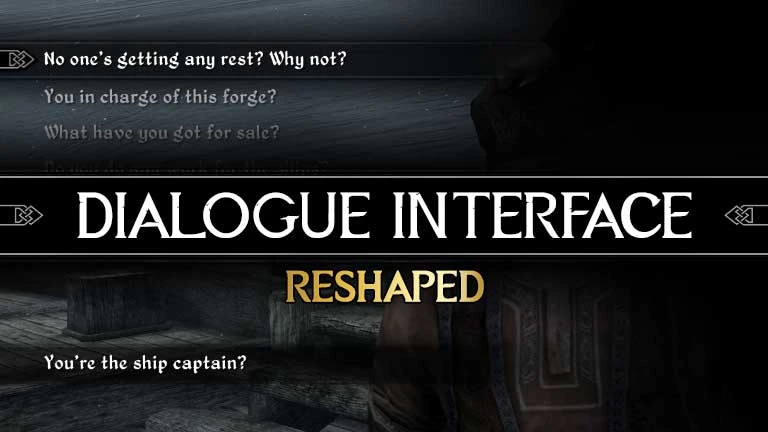
Dialogue Interface ReShaped
⚪ Last updated 2021⚠️ Install Order · 5 steps
Install in this order, then this mod last — most mods fail to load without their framework and dependencies in place.
Preview
🔍 Analysis
- 👍 1.5% endorsement rate — high engagement, a strong quality signal
- 🏆 #129 of 140 User Interface mods in this game by downloads
📋 About This Mod
Credits
This mod would not come into existence without Minimalist Dialogue Interface by Stalhimeier.
- Fixes control issues in the same way as Better Dialogue Controls.
- Aligns menu to the left side.
- Increases the width of the dialogue text area so that more lines of dialogue fit on the screen.
- Removes the Exit button and optionally the NPC Name.
- Makes the dialogue vanish while an NPC is talking.
- Gives you a choice between two different backgrounds.
Compatibility
Compatible with everything.
The only exceptions at the moment being:
- Better Dialogue Controls (which you will not need - this mod already fixes the controls)
- EZ2C Dialogue Menu
- Minimalist Dialogue Interface
My other mods
Main Menu ReShaped
Recommended mods
Realistic facial expressions - must-have if you want your dialogues to even remotely resemble actual human interactions:
Expressive Facial Animation -Female Edition-
Expressive Facial Animation -Male Edition-
Dialogue Interface ReShaped by Shaper8 is a complete redesign of the dialogue interface for better immersion, with fixed controls and support for 16:9, 16:10, and 21:9 displays. It has 7,742 endorsements and 514,729 downloads, last updated in March 2021.
✨ Key Features
📊 Pros & Cons
✅ Pros
- Huge community trust with 7,742 endorsements
- Massive download count (514k) shows it's a go-to for UI overhauls
- Widescreen support means it's built for modern monitors
⚠️ Cons
- Last updated in 2021 — might not play nice with the latest game patches
- Only covers dialogue UI — if you want a full UI overhaul, this won't do it all
For RPG players who hate the vanilla dialogue box and want a cleaner, more immersive chat window. Also for ultrawide users who need proper 21:9 support. Skip if you're after a complete UI overhaul — this is just the dialogue part.
💡 Beginner Tips
- Check if your game version is compatible since the mod hasn't been updated since 2021.
- If you're on an ultrawide monitor, make sure your game resolution matches one of the supported aspect ratios.
- Since it's a UI mod, load order usually doesn't matter, but keep it active in your mod manager.
📊 Mod Details
- Game
- Skyrim Mods
- Author
- Shaper8
- Version
- 1.03
- Downloads
- 514,729
- Endorsements
- 7,742
- Category
- User Interface
- Created
- 3/4/2021
- Updated
- 3/19/2021
🧩 Commonly Used Together
Users add these mods to the same collections — a real compatibility signal, not an AI guess.
🔧 How to Install Skyrim Mods
Download from Nexus.
📖 Full step-by-step install guide for Skyrim →
Visit the official mod page for specific installation instructions for this mod.
🎮 Need cheat codes or console commands? Check ur gaming wiki for Skyrim commands, item IDs, and more.
Keep browsing — more Skyrim mods await