Better Container Controls for SkyUI
⚪ Last updated 2021⚠️ Install Order · 6 steps
Install in this order, then this mod last — most mods fail to load without their framework and dependencies in place.
Preview
🔍 Analysis
- 👍 0.7% endorsement rate
- 🏆 #36 of 140 User Interface mods in this game by downloads
📋 About This Mod
If you don't use SkyUI, try the original Better Container Controls built for the game's original interface.
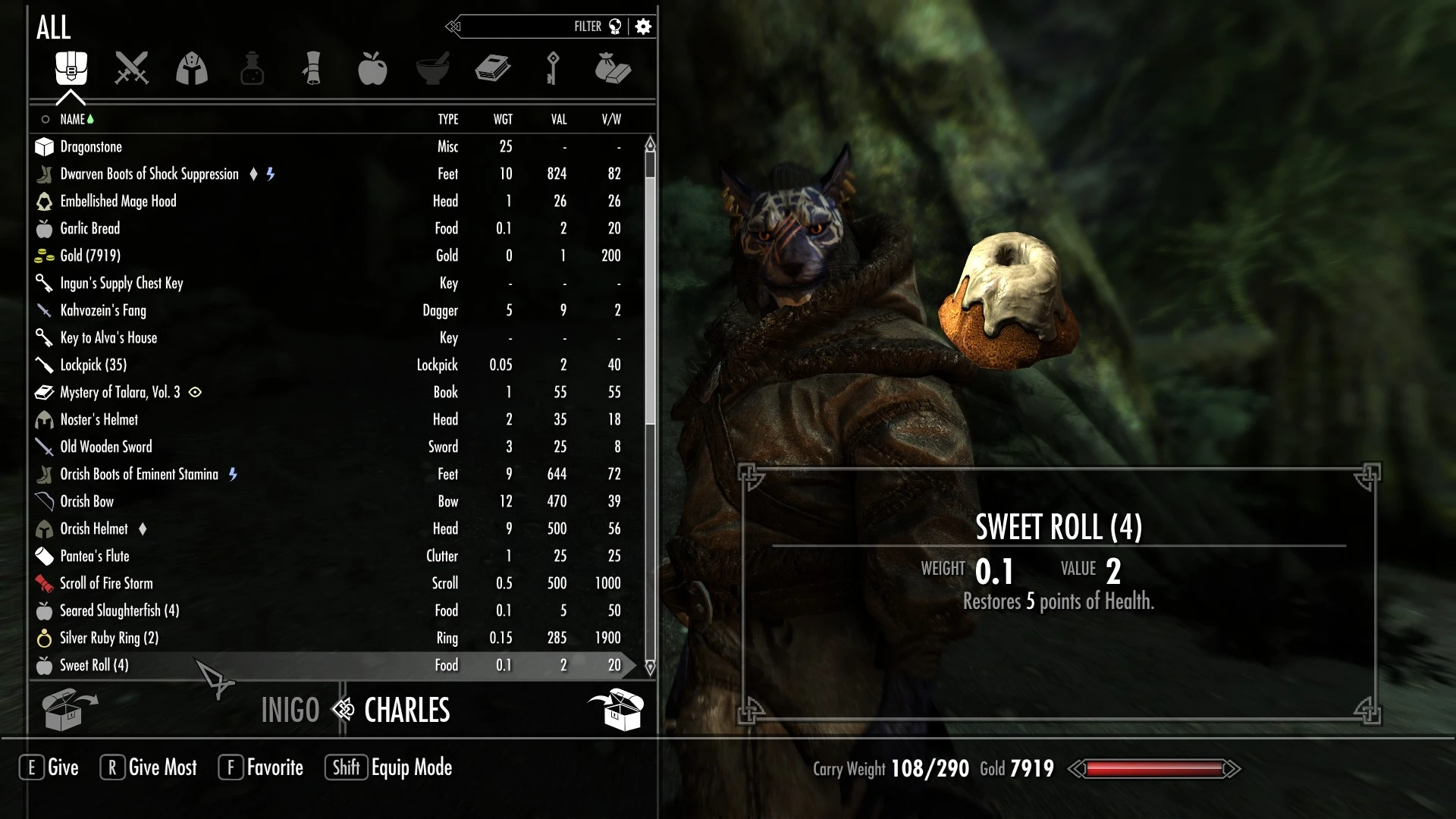
Basic controls:
Use/Activate control (E key or A gamepad button): display the Quantity Prompt for an item
Attack/RightEquip control (left mouse button or RT gamepad button): move exactly one of an item
Block/LeftEquip control (right mouse button or LT gamepad button): move all of a particular item
Ready control (R key or X gamepad button): depending on which container view is active is Take All or Take Most, Give Most, or Store Most
About the new Most feature:
The Take All feature from the original game now only works for containers when you are looking at the category with all items. It becomes Take Most or Store Most in the other container views and Take Most or Give Most when trading items with your followers.
Why Most instead of All? You wouldn't want a Give All option when talking to your follower because you will want to keep the clothes and armor you're wearing, your equipped weapons, items you've marked as favorites, your keys, lockpicks, gold, etc. And you probably don't want to take everything in the follower's inventory either.
Keys aren't transferred by "Most" unless you're looking at just keys. Gold, lockpicks, items with names that begin with a space or the center dot (·) character, and any other items you choose by name in the bcc_config.txt file will also never be transferred automatically. You can also choose whether soul gems should be transferred in the configuration file.
The "Most" feature also only transfers items shown in the current view, so if you're looking at books only books will be transferred or if you've searched for Ingot then only the ingots showing will
The "Most" feature works by simulating you choosing each item in the current view. If there are very many items in the container or your inventory the process can be slow. (I don't recommend going to qasmoke and trying it on the All Weapons container, etc.) If you get tired of waiting or something seems to be going wrong simply close the container menu.
Configuration options:
To set your own options simply rename the bcc_config_example.txt file to bcc_config.txt, place it in the Data\Interface folder and edit it with any text editor. (Yes, you have to install it manually because if I ever update this mod you wouldn't want my update to overwrite any changes you've made.)
There are instructions and example entries included showing you how to change the core settings, translate the new button labels to your own language, and create a list of items which should
Better Container Controls for SkyUI enhances Skyrim's container menu with new features like a quantity prompt and a single-command option to store all ingredients. With 5,816 endorsements and 856,835 downloads, it's a popular UI improvement for players who want more efficient inventory management.
✨ Key Features
📊 Pros & Cons
✅ Pros
- Huge community trust (5,816 endorsements) — this is a proven UI fix.
- Massive download count (856,835) shows it's a go-to for many players.
- Solves a real annoyance — no more tedious clicking when stashing ingredients.
⚠️ Cons
- Last updated in 2021 — might have issues with newer Skyrim versions or SkyUI updates.
- Only adds a couple of features — if you want a full container overhaul, this isn't it.
- Requires SkyUI, so it's useless for players who don't use that mod.
For Skyrim players who use SkyUI and are tired of the clunky container menu. If you hoard ingredients and want to dump them fast, this is a must-have. Skip if you don't use SkyUI or prefer a more comprehensive inventory mod.
💡 Beginner Tips
- Make sure SkyUI is installed first — this mod won't work without it.
- Use a mod manager like Vortex or MO2 to install, and check the load order so it loads after SkyUI.
- Test the new hotkeys in a container to get used to the quick-stash feature.
📊 Mod Details
- Game
- Skyrim Mods
- Author
- CDCooley
- Version
- 3.1
- Downloads
- 856,835
- Endorsements
- 5,816
- Category
- User Interface
- Created
- 4/23/2019
- Updated
- 11/27/2021
🧩 Commonly Used Together
Users add these mods to the same collections — a real compatibility signal, not an AI guess.
🔧 How to Install Skyrim Mods
Download from Nexus.
📖 Full step-by-step install guide for Skyrim →
Visit the official mod page for specific installation instructions for this mod.
🎮 Need cheat codes or console commands? Check ur gaming wiki for Skyrim commands, item IDs, and more.
Keep browsing — more Skyrim mods await