Dark UI
⚪ Last updated 2008⚠️ Install Order · 2 steps
Install in this order, then this mod last — most mods fail to load without their framework and dependencies in place.
Preview
🔍 Analysis
- 👍 2.3% endorsement rate — high engagement, a strong quality signal
- 🏆 #31 of 96 User Interfaces mods in this game by downloads
📋 About This Mod
Hey, folks - just an FYI, I stopped playing Oblivion shortly after 2. 40 was released. At the time, it was completely stable. It wasn\'t until SI that problems started cropping up, and I had been gone a long while by then. About that time, Gothic251 started updating the project with my full blessing and support. His much more recent version can be found here: http://www.tesnexus.com/downloads/file.php?id=11280 Again, this version is outdated. It will have issues with the latest patch. The current version is behind the link, above. 2. 40 - Replaced the container menu(merchants, loot) texture and tweaked the menu to show the popup properly and to neaten the lines. - Retextured the book and scroll backgrounds. They are a little less bright, but it is a very, very subtle change. The book texture is also much cleaner (less blotchy) than Bethesda\'s. - Retextured Spellmaking and Enchantment menus. - Added DarNified files for Spellmaking and Enchantment menus. - Retextured all of the menu icons (those that are part of the interface, not the ones for individual items.) - Merged the Chargen w/ Numbers mod with Dark UI, allowing you to see numbers on the character generation sliders. - Added FAQ item to deal with the unusual \'a\' popping up in the middle of the screen (due to an error in a different mod) - Repaired the BT Mod arrow key functionality for confirmations which I inadvertantly overwrote in 2. 30. - Fixed a very early version oversight that removed the icons from the stats page (although, interestingly, not one person reported it.) - Replaced the book buttons (\'exit\' etc.) with new ones that don\'t clash with the light background like the regular Dark UI buttons did. - Altered both Dark UI and the DarNified configs to remove a conflict with HUD elements from Natural Environments, and added another item to the Dark UI Extras folder for those that DO want their bar textures changed. - Recolored the stats popup images, as the red in the old version clashed badly with Dark UI. - Added a \'Complete DarN\' install. 2. 30 - Cleaned up the small shared decorative element. - Replaced the focus box (the mouseover box.) - Retextured all of the buttons. - Changed the equipped item marker. - Fixed a Bethesda bug that made the device choice in the control options menu disappear when moused over. - Added a new Dark UI option - light main menu text. - Replaced the magic popup menu (the inventory info pop-up.) The border is a little less, er, flat. - Added the following DarN configs: Smaller Buttons, Training Menu, Lockpick Menu, Persuasion menu. - Fixed a Dark UI bug in the DarN Spell Purchase menu that made the vertical borders appear black. - Added Antiquated Map 1. 1 as an optional component. - Updated DarN\'s font packs. - Implemented a new map_template.xml made by Valik that fixes out of place icons at alternate zooms and fixes a Bethesda bug that made the player position arrow rotate incorrectly. Retextured all of the following: - Trainin
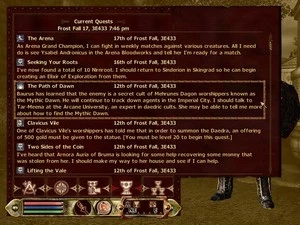
Dark UI is a user interface overhaul for Oblivion that darkens menus and retextures container and book backgrounds. With 1,661 endorsements and 73,294 downloads, it's a well-established cosmetic mod. Last updated in 2008, it may not be compatible with newer patches or mods.
✨ Key Features
📊 Pros & Cons
✅ Pros
- Community favorite with 1,661 endorsements and over 73k downloads.
- Subtle dark theme that's easy on the eyes for long play sessions.
- Fixes popup display and line neatness in container menus.
⚠️ Cons
- Last updated in 2008 — likely outdated for current Oblivion versions and mod setups.
- Only touches container and book/scroll menus; other UI elements remain unchanged.
For Oblivion players who want a darker, less glaring UI without overhauling everything. If you're a purist who likes the vanilla look, skip it. Also skip if you're using a comprehensive UI mod that already includes dark themes.
💡 Beginner Tips
- Since it's an old mod, manually place the files into your Oblivion Data folder and ensure you have Archive Invalidation enabled.
- If you use a mod manager like OBMM or Wrye Bash, install it through that to manage conflicts with other UI mods.
- Test with a save before a merchant interaction to see the container menu changes.
📊 Mod Details
- Game
- Oblivion Mods
- Author
- Greybird
- Version
- 2dot40
- Downloads
- 73,294
- Endorsements
- 1,661
- Category
- User Interfaces
- Created
- 3/28/2006
- Updated
- 1/7/2008
🔗 Required By 1 Mod
These mods list this mod as a dependency.
🔧 How to Install Oblivion Mods
Download from Nexus.
📖 Full step-by-step install guide for Oblivion →
Visit the official mod page for specific installation instructions for this mod.
🎮 Need cheat codes or console commands? Check ur gaming wiki for Oblivion commands, item IDs, and more.
Keep browsing — more Oblivion mods await