Pause Menu HD
⚪ Last updated 2017⚠️ Install Order · 5 steps
Install in this order, then this mod last — most mods fail to load without their framework and dependencies in place.
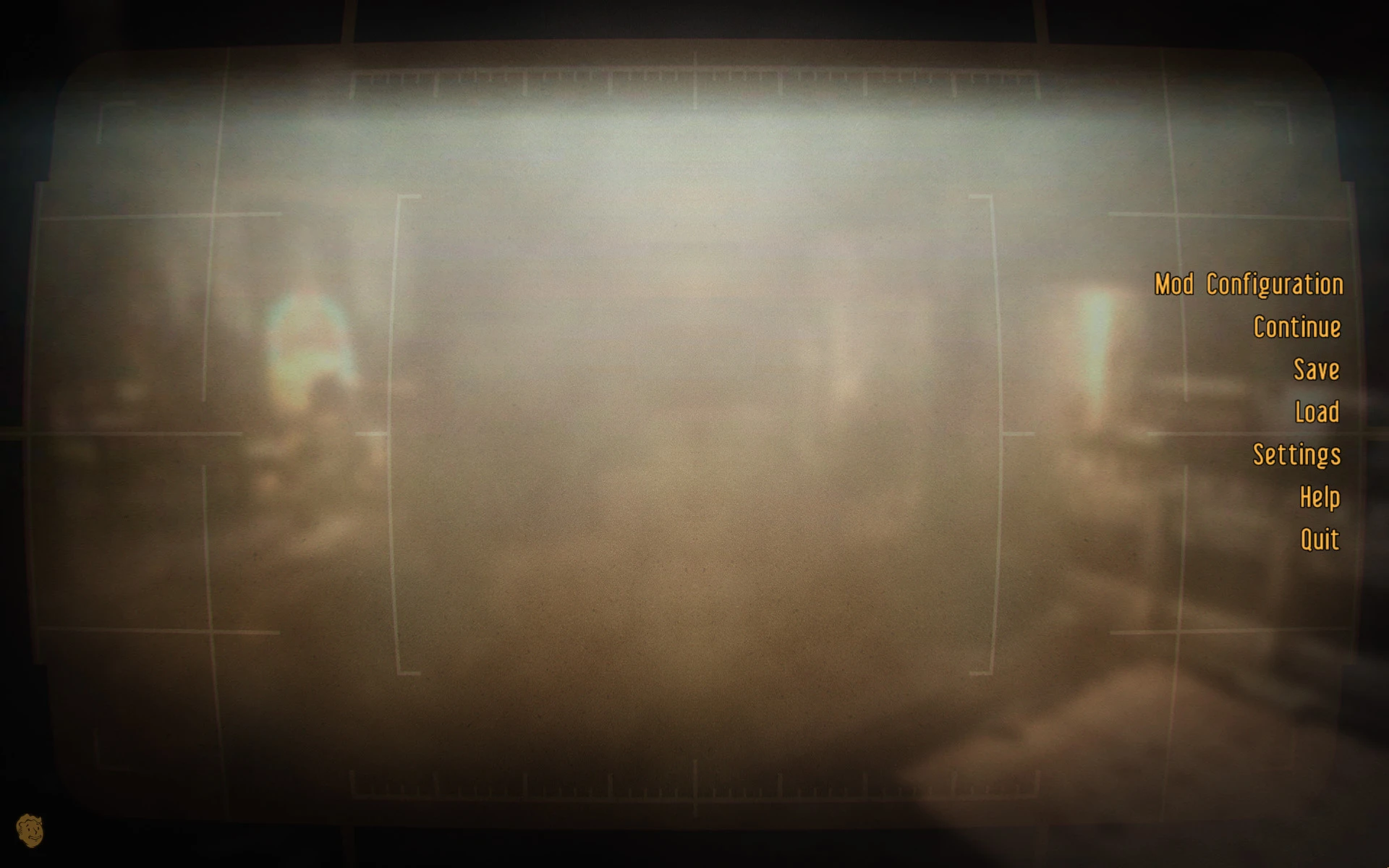
Preview
🔍 Analysis
- 👍 0.6% endorsement rate
- 🏆 #62 of 173 User Interfaces mods in this game by downloads
📋 About This Mod
Description:
HD remake of the vanilla pause background, created from scratch and faithful to the original.
-
[]The old blurry background is 512 with a vignette mask that is 256.
[
]This remake is available in 1024 and 2048, with the vignette mask set at 1024.[]As with the old pause background, these will stretch and scale to whatever display resolution you're using.
[]Should be compatible with Fallout 3.
Instructions:
It's two .dds texture files. Just overwrite or override using your preferred installation method. Nothing else is required.
My Other Mods:
-
[]Nuka Fridge HD - The only HD retexture of the Nuka Cola Fridge available for New Vegas.
Recommended UI Mods:
- [
[]Vanilla UI Plus - Thoroughly done and lore friendly.
[]Concept Art Loading Screens - Great aesthetics. May cause slight pause when it cycles images; if so, edit your ini to disable image cycling.
- Vanilla Loading Screens HD - For those who want to improve but preserve the default look.
-
[]Nuka Fridge HD - The only HD retexture of the Nuka Cola Fridge available for New Vegas.
Pause Menu HD is a faithful HD retexture of the pause menu background for Fallout 3. It's a simple cosmetic mod that improves the visual quality of the pause screen, with 1,984 endorsements and over 311,000 downloads, last updated in September 2017.
✨ Key Features
📊 Pros & Cons
✅ Pros
- Huge download count (311k) shows it's a popular choice for Fallout 3 players
- Simple and lightweight—just a texture replacer, no script or plugin hassle
- Faithful retexture means it won't clash with the game's aesthetic
⚠️ Cons
- Last updated in 2017—may not be tested with newer mod setups or game patches
- Only affects the pause menu background, so if you're looking for broader UI improvements, this won't cover them
For Fallout 3 players who want a sharper pause menu without changing the game's feel. Perfect if you're doing a visual overhaul and want every screen to look crisp. Skip if you want gameplay changes or a full UI overhaul—this is purely cosmetic.
💡 Beginner Tips
- Since it's a texture replacer, just drop the files into your Fallout 3 Data folder and enable the mod in your launcher or mod manager.
- If you use a mod manager like Nexus Mods' Vortex or Mod Organizer 2, install it through there to keep your load order clean.
- Make sure you have ArchiveInvalidation Invalidated! enabled, or the new texture might not show up in-game.
📊 Mod Details
- Game
- New Vegas Mods
- Author
- pilamin
- Version
- 1.0
- Downloads
- 311,130
- Endorsements
- 1,984
- Category
- User Interfaces
- Created
- 9/25/2017
- Updated
- 9/25/2017
🧩 Commonly Used Together
Users add these mods to the same collections — a real compatibility signal, not an AI guess.
🔧 How to Install New Vegas Mods
Download from Nexus.
📖 Full step-by-step install guide for New Vegas →
Visit the official mod page for specific installation instructions for this mod.
🎮 Need cheat codes or console commands? Check ur gaming wiki for New Vegas commands, item IDs, and more.
Keep browsing — more New Vegas mods await