FOV Slider
⚪ Last updated 2020⚠️ Install Order · 6 steps
Install in this order, then this mod last — most mods fail to load without their framework and dependencies in place.
Preview
🔍 Analysis
- 👍 1.5% endorsement rate — high engagement, a strong quality signal
- 🏆 #11 of 173 User Interfaces mods in this game by downloads
📋 About This Mod
by Roy Batty
About
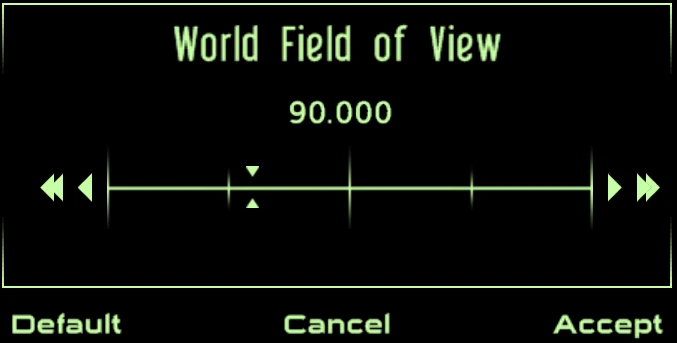
FOV Slider is a simple mod that adds an MCM menu that allows for adjusting the Fields of View for all of the game's camera views.
Features
Allows the user to adjust:
- []Field of View
-
[]Player Field of View (arms)
[]Pipboy Field of View
[]Terminal Field of View scale
[]Weapon FOV scale (to compensate for larger or smaller Fields of View and their affect on aim speed)
[]Disabling Weapon Zooming
[]Iron Sight FOV Zoom Time
[]Dialogue Zoom Time
[]Dialogue Zoom Out Delay
[]Dialogue Speech Delay
And with this mod, all of these values can be adjusted in-game, through the MCM menu, thus doing so without disabling Achievements by opening the console.
This mod also saves all of these settings to an ini file so that they are persistent between saves and games (set and forget).
Requirements
-
[]New Vegas Script Extender (NVSE) v5. 1 beta 4 or higher
[
]JIP LN v54. 31 or higher - The Mod Configuration Menu (MCM) v1. 5 Update 2 or higher
Installation
NMM, FOMM or Mod Organizer are recommended to install the mod.
To install the mod manually, copy the FOVSlider.esp to the Fallout New
-
[]New Vegas Script Extender (NVSE) v5. 1 beta 4 or higher
FOV Slider is a Fallout 4 mod that adds an MCM menu to adjust World, Player, Pipboy, and Terminal Field of View, plus Scope Scissor Amount, Weapon FOV Ratio, FOV Zoom time, and Dialogue Zoom time. It's a highly popular utility with 19,335 endorsements and 1.3M downloads, last updated in April 2020.
✨ Key Features
📊 Pros & Cons
✅ Pros
- Massive community trust: 19,335 endorsements and 1.3M downloads.
- One-stop solution for all FOV-related tweaks, including scopes and dialogue zoom.
- MCM integration means easy in-game adjustments without console commands.
⚠️ Cons
- Last updated in April 2020 — may be outdated for the latest Fallout 4 patches or next-gen update.
- Requires MCM (Mod Configuration Menu) as a dependency, which adds an extra install step.
- No detailed documentation provided by the author, so you'll need to experiment with settings.
For Fallout 4 players who want precise control over their field of view, especially those who get motion sickness or want a wider FOV for immersion. Also great for players who use scoped weapons and want to tweak zoom behavior. Skip if you're fine with the default FOV and don't need customization.
💡 Beginner Tips
- Make sure you have the Mod Configuration Menu (MCM) installed first, as this mod relies on it for the settings menu.
- After installing, load your save and open the MCM to find the FOV Slider options — you can adjust values live to see the effect.
- If you're using a mod manager like Vortex or Mod Organizer 2, let it handle the file placement to avoid conflicts.
📊 Mod Details
- Game
- New Vegas Mods
- Author
- Roy Batty
- Version
- 2.9
- Downloads
- 1,285,351
- Endorsements
- 19,335
- Category
- User Interfaces
- Created
- 2/23/2014
- Updated
- 4/5/2020
🧩 Commonly Used Together
Users add these mods to the same collections — a real compatibility signal, not an AI guess.
🔧 How to Install New Vegas Mods
Download from Nexus.
📖 Full step-by-step install guide for New Vegas →
Visit the official mod page for specific installation instructions for this mod.
🎮 Need cheat codes or console commands? Check ur gaming wiki for New Vegas commands, item IDs, and more.
Keep browsing — more New Vegas mods await