Soulful Hogwarts
⚪ Last updated 2023⚠️ Install Order · 2 steps
Install in this order, then this mod last — most mods fail to load without their framework and dependencies in place.
Preview
🔍 Analysis
- 👍 2.3% endorsement rate — high engagement, a strong quality signal
- 🏆 #24 of 179 Visuals mods in this game by downloads
📋 About This Mod
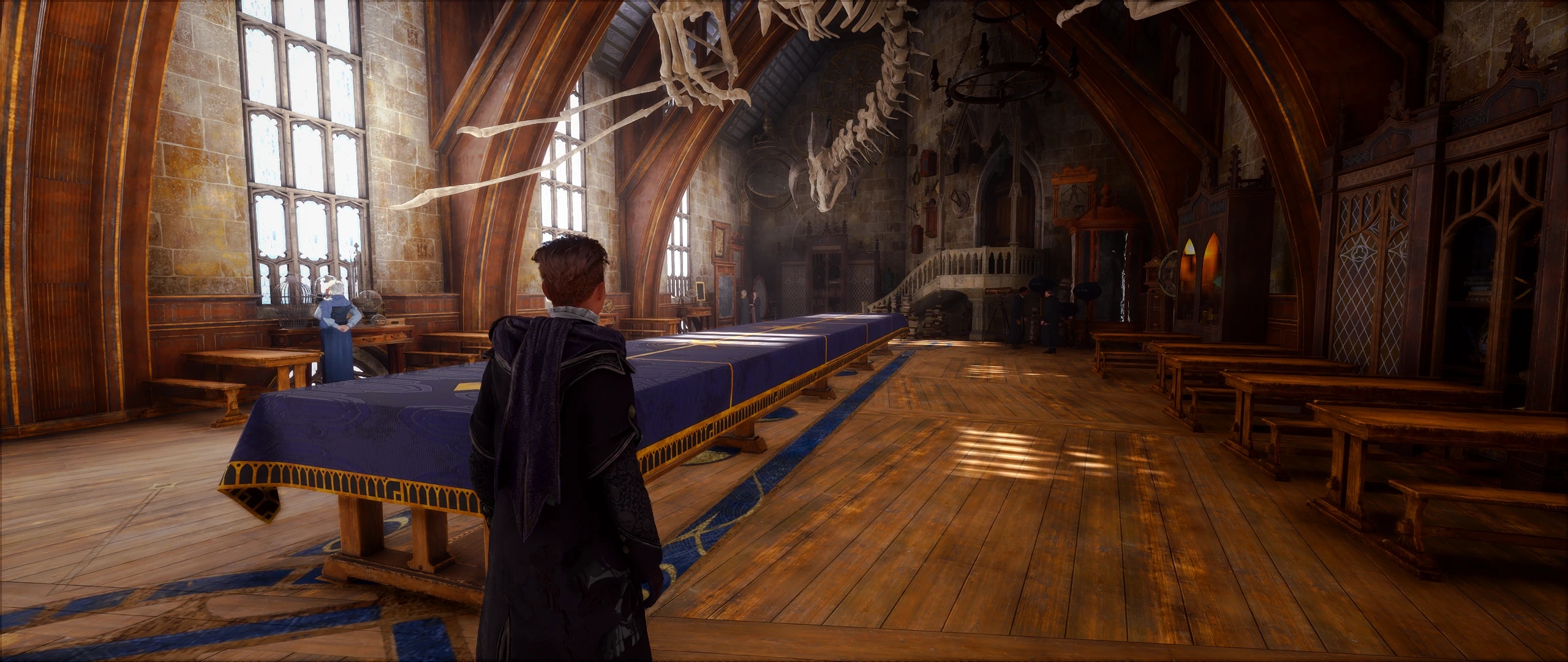
Most of the reshade presets available right now just try to make the game more realistic, dark and cool in color. With this one I try to do the opposite and aim at making the game as vibrant, bright and colorful as possible, since this is a fantasy game after all and the base visuals of the game are already hazy and cold enough.
Please feel free to tweak and adjust the preset however you like and share your own version of it.
Installation:
Download and install the full version of reshade. Make sure to select the .exe in the Phoenix\Binaries\Win64 folder and not the one in the main folder.
Download and copy my preset into the same folder that you just installed reshade in.
Launch the game, open the reshade options and select my preset.
Showcase made and posted by dwrrr (dwr.playable):
1CNAO7BvA2g
A Reshade preset for Hogwarts Legacy that boosts color saturation, vibrancy, warmth, and clarity. Popular with 217 endorsements and nearly 10,000 downloads, it's a simple visual upgrade for players wanting a more colorful game.
✨ Key Features
📊 Pros & Cons
✅ Pros
- Community favorite with 217 endorsements and 9,634 downloads
- One-click install if you already have Reshade
- Transforms the game's look with richer colors and warmth
⚠️ Cons
- Requires Reshade, which isn't included in the mod
- No before/after screenshots or detailed description provided
- Last updated in February 2023 — may not be tested with the latest game patches
For Hogwarts Legacy players who want a more vibrant, colorful world without fiddling with complex ENB-like settings. Skip if you prefer the game's original muted tone or don't want to install Reshade.
💡 Beginner Tips
- Make sure you have Reshade installed and set up for Hogwarts Legacy before adding this preset.
- Use the Reshade in-game overlay (Home key) to tweak the preset's intensity to your liking.
- If the game updates, reinstall Reshade to ensure compatibility with the latest version.
📊 Mod Details
- Game
- Hogwarts Legacy Mods
- Author
- Aredian
- Version
- 1.0
- Downloads
- 9,634
- Endorsements
- 217
- Category
- Visuals
- Created
- 2/10/2023
- Updated
- 2/10/2023
🔧 How to Install Hogwarts Legacy Mods
Download from Nexus.
📖 Full step-by-step install guide for Hogwarts Legacy →
Visit the official mod page for specific installation instructions for this mod.
🎮 Need cheat codes or console commands? Check ur gaming wiki for Hogwarts Legacy commands, item IDs, and more.
Keep browsing — more Hogwarts Legacy mods await