Hogwarts Legacy - Reshade368
⚪ Last updated 2023⚠️ Install Order · 2 steps
Install in this order, then this mod last — most mods fail to load without their framework and dependencies in place.
Preview
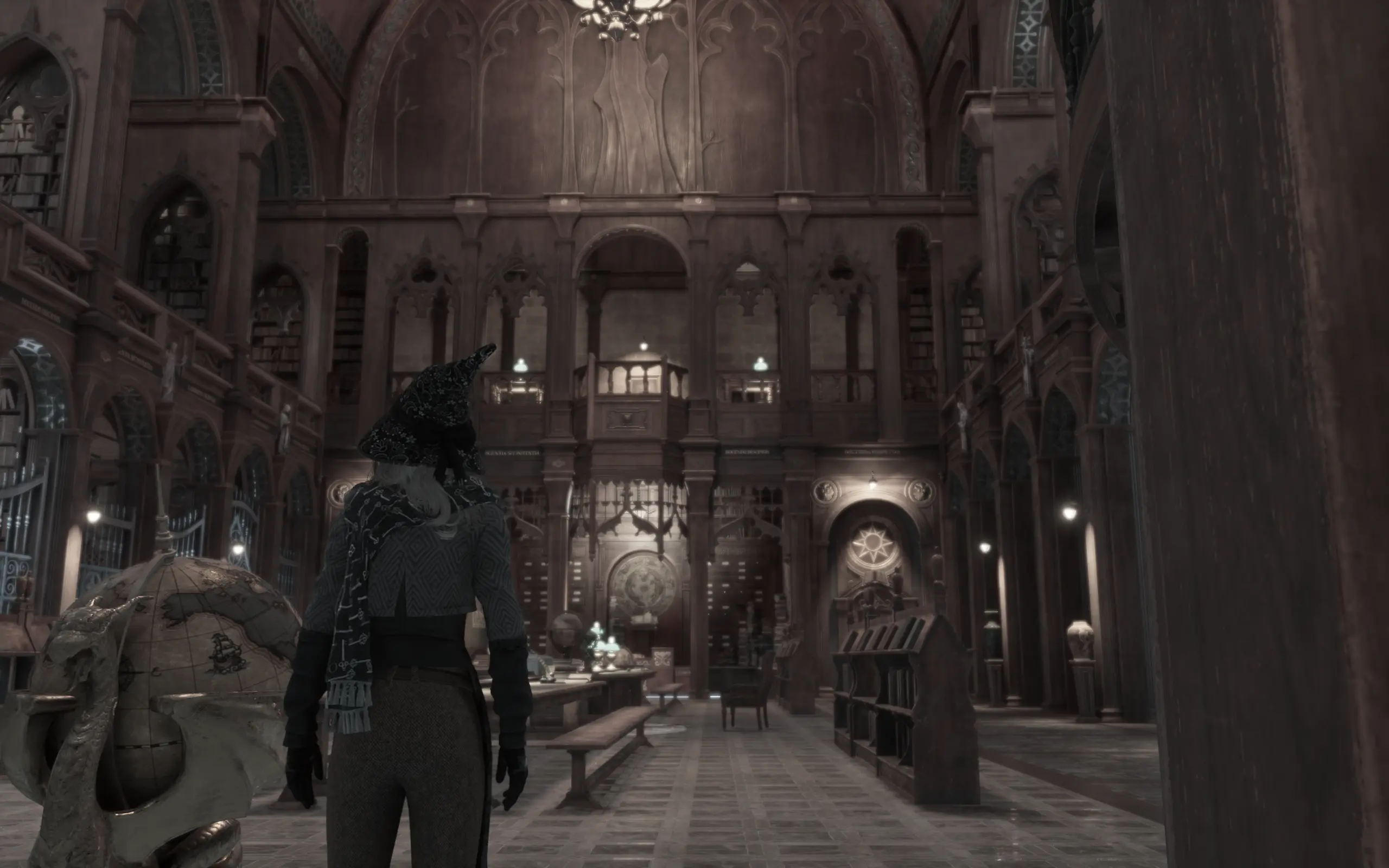
🔍 Analysis
- 🏆 #140 of 179 Visuals mods in this game by downloads
📋 About This Mod
INSTALLATION
Just load the configuration file (found by extracting the attached zip) from within the in-game Reshade menu.
SUGGESTIONS
I highly suggest you download and install the "NoHUD" mod and use it alongside this. For example (if you play with a gamepad), u can install "reWasd" and configure the CAPSLOCK shortcut key from the "NoHUD" mod with a button on your gamepad. Then u can seamlessly turn it on and off mid game with the gamepad.
Please note that because of the Depth of Field effect, your menus will be blurry. To fix you can 1) set a toggle for reshade and disable it when in the menus, 2) disable the Depth of Field effect in my reshade, or 3) play with the blurry menus, I don't mind it rly.
A cinematic Reshade preset for Hogwarts Legacy, aiming for realistic and filmic visuals with color grading and depth of field. With 13 endorsements and 376 downloads, it's a niche choice for players wanting a movie-like look without major performance hits.
✨ Key Features
📊 Pros & Cons
✅ Pros
- Small but active community (13 endorsements, 376 downloads)
- Enhances immersion with filmic colors and DoF
- Lightweight preset—no heavy texture packs or model swaps
⚠️ Cons
- No before/after screenshots or install guide provided
- Requires Reshade setup—not a plug-and-play mod
- Last updated March 2023—may need tweaks for future game patches
For Hogwarts Legacy players who want a more cinematic, movie-like atmosphere without overhauling the game. Perfect if you're into screenshotting or just prefer a moodier, realistic palette. Skip if you're after gameplay changes or don't want to fiddle with Reshade settings.
💡 Beginner Tips
- Make sure Reshade is installed and set to load the preset file from the mod's download.
- Adjust the depth of field strength in-game using the Reshade overlay (Home key) to suit your taste.
- If the game updates, re-check the preset's compatibility—some shaders may need updating.
📊 Mod Details
- Game
- Hogwarts Legacy Mods
- Author
- nmods368
- Version
- 1
- Downloads
- 376
- Endorsements
- 13
- Category
- Visuals
- Created
- 2/14/2023
- Updated
- 3/3/2023
🔧 How to Install Hogwarts Legacy Mods
Download from Nexus.
📖 Full step-by-step install guide for Hogwarts Legacy →
Visit the official mod page for specific installation instructions for this mod.
🎮 Need cheat codes or console commands? Check ur gaming wiki for Hogwarts Legacy commands, item IDs, and more.
Keep browsing — more Hogwarts Legacy mods await