Accio Clarity (ReShade Preset)
⚪ Last updated 2023⚠️ Install Order · 2 steps
Install in this order, then this mod last — most mods fail to load without their framework and dependencies in place.
Preview
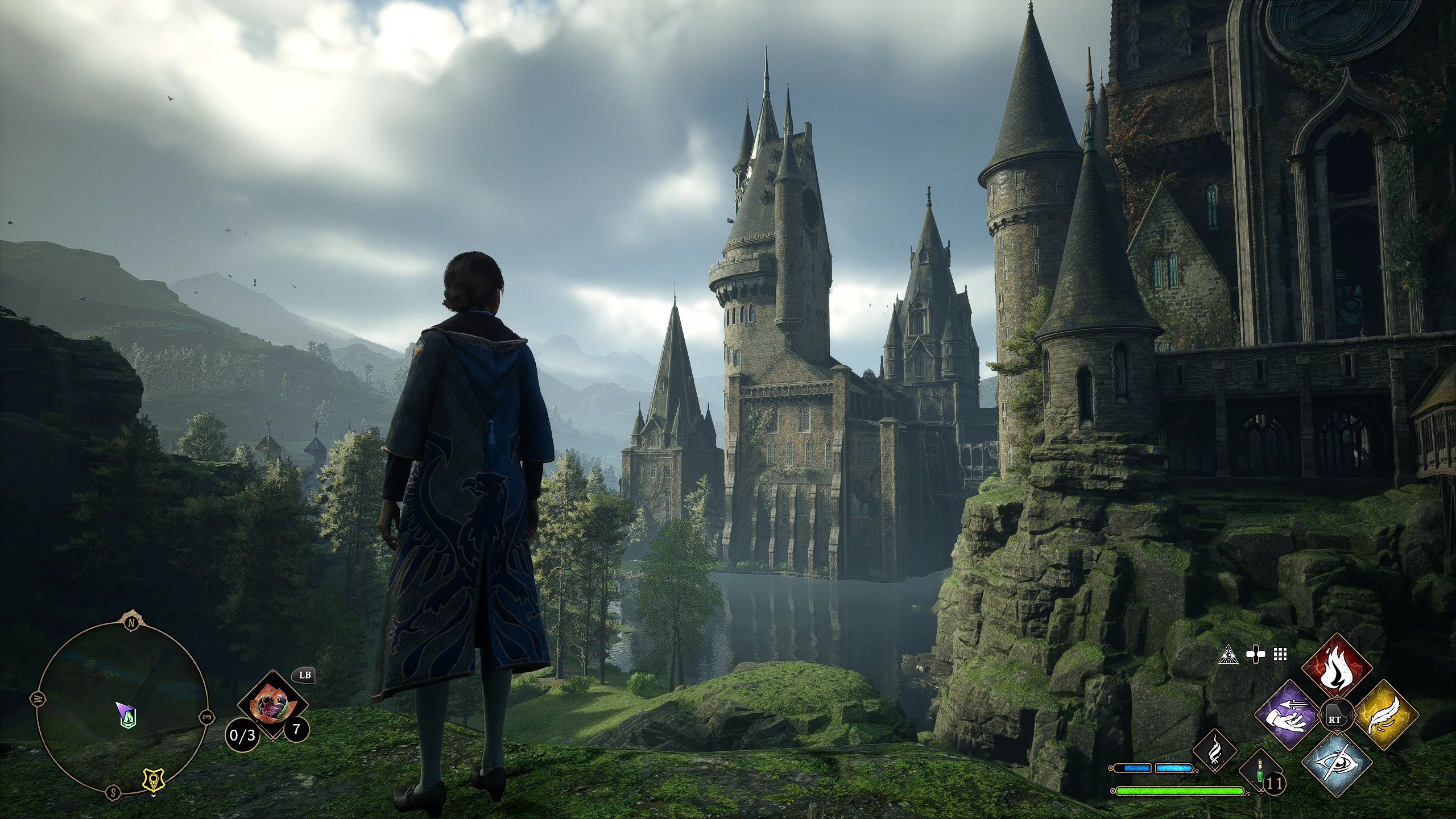
🔍 Analysis
- 👍 3.7% endorsement rate — high engagement, a strong quality signal
- 🏆 #13 of 179 Visuals mods in this game by downloads
📋 About This Mod
PLEASE ENDORSE THIS IF YOU LIKE IT! :)
Couldn't find a ReShade that I was 100% happy with yet, so I made my own. I figured someone else may like it, too.
Shaders used:
2. AMD FidelityFX Contrast Adaptive Sharpening
4. DELC_Sharpen
6. LumaSharpen
7. Vibrance
You may want to adjust the game's setting for brightness. (Image calibration)
The Vibrance shader is actually used to lower the vibrance of the game to give it a more realistic look, in my opinion.
Keybinds:
Toggle ReShade UI: Home
Toggle ReShade effects: Page Up
Installation instructions:
1. Install ReShade.
2. No need to install any of the shaders. I've included everything but the .dll file in your download.
3. Select Accio Clarity.ini if/when the installation asks you if you'd like to choose a setting file.
4. Extract the files from the zip file into \SteamLibrary\steamapps\common\Hogwarts Legacy\Phoenix\Binaries\Win64 or similar.
I don't have much time to make this mod page all pretty and attractive right now. I might come back later to freshen it up.
Update Feb 13, 2023: Yeahhhh... I'm a procrastinator. I'll snazzy up this description page eventually.
Update Feb 23, 2023: Yeah.... Still haven't gotten around to making this description page all fancy. I have a nice idea, though. But no idea when or if I'll get to it.
Hopefully the comments prove how rad this reshade preset is.
Accio Clarity is a ReShade preset for Hogwarts Legacy that sharpens the image and adds a subtle HDR effect, aiming to enhance visual clarity while preserving the game's original aesthetic. With 622 endorsements and over 16,000 downloads, it's a popular choice for players seeking a crisper, more vibrant look without overhauling the game's style.
✨ Key Features
📊 Pros & Cons
✅ Pros
- Community favorite with 622 endorsements and over 16k downloads—clearly a hit.
- Doesn't mess with the game's core look—just makes it crisper and more vibrant.
- Lightweight preset that won't tank your FPS like some heavy ENBs.
⚠️ Cons
- Requires ReShade to be installed separately—not included in the mod.
- Last updated in February 2023—might not be optimized for the latest game patches.
- No before/after screenshots in the description, so you're flying blind until you try it.
For Hogwarts Legacy players who want a sharper, more vibrant image without a full visual overhaul. If you're a purist who loves the original art style but finds it a bit soft, this is for you. Skip if you're looking for dramatic changes or don't want to bother with ReShade.
💡 Beginner Tips
- Make sure you have ReShade installed and set up for Hogwarts Legacy before adding this preset.
- After installing, tweak the sharpening strength in the ReShade in-game menu to match your monitor's resolution and personal preference.
- If you're using DLSS or FSR, you may need to adjust the sharpening to avoid over-sharpening artifacts.
📊 Mod Details
- Game
- Hogwarts Legacy Mods
- Author
- NeuroticPixels
- Version
- 1.1
- Downloads
- 16,929
- Endorsements
- 622
- Category
- Visuals
- Created
- 2/8/2023
- Updated
- 2/23/2023
🔧 How to Install Hogwarts Legacy Mods
Download from Nexus.
📖 Full step-by-step install guide for Hogwarts Legacy →
Visit the official mod page for specific installation instructions for this mod.
🎮 Need cheat codes or console commands? Check ur gaming wiki for Hogwarts Legacy commands, item IDs, and more.
Keep browsing — more Hogwarts Legacy mods await