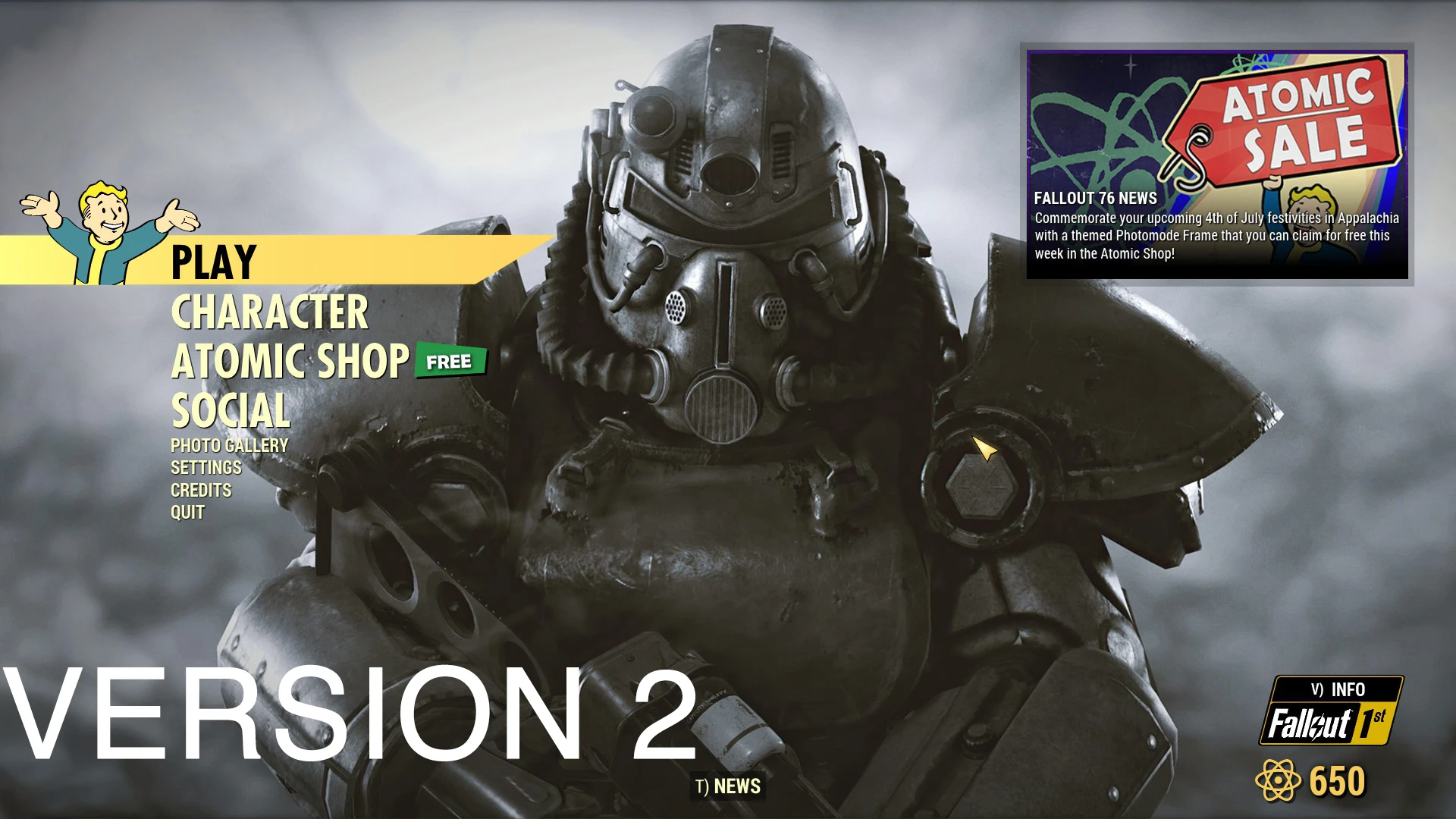
Static main menu replacer
⚪ Last updated 2020Preview
🔍 Analysis
- 👍 4.5% endorsement rate — high engagement, a strong quality signal
- 🏆 #108 of 116 User Interface mods in this game by downloads
📋 About This Mod
Installation :
Step 1 : Back up "MainMenuLoop.bk2" located in "Fallout76\Data\Video"
Step 2 : extract the archive in Fallout76 folder
Uninstallation :
Simply take the backup and replace it with the mod located in "Fallout76\Data\Video"
A simple replacement for Fallout 76's main menu background video, swapping the default loop with a custom one. It has 132 endorsements and 2,956 downloads, last updated in July 2020. For players who want a fresh look at the title screen without affecting gameplay.
✨ Key Features
📊 Pros & Cons
✅ Pros
- Community-tested with 132 endorsements and nearly 3k downloads
- Dead simple to install and uninstall—just file swapping
- Gives your main menu a fresh look without touching gameplay
⚠️ Cons
- Last updated in 2020—may not be compatible with current game versions
- No preview or screenshots provided, so you can't see the new menu before installing
- Only changes the background video; no other UI tweaks included
For Fallout 76 players who are tired of the default main menu and want a quick visual change. It's perfect if you're looking for a low-effort cosmetic tweak and don't mind the age of the mod. Skip it if you want more comprehensive UI overhauls or if you're on a newer game version where compatibility is uncertain.
💡 Beginner Tips
- Back up the original MainMenuLoop.bk2 file exactly as described—this is your safety net for uninstalling.
- Extract the archive directly into your Fallout76 folder, not the Data folder, to ensure the file lands in the right place.
- If you're using a mod manager, you can still install manually; just make sure to follow the folder structure.
📊 Mod Details
- Game
- Fallout 76 Mods
- Author
- Amer
- Version
- 1.0
- Downloads
- 2,956
- Endorsements
- 132
- Category
- User Interface
- Created
- 6/27/2020
- Updated
- 7/10/2020
🔧 How to Install Fallout 76 Mods
Use Vortex. Place .ba2 files in Data folder. Use cautiously online.
📖 Full step-by-step install guide for Fallout 76 →
Visit the official mod page for specific installation instructions for this mod.
🎮 Need cheat codes or console commands? Check ur gaming wiki for Fallout 76 commands, item IDs, and more.
Keep browsing — more Fallout 76 mods await