SaveMyStuff
⚪ Last updated 2018Preview
🔍 Analysis
- 👍 6.1% endorsement rate — high engagement, a strong quality signal
- 🏆 #72 of 116 User Interface mods in this game by downloads
📋 About This Mod
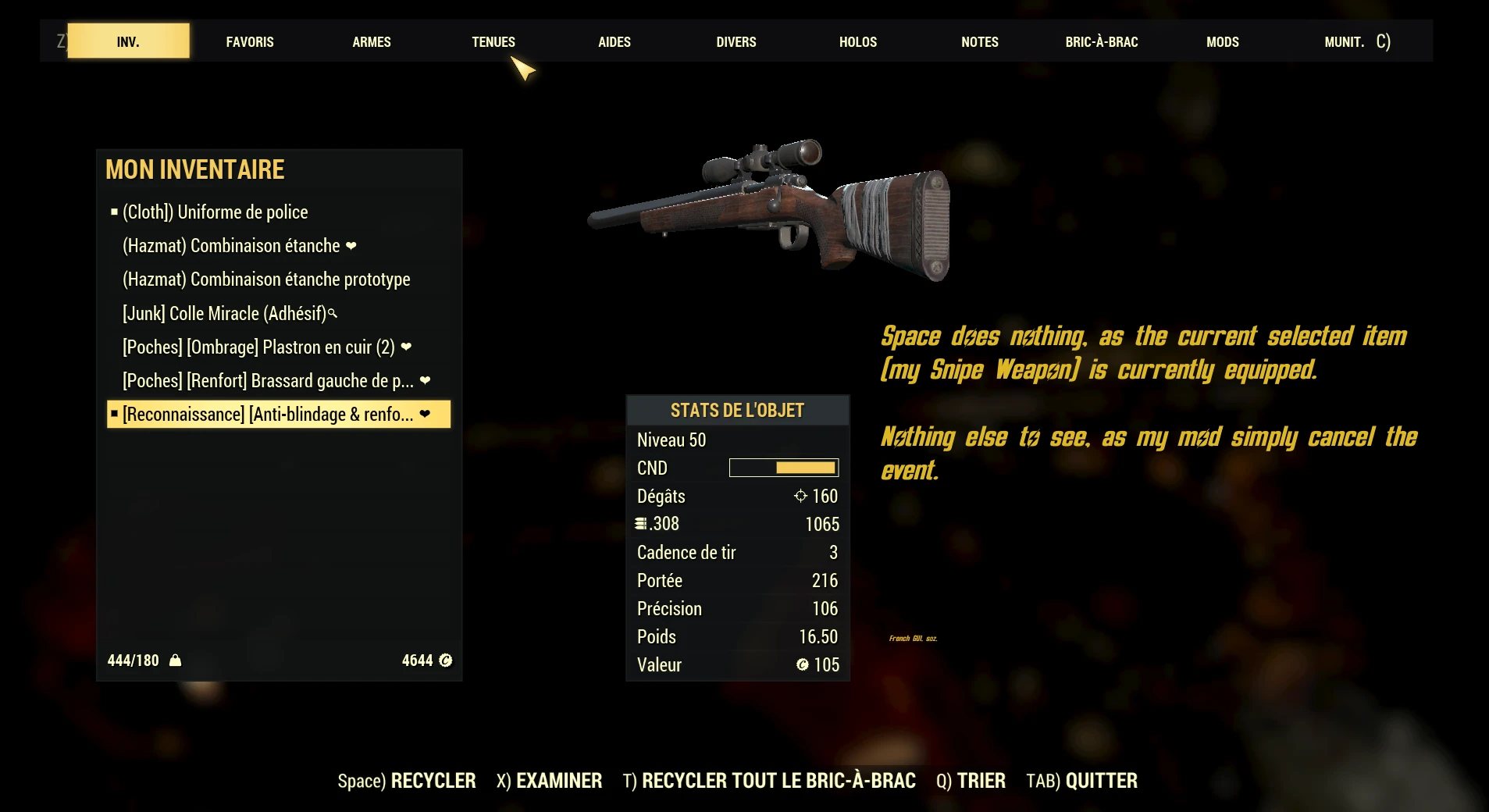
In any workshop, when you press the button to scrap equipment, this will refuse (nothing will be done) to scrap your stuff if it's currently equipped or set as favourite.
Same for Vendor NPC and the Drop feature.
It prevents any miss click, particularly when you have a lot of item to scrap/sell/drop.
Incompatible with any other mod that modify the file "securetrade.swf' from the "SeventySix - Interface.ba2" archive.
Incompatible with any other mod that modify the file "Pipboy_Inv.swf" from the "SeventySix - Interface.ba2" archive (except "BetterInventory").
SaveMyStuff prevents accidental scrapping, selling, or dropping of equipped or favorited items in Fallout 76. It modifies interface files to block these actions, offering a simple safety net for inventory management. With 381 endorsements and 6,233 downloads, it's a niche utility for players who frequently handle large amounts of loot.
✨ Key Features
📊 Pros & Cons
✅ Pros
- Community-approved with 381 endorsements and over 6,000 downloads.
- Saves you from costly mistakes when mass scrapping or selling loot.
- Simple, focused functionality that does exactly what it promises.
⚠️ Cons
- Last updated in 2018, so it may not work with the current version of Fallout 76.
- Incompatible with many other UI mods that touch the same interface files.
For Fallout 76 players who regularly scrap or sell large quantities of items and want a safety net against accidental loss. If you use other UI mods that modify the same files, you'll need to check compatibility. Skip if you prefer a more comprehensive inventory overhaul.
💡 Beginner Tips
- If you're using other UI mods, check if they modify 'securetrade.swf' or 'Pipboy_Inv.swf' to avoid conflicts.
- Since the mod is from 2018, test it in-game after a game update to ensure it still works.
- Use a mod manager like Vortex to easily enable/disable the mod if you encounter issues.
📊 Mod Details
- Game
- Fallout 76 Mods
- Author
- Etuldan
- Version
- 1.1.0
- Downloads
- 6,233
- Endorsements
- 381
- Category
- User Interface
- Created
- 12/6/2018
- Updated
- 12/7/2018
🔧 How to Install Fallout 76 Mods
Use Vortex. Place .ba2 files in Data folder. Use cautiously online.
📖 Full step-by-step install guide for Fallout 76 →
Visit the official mod page for specific installation instructions for this mod.
🎮 Need cheat codes or console commands? Check ur gaming wiki for Fallout 76 commands, item IDs, and more.
Keep browsing — more Fallout 76 mods await