Plan Naming and Workshop Placeables Fixes - Compatibility Edition
⚪ Last updated 2019⚠️ Install Order · 1 step
Install in this order, then this mod last — most mods fail to load without their framework and dependencies in place.
Preview
🔍 Analysis
- 👍 5.1% endorsement rate — high engagement, a strong quality signal
- 🏆 #104 of 116 User Interface mods in this game by downloads
📋 About This Mod
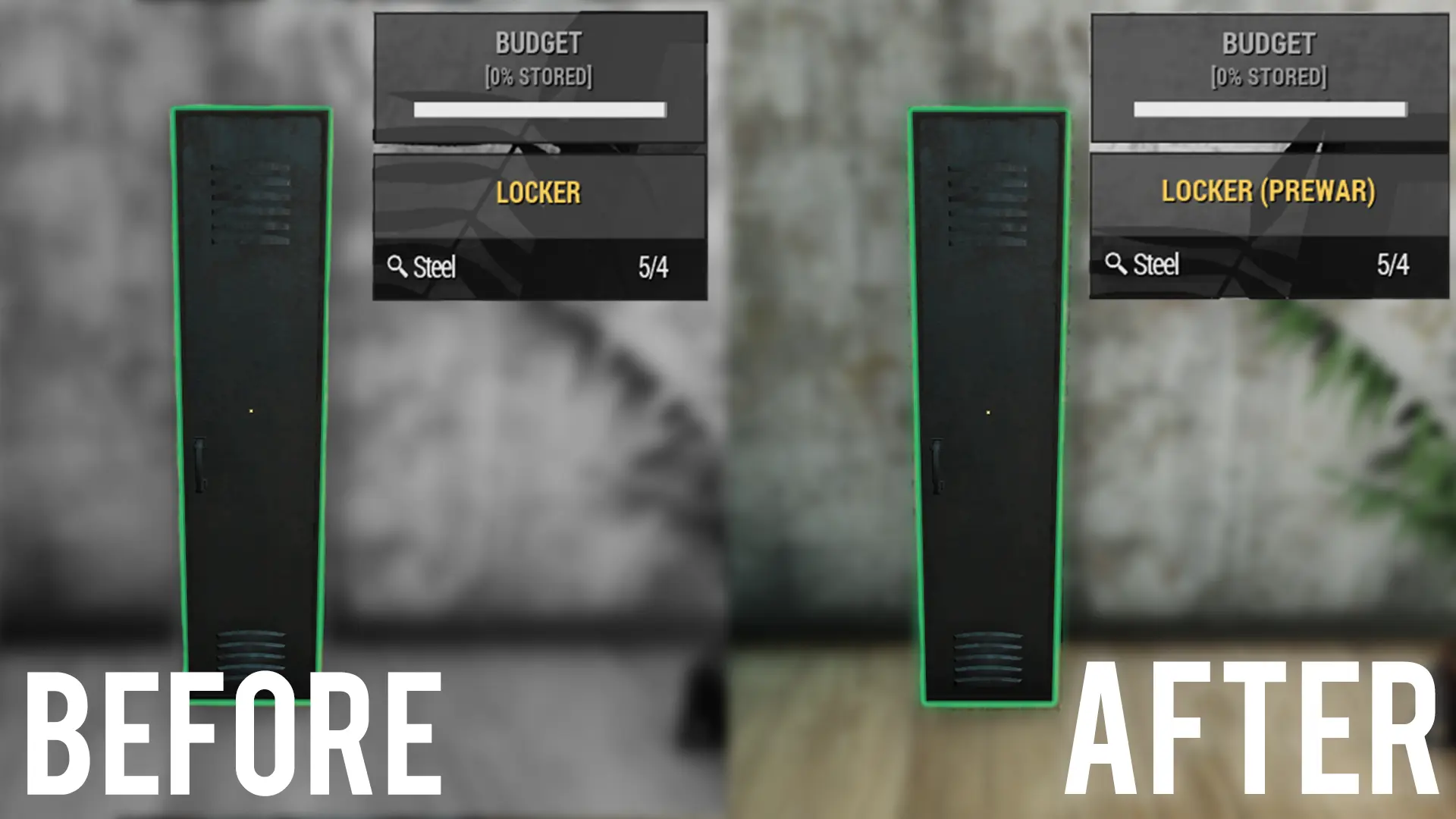
This mods main goal is to eliminate any confusion associated with Workshop Plan Names and the objects they unlock.
We want players to be able to look into their workshop menu, scroll to an object that's still locked and immediately understand what plan they need to unlock it.
Current game version: 1. 0. 4. 13
Plan Checklist now available: https://docs.google.com/spreadsheets/d/1mTUa5bPRhUlQpdqgQ3b_2f_Mq2h8r759I9glTh8ZXXg/
Now Compatible with every other mod that modifies strings, as well as other languages.
Plan Name Changes
Plan: Kitchen Stove-->Kitchen Stove
Plan: Kitchen Stove-->Wood Stove
Plan: Cooking Stove-->Cooking Stove
Plan: Elegant Tables-->Elegant Tables
Plan: Elegant Tables-->Elegant Tables
Plan: Locker-->Plan: Locker
Plan: Locker-->Locker
Plan: Desk-->Desk
Plan: Dresser-->Dresser
Plan: Dresser-->Plan: Dresser
Plan: Rug-->Rug
Plan: Rug Set 2-->Rug
Plan: Wood Axe > Plan: Multipurpose Axe
Placeable Name Changes
All Placeable object's names have been changed to match the plan that unlocks them.
Basic Installation
1. Unzip to your Data folder.
2. The file structure should be Fallout76\Data\Strings\SeventySix_en. STRINGS
3. Run the game.
Compatability
Now Compatible with every other mod that modifies strings, and can be imported into other languages! If you want to merge this mod with another String mod, or change the language it applies to, please download the Compatibility Edition instead of Basic Edition, instructions are contained in the Readme within the archive. You will need xTranslator - https://www.nexusmods.com/skyrimspecialedition/mods/134
Madduma, for her work in making compatibility happen.
xTranslator and xEdit teams, for the tools for making this mod.
xTranslator - https://www.nexusmods.com/skyrimspecialedition/mods/134
xEdit - https://www.nexusmods.com/skyrimspecialedition/mods/164
This Fallout 76 UI mod renames workshop plans and placeable objects to match each other, eliminating confusion about which plan unlocks which item. It is compatible with other string-modifying mods and supports multiple languages via xTranslator. With 161 endorsements and 3,183 downloads, it's a niche but useful tool for builders.
✨ Key Features
📊 Pros & Cons
✅ Pros
- Community-approved with 161 endorsements and over 3,000 downloads.
- Solves a real problem: no more guessing which plan unlocks which object.
- Compatibility Edition ensures it works with other string mods and languages.
⚠️ Cons
- Last updated in January 2019, so it may not work with the current game version.
- Requires xTranslator for merging or language changes, which adds setup complexity.
- Only changes names; doesn't add new content or fix other UI issues.
For Fallout 76 builders and crafters who are tired of hunting for the right plan. If you use other string mods or play in a non-English language, the Compatibility Edition is a must. Skip if you want gameplay changes or if you're on a recent game version.
💡 Beginner Tips
- If you're using other mods that change text, grab the Compatibility Edition and follow the Readme to merge them.
- Check the Plan Checklist spreadsheet linked in the description to see all the name changes before installing.
- Since the mod is old, test it in-game after installing to ensure it works with your current version.
📊 Mod Details
- Game
- Fallout 76 Mods
- Author
- Ckaustro and iX1805
- Version
- 2.0
- Downloads
- 3,183
- Endorsements
- 161
- Category
- User Interface
- Created
- 12/23/2018
- Updated
- 1/13/2019
🔧 How to Install Fallout 76 Mods
Use Vortex. Place .ba2 files in Data folder. Use cautiously online.
📖 Full step-by-step install guide for Fallout 76 →
Visit the official mod page for specific installation instructions for this mod.
🎮 Need cheat codes or console commands? Check ur gaming wiki for Fallout 76 commands, item IDs, and more.
Keep browsing — more Fallout 76 mods await