Nerd Rage for Locks
⚪ Last updated 2019Preview
🔍 Analysis
- 👍 4.5% endorsement rate — high engagement, a strong quality signal
- 🏆 #65 of 116 User Interface mods in this game by downloads
📋 About This Mod
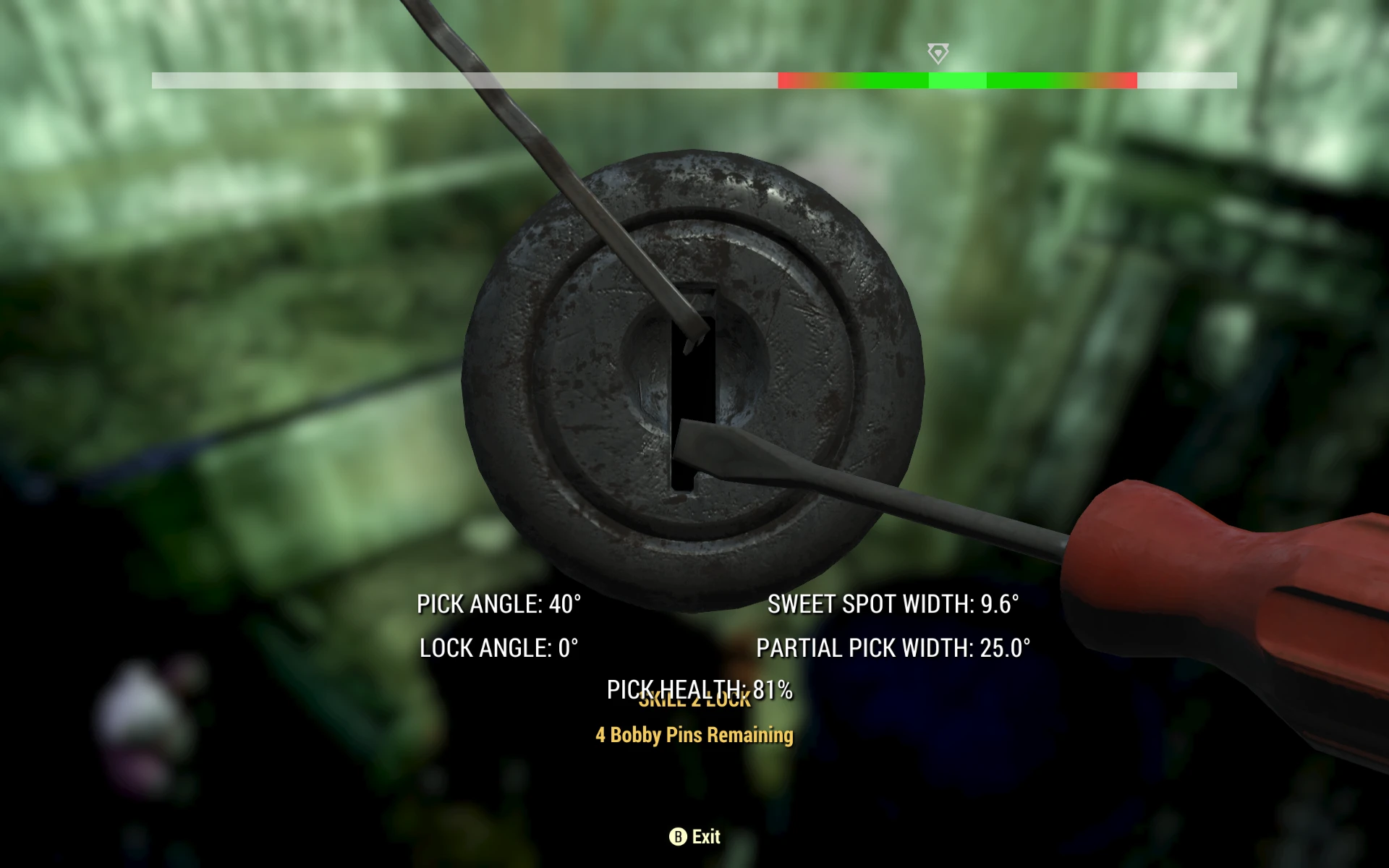
As far as I know, no one was ever banned for using the original lock picking mod. That one still works but the backend has gotten a bit out of step with the rest of the game, so I figured I'd give it a quick refresh. This version is based on Patch 8 (updated 3/30).
For increased immersion, the overlay only triggers when you're down to your last pick. It's not cheating ... it's just Nerd Rage for locks.
A UI mod for Fallout 4 that adds a visual overlay when you're down to your last lockpick, based on Patch 8. It refreshes an older mod for better compatibility. With 326 endorsements and 7,268 downloads, it's a niche but appreciated immersion enhancer.
✨ Key Features
📊 Pros & Cons
✅ Pros
- Community-approved with 326 endorsements and 7,268 downloads
- Immersive feature that only activates when you're on your last pick
- Refreshed for Patch 8, so it's up to date with the game's backend
⚠️ Cons
- Only affects the last-pick scenario, so it's a minor visual tweak
- Last updated in 2019, so it may not be compatible with the latest game patches
For Fallout 4 players who want a subtle immersion boost during tense lockpicking moments. If you're a completionist who loves quality-of-life tweaks, this is for you. Skip if you're looking for major gameplay overhauls—this is purely a UI enhancement.
💡 Beginner Tips
- Since it's a UI mod, you can install it manually by dropping files into your Data folder, but using a mod manager like Vortex is safer for load order.
- Make sure you have the game's Patch 8 or later, as the mod is based on that version.
- If you're using other UI mods, test this one in a save with a locked container to ensure no conflicts.
📊 Mod Details
- Game
- Fallout 76 Mods
- Author
- LC
- Version
- 0.8
- Downloads
- 7,268
- Endorsements
- 326
- Category
- User Interface
- Created
- 3/15/2019
- Updated
- 8/23/2019
🔧 How to Install Fallout 76 Mods
Use Vortex. Place .ba2 files in Data folder. Use cautiously online.
📖 Full step-by-step install guide for Fallout 76 →
Visit the official mod page for specific installation instructions for this mod.
🎮 Need cheat codes or console commands? Check ur gaming wiki for Fallout 76 commands, item IDs, and more.
Keep browsing — more Fallout 76 mods await