Lockpick Bar Reveal Mod Tutorial
⚪ Last updated 2018Preview
🔍 Analysis
- 👍 4.5% endorsement rate — high engagement, a strong quality signal
- 🏆 #73 of 116 User Interface mods in this game by downloads
📋 About This Mod
This is How-to Import of the fallout 4 lockpick bar interface addon to fallout 76, original by systel (https://www.nexusmods.com/fallout4/mods/2016)
Made a tutorial on how to bake the files into the interface.ba2, replacing the original.
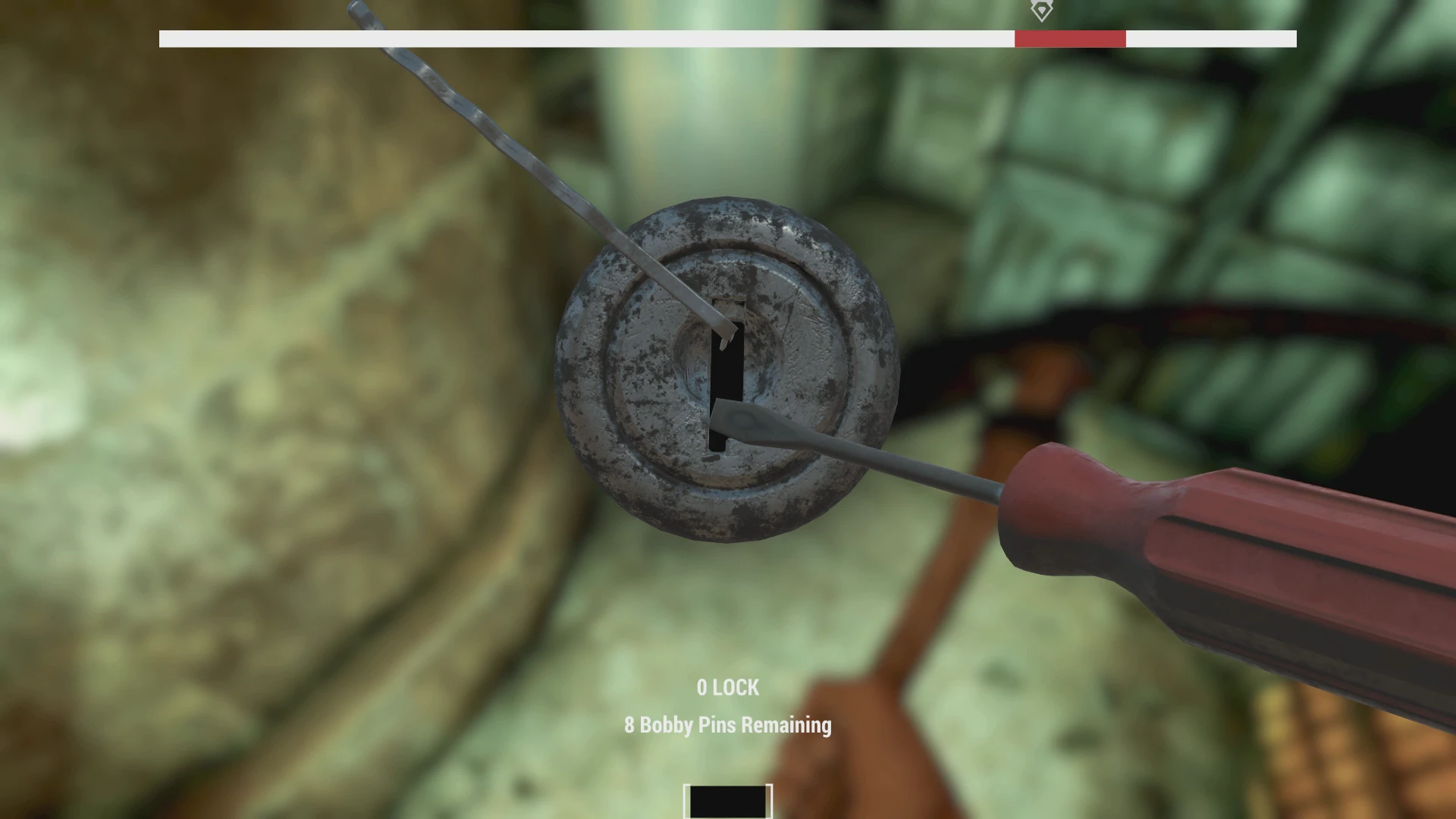
A bar above the lockpick interface will always show you the "sweet" spot so you will never break your lockpicks.
Download the tutorial if you wish to edit and replace your SeventySix - Interface.ba2 with a modded one, BUT MAKE SURE YOU MAKE A BACKUP OF THE ORIGINAL. I will not be held responsible for you breaking your game, or getting your account banned for taking the game files apart, assuming Bethesda notices this mod in use somehow on your clientside.
This mod works ingame so far without any problems, tested on all beta days so far, even Nov 6 after patch.
A tutorial mod that teaches you how to import the Fallout 4 lockpick bar interface into Fallout 76, replacing the game's interface.ba2 file. It adds a visible sweet spot bar to the lockpick minigame, preventing broken picks. Tested on all beta days including after the Nov 6 patch.
✨ Key Features
📊 Pros & Cons
✅ Pros
- Community-trusted with 275 endorsements and over 6,000 downloads
- Eliminates lockpick breakage by showing the sweet spot clearly
- Tutorial format lets you learn how to mod interface files yourself
⚠️ Cons
- Requires manual editing of game files, which could trigger anti-cheat or ban
- No backup instructions beyond a warning to make one yourself
- Last updated in 2018, so may not work with current game versions
For Fallout 76 players who hate breaking lockpicks and want a visual aid. Also for modders who want to learn how to edit interface.ba2 files. Skip if you're not comfortable with file editing or risk-averse about bans.
💡 Beginner Tips
- Always back up your original SeventySix - Interface.ba2 before replacing it, as the mod warns.
- Use a mod manager or manual extraction to access the .ba2 file, but be aware that editing game files may be against the ToS.
- Test the mod in a private world or after a patch to ensure it still works before relying on it.
📊 Mod Details
- Game
- Fallout 76 Mods
- Author
- Desperatu
- Version
- 2.0
- Downloads
- 6,117
- Endorsements
- 275
- Category
- User Interface
- Created
- 11/5/2018
- Updated
- 11/7/2018
🔧 How to Install Fallout 76 Mods
Use Vortex. Place .ba2 files in Data folder. Use cautiously online.
📖 Full step-by-step install guide for Fallout 76 →
Visit the official mod page for specific installation instructions for this mod.
🎮 Need cheat codes or console commands? Check ur gaming wiki for Fallout 76 commands, item IDs, and more.
Keep browsing — more Fallout 76 mods await