Known Plans
⚪ Last updated 2019Preview
🔍 Analysis
- 👍 5.9% endorsement rate — high engagement, a strong quality signal
- 🏆 #39 of 116 User Interface mods in this game by downloads
📋 About This Mod
From the author of Better Inventory...
Known Plans
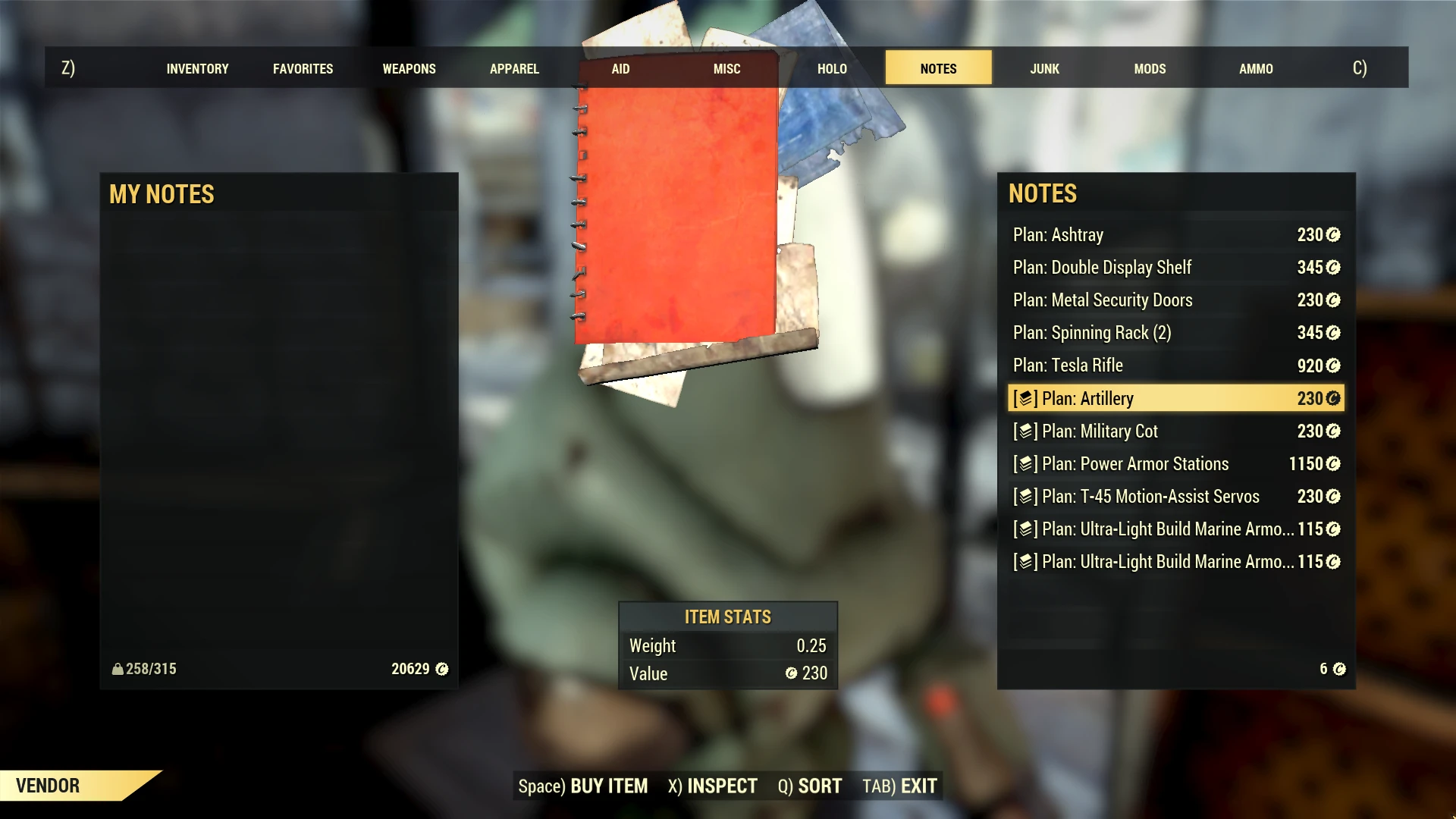
Marks the plans and recipes that you have already learnt with an icon at vendors, your stash and when you trade with others. No more blindly purchasing an interesting plan only to find out that you've already read it!
PLEASE NOTE / UPDATE: This feature has now been officially added to the game. This mod is now archived and its page now serves as a historical reminder of what used to be. Thank you for your support!
Installation
Extract the mod's dll to your Fallout 76 installation directory (where Fallout76.exe resides). Do not place in the Data directory.
Game updates may require the mod to be updated. If the game version is not compatible you will be informed and the mod will be automatically disabled.
How it works
The mod adds the following functionality to the function that retrieves item information for the trading window:
For items that are of type BOOK (i.e. notes) and learnable (i.e. plans/recipes vs standard notes), the HasBeenRead game condition function determines whether a plan or recipe has already been read. If a plan has already been read the name is prefixed. No action is taken on unread plans and all other item types.
Compatibility
Not compatible with other mods that use dxgi.dll. For Reshade users, rename Reshade's DLL to d3d11.dll to use both together.
More
Source code: Github
Virustotal scan: Link
Acknowledgements
Thanks to CDante, Neeher, PhasedTM and GroteGrottrol for ideas and testing.
Known Plans is an archived Fallout 76 UI mod that marked already-learned plans and recipes with an icon at vendors, stash, and trade windows. It was made obsolete when the feature was officially added to the game. The mod has 962 endorsements and 16,376 downloads.
✨ Key Features
📊 Pros & Cons
✅ Pros
- Community-approved with 962 endorsements and over 16k downloads.
- Solves a real problem—no more wasting caps on plans you already know.
- Simple install: just drop the DLL into the game folder.
⚠️ Cons
- Archived and obsolete—the feature is now in the base game, so no reason to install.
- Not compatible with other mods using dxgi.dll (Reshade needs a rename workaround).
- Last updated in 2019—may not work with current game versions, though it auto-disables if incompatible.
For Fallout 76 players who want a historical look at a mod that solved a QoL issue before Bethesda added it. Also useful for modders studying how to hook item info functions. Skip if you're playing the current game—the feature is already built in.
💡 Beginner Tips
- Extract the DLL to your Fallout 76 installation directory (where Fallout76.exe is), not the Data folder.
- If you use Reshade, rename its DLL to d3d11.dll to avoid conflicts with this mod's dxgi.dll.
- Since the mod is archived, expect it to be disabled automatically if your game version is too new—don't panic if it doesn't show up.
📊 Mod Details
- Game
- Fallout 76 Mods
- Author
- reg2k
- Version
- 1.1
- Downloads
- 16,376
- Endorsements
- 962
- Category
- User Interface
- Created
- 1/13/2019
- Updated
- 1/14/2019
🔧 How to Install Fallout 76 Mods
Use Vortex. Place .ba2 files in Data folder. Use cautiously online.
📖 Full step-by-step install guide for Fallout 76 →
Visit the official mod page for specific installation instructions for this mod.
🎮 Need cheat codes or console commands? Check ur gaming wiki for Fallout 76 commands, item IDs, and more.
Keep browsing — more Fallout 76 mods await