Invisi Wood Piles
⚪ Last updated 2022Preview
🔍 Analysis
- 👍 1.4% endorsement rate — high engagement, a strong quality signal
- 🏆 #30 of 247 Models and Textures mods in this game by downloads
📋 About This Mod
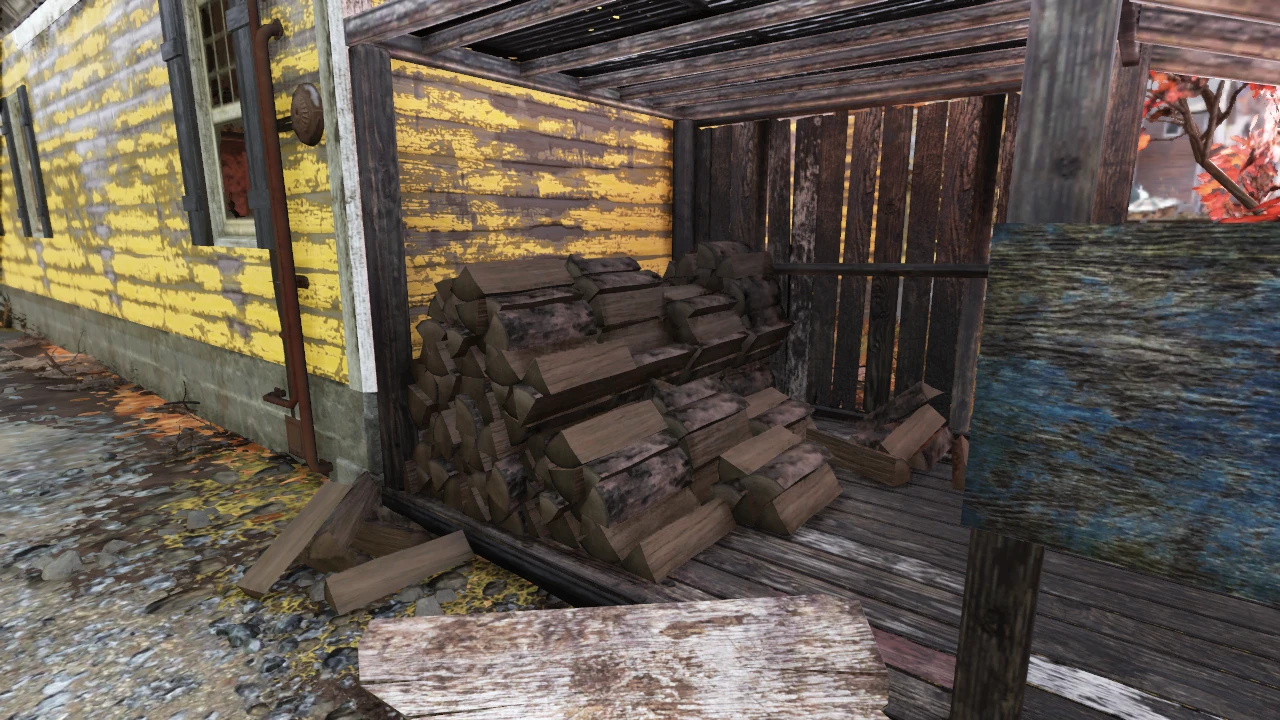
Tired of going to Helvetia to try and complete the 7600 wood challenge, and getting that horrible sinking feeling that you missed some of the wood piles in the shack behind the Freyja's House? Fret no more, for Invisi Wood Piles will help you out to be able to tell what wood piles you've picked up!
Similar to how certain plants (like snaptails or cranberry plants) will visually change whenever you've picked them, this mod will make all the wood piles around Appalachia disappear whenever you've picked them up.
Notes
Please note that the collision with the wood piles will remain present when you've picked them up, so bumping into where the piles were may occur.
Installation
1. Drop the InvisiWoodPiles.ba2 file into the Data folder
(default for Bethesda.net: Program Files (x86)\Bethesda.net Launcher\games\Fallout76\Data)
(default for Steam: Program Files (x86)\Steam\steamapps\common\Fallout76\Data)
2. Add InvisiWoodPiles.ba2 into your Fallout76Custom.ini file
- If this is your first mod installation, there is an optional INI file in the Files section of this mod that you can use.
- The Fallout76Custom.ini file should go in <Documents Folder>\My Games\Fallout 76\
3. Launch the game and enjoy!
Invisi Wood Piles makes wood piles in Fallout 76 disappear after you've looted them, helping you track which ones you've already picked up during the 7600 wood challenge. It's a simple quality-of-life mod with 286 endorsements and 19,814 downloads, last updated in January 2022.
✨ Key Features
📊 Pros & Cons
✅ Pros
- Community-trusted with 286 endorsements and nearly 20k downloads.
- Solves a real pain point for the 7600 wood challenge—no more guessing which piles you've missed.
- Simple drop-in installation with clear instructions for both launchers.
⚠️ Cons
- Collision stays after the pile vanishes, so you'll bump into invisible objects—can be disorienting.
- Last updated in January 2022—may not be compatible with recent game updates.
- Only affects wood piles; other resource nodes remain unchanged.
For Fallout 76 players grinding the 7600 wood challenge who want a clear visual cue for looted piles. Also useful for anyone who hates backtracking to check if they've already harvested a wood pile. Skip if you prefer a more immersive experience or don't mind the collision quirks.
💡 Beginner Tips
- If you're new to modding Fallout 76, use the optional INI file provided in the Files section to set up your Fallout76Custom.ini correctly.
- Place the .ba2 file in the Data folder and add it to your custom INI—double-check the file path for your game version (Steam vs Bethesda.net).
- Remember that collision remains, so don't be surprised if you walk into invisible piles—plan your path accordingly.
📊 Mod Details
- Game
- Fallout 76 Mods
- Author
- Vicyorus
- Version
- 0.1
- Downloads
- 19,814
- Endorsements
- 286
- Category
- Models and Textures
- Created
- 1/31/2022
- Updated
- 1/31/2022
🧩 Commonly Used Together
Users add these mods to the same collections — a real compatibility signal, not an AI guess.
🔧 How to Install Fallout 76 Mods
Use Vortex. Place .ba2 files in Data folder. Use cautiously online.
📖 Full step-by-step install guide for Fallout 76 →
Visit the official mod page for specific installation instructions for this mod.
🎮 Need cheat codes or console commands? Check ur gaming wiki for Fallout 76 commands, item IDs, and more.
Keep browsing — more Fallout 76 mods await