Scaleform Copy Paste
⚪ Last updated 2023⚠️ Install Order · 3 steps
Install in this order, then this mod last — most mods fail to load without their framework and dependencies in place.
Preview
🔍 Analysis
- 👍 2.3% endorsement rate — high engagement, a strong quality signal
- 🏆 #15 of 55 Bug Fixes mods in this game by downloads
📋 About This Mod
Requirement : Address Library for F4SE Plugins
Scaleform Copy & Paste
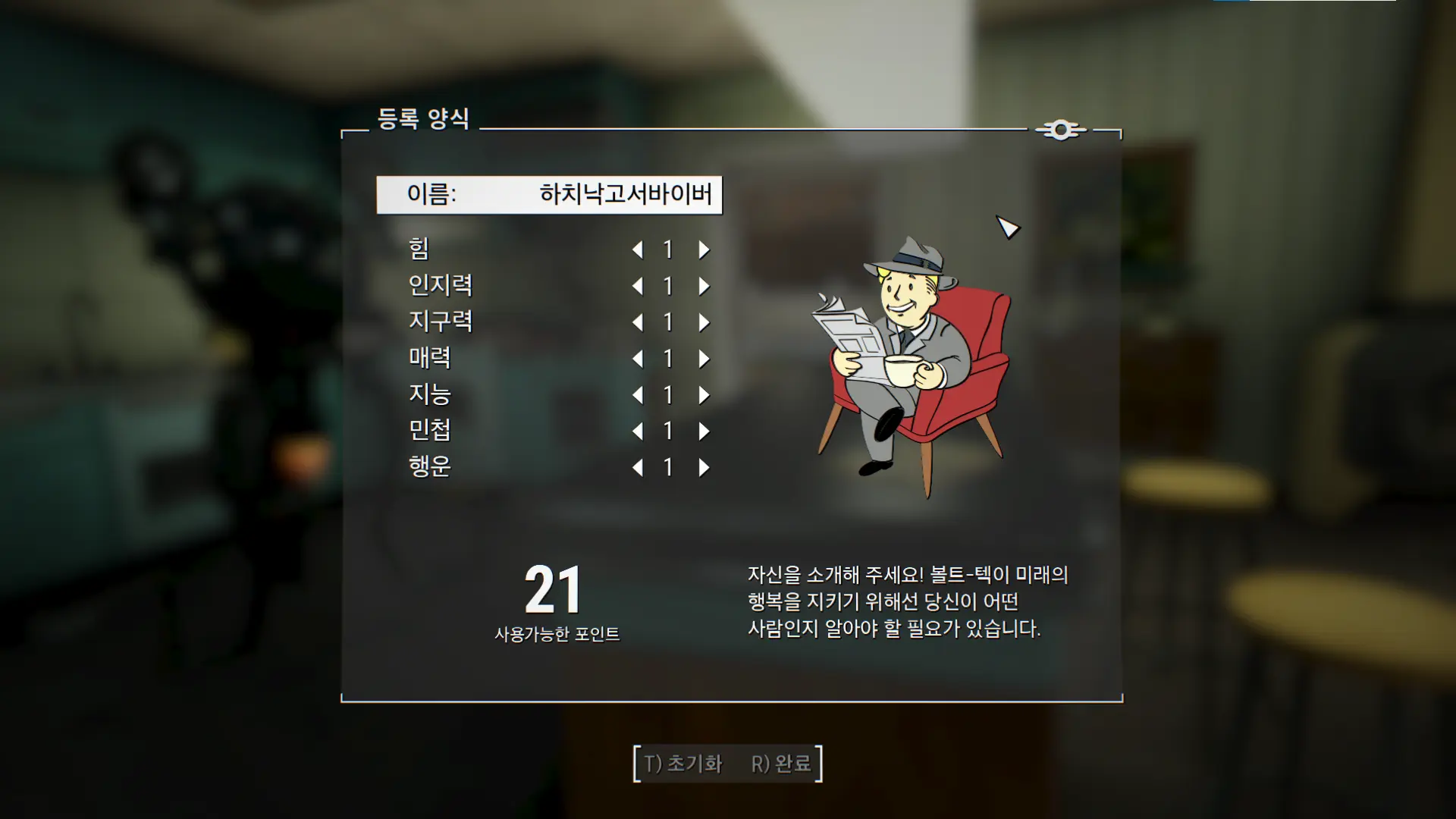
Allows you to copy & paste stuff into any textfield in UI, with multibyte language support (Chinese, Korean, Japanese, Russian, etc)
It also removes the special character limit on player name and fixes broken copy & paste in console caused by Bethesda's half-assed implementation.
Credits
The F4SE Team for Fallout 4 Script Extender (F4SE)
Fudgyduff for Address Library and CommonLibF4
Scaleform Copy Paste is a Fallout 4 F4SE plugin that enables pasting clipboard text into any UI text field, eliminating tedious manual typing. With 278 endorsements and 12,196 downloads, it's a practical quality-of-life fix for players who frequently enter text in-game.
✨ Key Features
📊 Pros & Cons
✅ Pros
- Community-tested with 278 endorsements and over 12k downloads—clearly a mod people trust.
- Solves a real annoyance: typing long strings in-game is a pain, and this makes it a non-issue.
- Lightweight F4SE plugin—no heavy scripts or performance hit, just a clean QoL fix.
⚠️ Cons
- Requires F4SE, which means you're locked to specific game versions and need to update F4SE after patches.
- Only works with UI text fields—doesn't affect console commands or other non-UI inputs.
- Potential compatibility risk with other UI overhaul mods that modify the same Scaleform elements.
For Fallout 4 players who frequently enter text in-game—like naming settlements, entering terminal commands, or typing in search boxes—and want to skip the tedious typing. It's a must-have for modders and roleplayers who use custom names or notes. Skip if you rarely type anything in-game or don't use F4SE.
💡 Beginner Tips
- Make sure you have F4SE installed and running—launch the game through F4SE's loader, not the default launcher, or the plugin won't activate.
- Test the paste function in a text field like the rename prompt in settlement mode—if it doesn't work, check that the plugin file is in the correct 'Data/F4SE/Plugins' folder.
- Keep F4SE updated to match your game version, as game updates can break F4SE and this plugin.
📊 Mod Details
- Game
- Fallout 4 Mods
- Author
- Bingle
- Version
- 1.1
- Downloads
- 12,196
- Endorsements
- 278
- Category
- Bug Fixes
- Created
- 12/30/2023
- Updated
- 12/30/2023
🔧 How to Install Fallout 4 Mods
Download from Nexus.
📖 Full step-by-step install guide for Fallout 4 →
Visit the official mod page for specific installation instructions for this mod.
🎮 Need cheat codes or console commands? Check ur gaming wiki for Fallout 4 commands, item IDs, and more.
Keep browsing — more Fallout 4 mods await