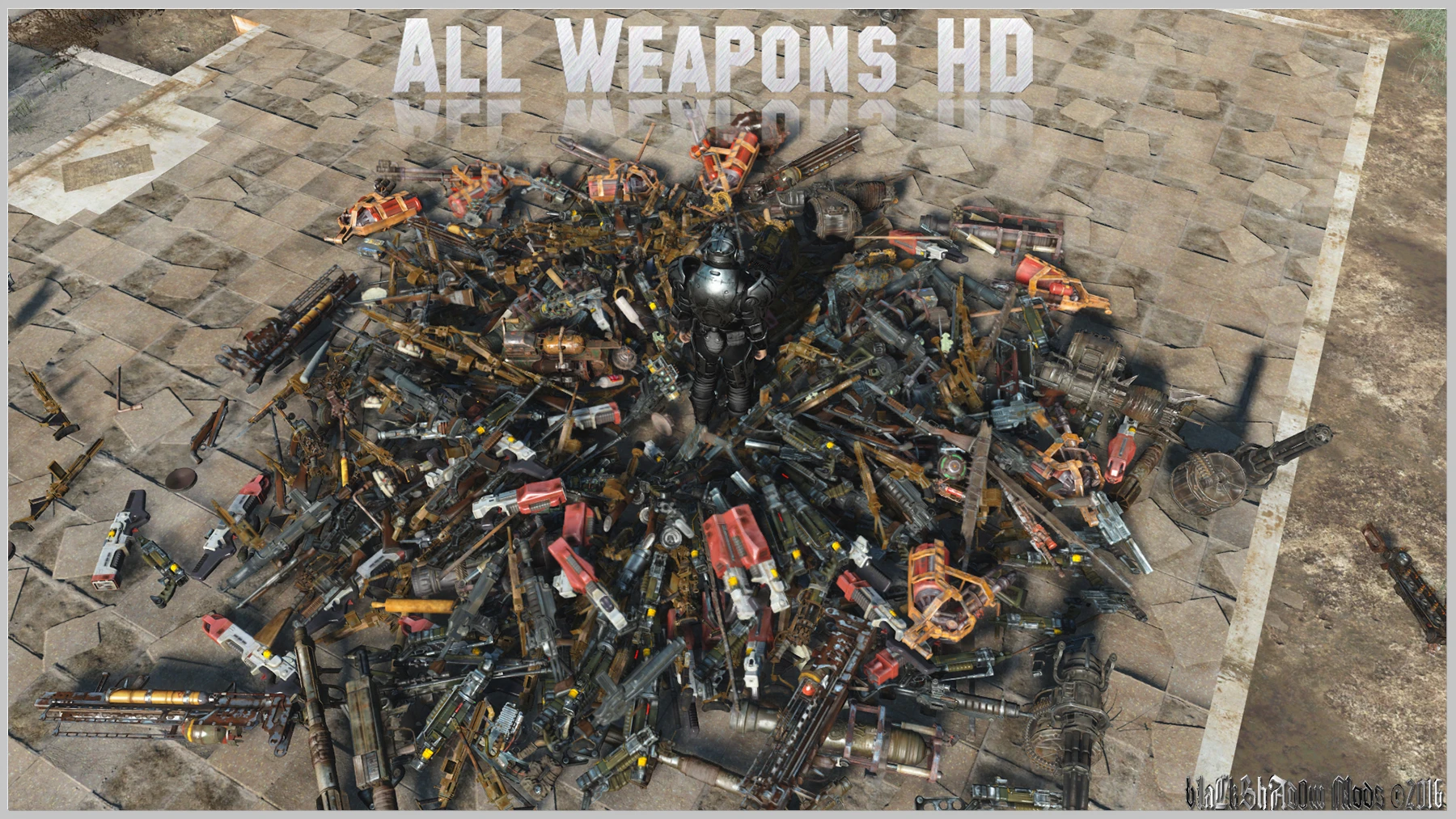
All Weapons HD (A.W.H.D.)
⚪ Last updated 2023⚠️ Install Order · 2 steps
Install in this order, then this mod last — most mods fail to load without their framework and dependencies in place.
Preview
🔍 Analysis
- 👍 1.9% endorsement rate — high engagement, a strong quality signal
- 🏆 #48 of 271 Models and Textures mods in this game by downloads
📋 About This Mod
IoQ9er9toF8
rY1cSFEWLKkwj4e9MlZGE0
6ILjyMmWbRgmGXbcu8h8rk
1,267 textures upscaled. (Weapons are 4096x, Weapon mods are 2048x)
Please note these are not hand made textures, I have upscaled from the vanilla textures and tried to improve quality.
Complete Weapon List Here
Weapon modification textures have also been upscaled.
-Main file - All weapon categories (All 12 Optional Files) included in one download. 4K or 2K performance friendly version
-Optional Files - All weapon categories available separately. (12 Files Total)
If you enjoy this mod, please endorse it ;-)
- []Navigate to your Fallout 4 Folder at the following location "Documents/My Games/Fallout 4"
[
]Within this folder will be a number of .ini files, highlight "Fallout4Prefs.ini" and "Fallout4.ini".[]Right Click, select Properties and ensure that these are NOT marked as read only.
[]Open Fallout4Prefs.ini with your favourite text editor (we use Notepad++).
[]Navigate to the very bottom and you will see the line . Directly underneath this, add the following line:bEnableFileSelection=1
[]Save and Close
[]Open Fallout4Custom.ini with your favourite text editor. Note that this file was changed from Fallout4.ini following update 1. 2
[]Add the following lines to your Fallout4Custom.inibInvalidateOlderFiles=1sResourceDataDirsFinal=
[]Save and close...
Installing the mod:- []Extract the downloaded content from the MAIN file into your Fallout4 Data folder. It should look like this:C:\Program Files (x86)\Steam\steamapps\common\Fallout4\Data\textures\Weapons\%WeaponName%\%. DDS
[
]Extract any optional ammo re-textures you may want to the same directory as step 1 and overwrite when prompted.V1. 0 - Initial Upload.
- []Extract the downloaded content from the MAIN file into your Fallout4 Data folder. It should look like this:C:\Program Files (x86)\Steam\steamapps\common\Fallout4\Data\textures\Weapons\%WeaponName%\%. DDS
All Weapons HD (A.W.H.D.) is a comprehensive 4K texture overhaul for Fallout 4, upscaling every weapon in the game, including DLC weapons. A 2K performance-friendly version is also available. With over 10,000 endorsements and 565,000 downloads, it's a popular choice for players seeking sharper weapon visuals.
✨ Key Features
📊 Pros & Cons
✅ Pros
- Massive coverage – every weapon in the game gets the HD treatment, no more mismatched textures.
- Performance-friendly 2K option means even mid-range rigs can enjoy sharper guns.
- Community-approved with 10k+ endorsements – this is a mod people actually use and love.
⚠️ Cons
- 4K textures can tank FPS on older hardware – make sure you have VRAM to spare.
- No explicit mention of compatibility with other weapon texture mods – potential conflicts if you use others.
- Last updated in 2023 – might not be updated for the latest game patches, though likely still works.
For Fallout 4 players who want their arsenal to look crisp and detailed without overhauling the whole game. If you're a screenshot enthusiast or just tired of blurry gun textures, this is a must-have. Skip if you're on a potato PC and can't handle 4K – but the 2K version is there for you.
💡 Beginner Tips
- Choose the 2K version if you're on a mid-range GPU – it looks almost as good and runs much smoother.
- Install with a mod manager like Vortex or Mod Organizer 2 to easily switch between 4K and 2K versions.
- If you use other weapon texture mods, load this one after them so it overwrites correctly.
📊 Mod Details
- Game
- Fallout 4 Mods
- Author
- bLaCkShAd0w
- Version
- 1.5
- Downloads
- 565,524
- Endorsements
- 10,484
- Category
- Models and Textures
- Created
- 1/18/2016
- Updated
- 2/18/2023
🧩 Commonly Used Together
Users add these mods to the same collections — a real compatibility signal, not an AI guess.
🔧 How to Install Fallout 4 Mods
Download from Nexus.
📖 Full step-by-step install guide for Fallout 4 →
Visit the official mod page for specific installation instructions for this mod.
🎮 Need cheat codes or console commands? Check ur gaming wiki for Fallout 4 commands, item IDs, and more.
Keep browsing — more Fallout 4 mods await