AL333's Institute Weapon Retexture
⚪ Last updated 2016⚠️ Install Order · 2 steps
Install in this order, then this mod last — most mods fail to load without their framework and dependencies in place.
Preview
🔍 Analysis
- 👍 3.1% endorsement rate — high engagement, a strong quality signal
- 🏆 #9 of 329 Models and Textures mods in this game by downloads
📋 About This Mod
AL333's INSTITUTE WEAPON RETEXTURE
DESCRIPTION
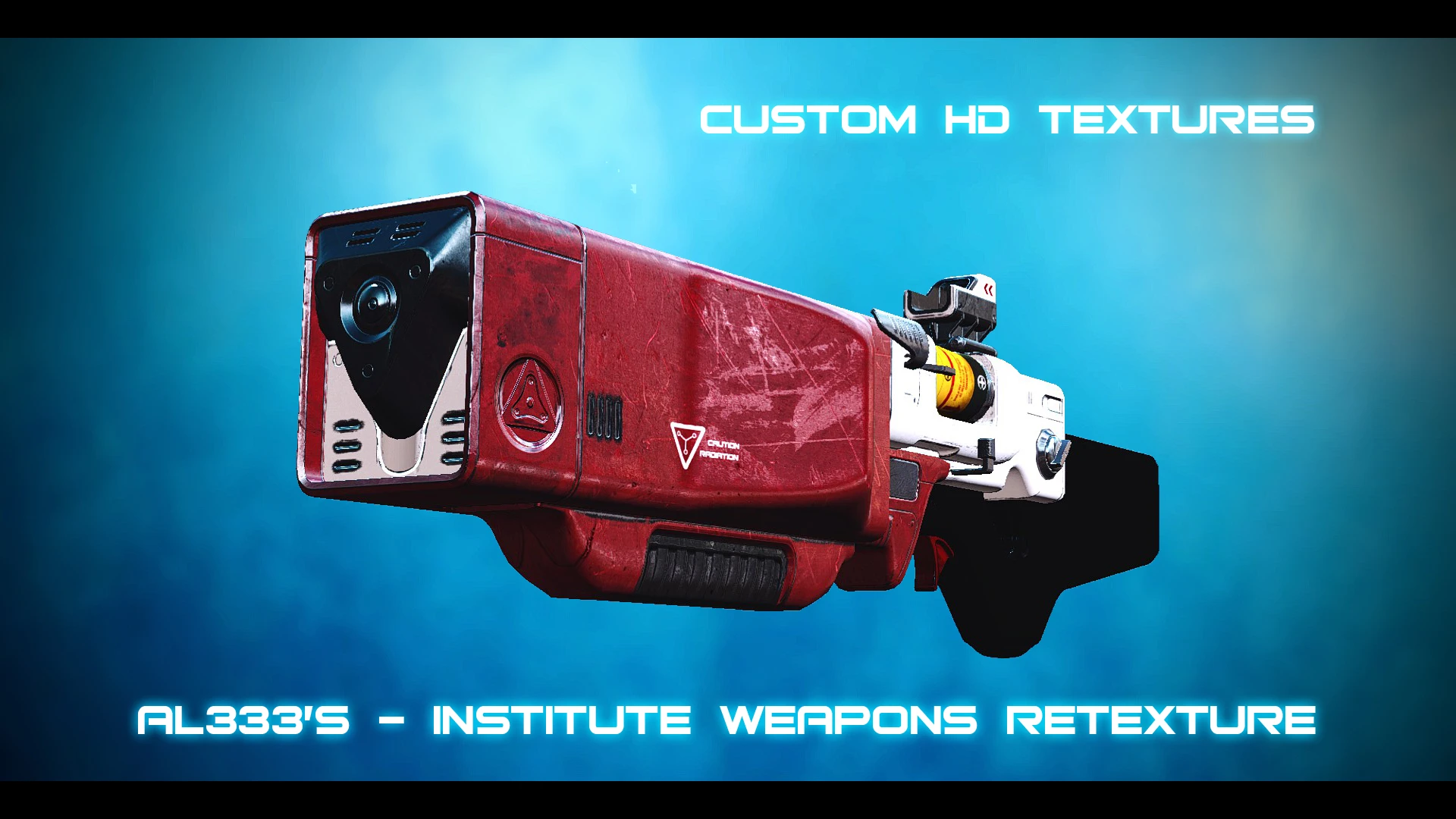
This is a complete texture overhaul of the institute weapons, It features high quality custom scratch made textures at resolutions of 2048x2048 (except the receiver which is 4096x4096).
The new textures clean up the weapons making them much cleaner whilst maintaining a somewhat weathered look, they also give the weapons a much more metallic look and the level of detail has been increased with all new diffuse and gloss/spec textures, I have also added additional details to the normal maps.
The retexture for the recon scope is being provided as a separate file as all recon scopes share the same textures.
INSTALLATION
Install with nexus mod manager or download manually and extract files to your fallout 4 data folder.
CREDITS/PERMISSIONS
This mod features custom made (Diffuse) and (Gloss/Spec) textures, (Normal) maps have also been modified to add extra detail.
(Diffuse) and (Gloss/Spec) textures are not to be edited, redistributed or reused in anyway without my permission. These textures are provided for your personal use only.
Copyright 2018 - "AssassinsLord333"
AL333's Institute Weapon Retexture is a high-quality HD texture overhaul for the Institute weapons in Fallout 4. It replaces the default textures with custom-made, more detailed versions, giving the weapons a fresh look. With over 1,500 endorsements and 50,000 downloads, it's a popular choice for players seeking visual improvements.
✨ Key Features
📊 Pros & Cons
✅ Pros
- Community favorite with 1,547 endorsements and 50k downloads — clearly a go-to for Institute weapon visuals.
- HD custom textures give the Institute weapons a crisp, detailed look that fits the game's aesthetic.
- Simple texture replacement — no gameplay changes, just pure visual upgrade for your energy weapons.
⚠️ Cons
- Last updated in 2016 — may not be compatible with the latest Fallout 4 patches or DLCs.
- Only covers Institute weapons — if you're looking for a broader texture overhaul, this won't do it.
For Fallout 4 players who want their Institute weapons to look sharper and more detailed without changing gameplay. If you're a fan of the Institute's sleek design and want a visual upgrade, this is for you. Skip if you want a comprehensive weapon texture pack covering all weapons.
💡 Beginner Tips
- Since this is a texture mod, you can install it manually by dropping the files into your Data folder, but using a mod manager like Nexus Mod Manager or Vortex is safer for easy uninstallation.
- Make sure to load this mod after any other texture mods that affect the same weapons to ensure it takes priority.
- If you're using the game's built-in mod manager, enable the mod and restart the game to see the changes.
📊 Mod Details
- Game
- Fallout 4 Mods
- Author
- Crimsoneeer
- Version
- 1.0
- Downloads
- 50,537
- Endorsements
- 1,547
- Category
- Models and Textures
- Created
- 3/14/2016
- Updated
- 3/14/2016
🧩 Commonly Used Together
Users add these mods to the same collections — a real compatibility signal, not an AI guess.
🔧 How to Install Fallout 4 Mods
Download from Nexus.
📖 Full step-by-step install guide for Fallout 4 →
Visit the official mod page for specific installation instructions for this mod.
🎮 Need cheat codes or console commands? Check ur gaming wiki for Fallout 4 commands, item IDs, and more.
Keep browsing — more Fallout 4 mods await