FallUI - HUD
⚪ Last updated 2022⚠️ Install Order · 3 steps
Install in this order, then this mod last — most mods fail to load without their framework and dependencies in place.
Preview
🔍 Analysis
- 👍 1.0% endorsement rate — high engagement, a strong quality signal
- 🏆 #10 of 110 User Interface mods in this game by downloads
📋 About This Mod
FallUI - HUD
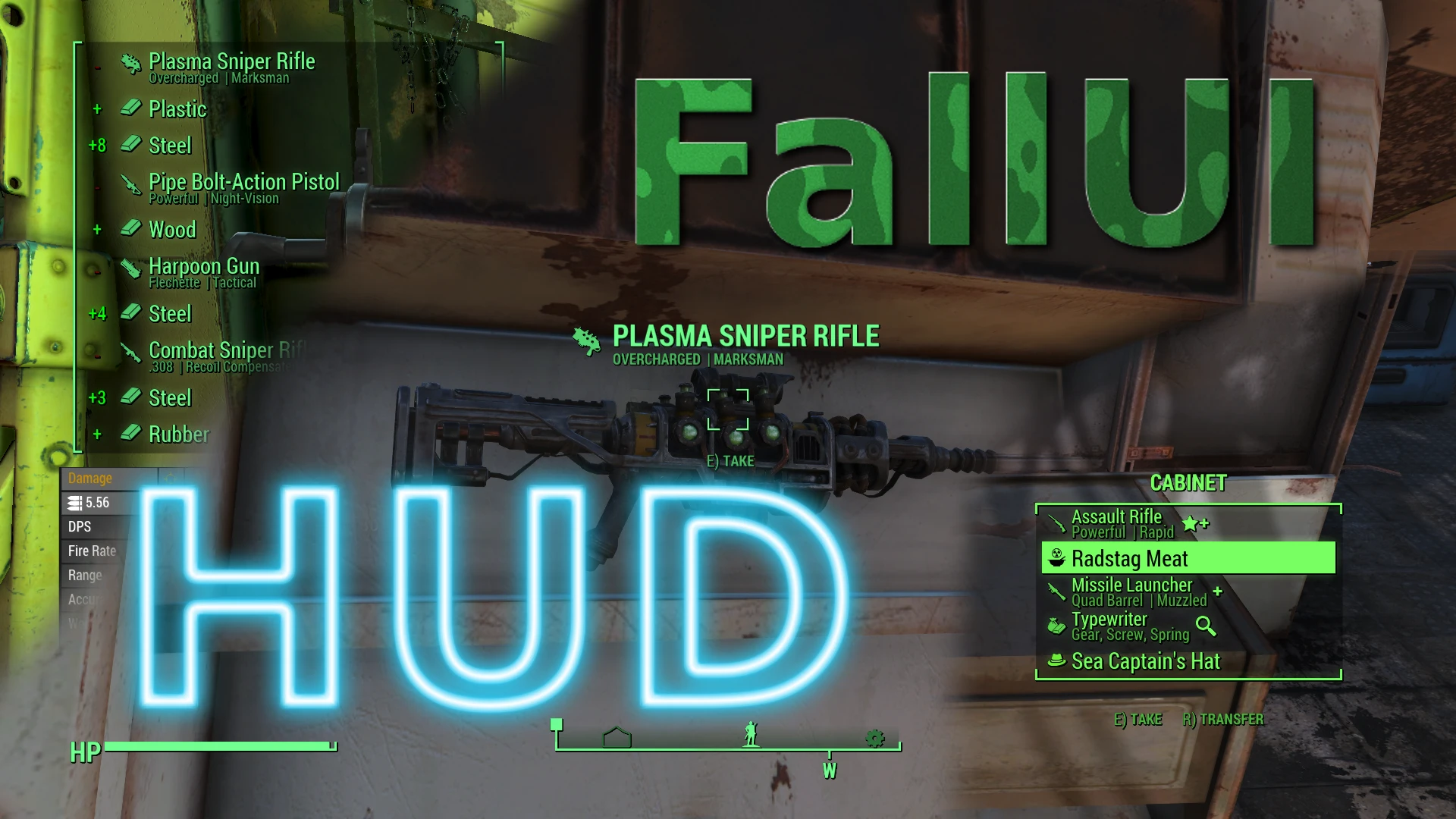
A highly configurable HUD. Every widget can be positioned and configured. Configure your design in the in-game layout manager in MCM. Layouts can be shared and imported too.
Features
-
[]Easy-Mode: Just use any existing or downloaded layout with one click! You don't even see the Layout Editor part if you don't want to :-) If you want more, you can click "To Edit Mode" and you can configure everything!
[
]Mid-game install: Can easily installed on any running game without problems. No changes are made to your savegame anyway, its all just visual presentation. (Note: This doesn't count for any Item Sorter. If in doubt, install only the HUD part and no Item Sorter)[]All HUD widgets can be completely configured. You can customize position and size in the layout manager directly in the game.
[]Many special widget modifications available, like bar style, text font, shadows, brackets and even additional elements like bar value as percent text!
[]Many many more...
[]Now with even more options: Every text and icon is individually customizable by position, layout, size, align, ....
[]Customizable bars with slices and different border styles
[]Tag icon and subtitle support for display in rollover, quick-loot, generic messages and quest notifications!
[]Allows 3D-Effects for widgets
[]Optimized message system, allowing to display more messages at once. Item additions and removals are much better visualized by icon and separate (colored) amount. An internal buffer fixes problems with heavy mod lists.
[]Widescreen support (Universal aspect ratio correction available via MCM. Including automatic layout transformation to your resolution)
[]Full HUDFramework support included: Works out-of-the-box - You need no patches and no auto-patcher!
[]Full featured HUD layout manager in MCM-options.
[]Simply drag'n'drop the widgets position
[]Scale widgets with the mouse-wheel
[]Rotate widgets with pressed control key and mousewheel
[]Hover the widget to see more special options, details and controls for fine-tuning the position
[]Double click on an empty space or use the zoom-map to zoom the layout. You can move the view-port by grabbing an empty space with the mouse.
[]Double click on a widget to toggle it to foreground/background for easier editing. (Just for the layout manager, isn't applied to the game layout)
[]Use the import tool to import a DEF_HUD layout or FallUI layouts shared by another user
[]Three separate profile-slots allowing you to quickly change your active HUD or just playing around.
[]Share and download other layouts easily. Just put them into the folder "data\Interface\FallUI HUD\Importable HUD Layout
FallUI - HUD is a highly configurable HUD mod for Fallout 4, letting you reposition and customize every widget. It features an in-game layout manager via MCM, and supports sharing and importing layouts. With 27,419 endorsements and 2.7M downloads, it's a popular choice for players who want a personalized interface.
✨ Key Features
📊 Pros & Cons
✅ Pros
- Massive community trust: 27,419 endorsements and 2.7M downloads.
- Full control over HUD elements—position and configure everything.
- Layout sharing means you can grab a setup from the community or export your own.
⚠️ Cons
- Requires MCM (Mod Configuration Menu) to use the layout manager—extra dependency.
- Last updated in 2022, so may not be fully compatible with the latest Fallout 4 patches.
- Configuration can be overwhelming for new users due to the sheer number of options.
For Fallout 4 players who want a personalized HUD without being locked into preset layouts. If you enjoy tweaking UI elements to match your playstyle, this is a must-have. Skip if you prefer a simple, out-of-the-box HUD and don't want to spend time configuring.
💡 Beginner Tips
- Install MCM first—FallUI - HUD relies on it for the layout manager.
- Use the in-game layout manager to drag widgets into place; it's much easier than editing files.
- Check the mod's forum or comments for shared layouts if you want a quick start without manual setup.
📊 Mod Details
- Game
- Fallout 4 Mods
- Author
- m8r98a4f2
- Version
- 1.7.1
- Downloads
- 2,729,671
- Endorsements
- 27,419
- Category
- User Interface
- Created
- 5/2/2021
- Updated
- 11/16/2022
🔧 How to Install Fallout 4 Mods
Download from Nexus.
📖 Full step-by-step install guide for Fallout 4 →
Visit the official mod page for specific installation instructions for this mod.
🎮 Need cheat codes or console commands? Check ur gaming wiki for Fallout 4 commands, item IDs, and more.
Keep browsing — more Fallout 4 mods await