All Natural ENB-Edition
⚪ Last updated 2016Preview
🔍 Analysis
- 👍 3.7% endorsement rate — high engagement, a strong quality signal
- 🏆 #16 of 77 Visuals and Graphics mods in this game by downloads
📋 About This Mod
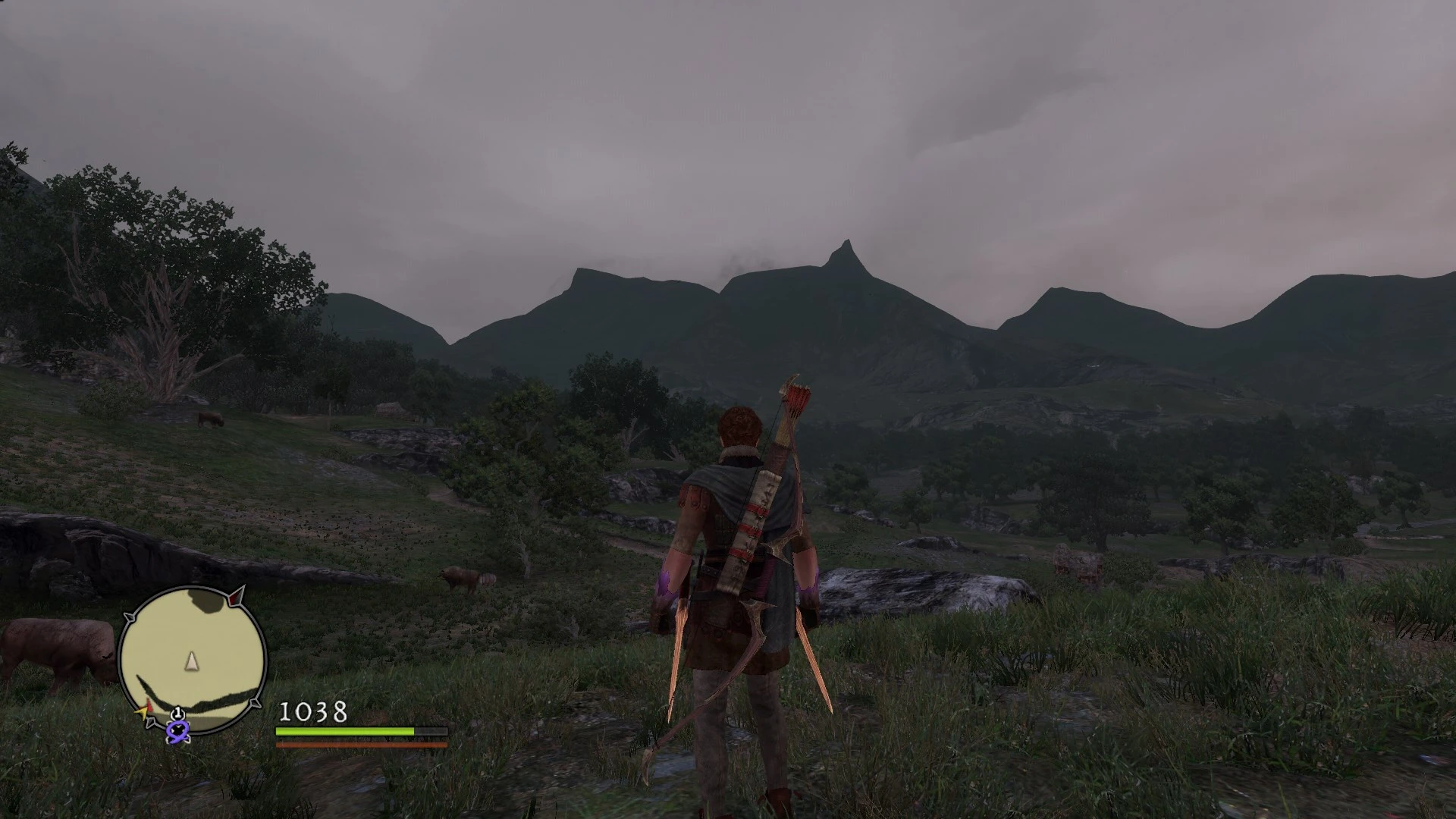
An all natural ENB-preset with huge changes but really great differences,a performance-heavy but significant graphic overhaul that gives the game a more natural feel by changing the originally intended aesthetics, to one closer to the Dragons Dogma conceptual art.
What it does:
First and foremost it should be noted that I really took my time with this to make everything just right. I know that the hype is pretty much gone and the player-count has shrunk significantly since release. But I don't care, this mod is for all those people who have a special place in their heart for Dragons Dogma,that said you probably went thorough the concept arts and thought what if Dragons Dogma turned that out. My aim was to create an ENB-Preset that tries to create that feel you have while watching those pictures.
I hope you like it, I certainly do!
How to use:
Download binaries here (newest version ex. ''v0. 300''), extract drag and drop it into your game's folder(... SteamLibrary\steamapps\Common\DDDA)the d3d9.dll wrapper version
Paste the files (inside the archive) into ''...\SteamLibrary\steamapps\Common\DDDA\'' and start your game
Also for the best possible effect disable ingame sharpening and AA, and also activate ingame bloom
thats it!
Problems/Issues: This mod should work flawlessly on freshly intallled (und a up-to-date version) folder but if you have any trouble after experimenting with other graphic enhancements mods try this:
Make sure you don't have some other custom .dlls from other graphic enhancement mods (for example ''d3d11.dll'' or ''d3d9.dll'' or something like that)
Second look out if you have some other files with the ending ''.fx'' that might caused you also some trouble
make sure to get rid of those files first and try adding my preset again
as always make sure your drivers up-to-date
Uninstalling:
Uninstalling is pretty easy you just delete the same exact files you added (meaning the ones inside the archive file)
All Natural ENB-Edition is a visual overhaul preset for Dragon's Dogma, inspired by the game's official concept art. It aims to enhance graphics for players with high-end PCs. With 339 endorsements and 9,215 downloads, it remains a niche but appreciated choice for enthusiasts seeking a natural look.
✨ Key Features
📊 Pros & Cons
✅ Pros
- Community-trusted with 339 endorsements and over 9k downloads
- Aesthetic direction based on official concept art gives a cohesive, artistic look
- Aimed at enthusiasts who want to push their hardware for better visuals
⚠️ Cons
- Last updated in 2016 — may not be compatible with current game versions or newer ENB series
- Requires a powerful PC; not suitable for players on mid-range or older hardware
For Dragon's Dogma players with high-end rigs who want a natural, concept-art-inspired visual overhaul. Skip if you're on a modest PC or prefer gameplay mods over graphics.
💡 Beginner Tips
- Make sure you have the latest ENB series binaries compatible with Dragon's Dogma, as this preset may rely on older versions.
- Back up your original game files before replacing any ENB files, so you can revert if needed.
- Test performance in dense areas like Gran Soren to ensure your PC can handle the preset.
📊 Mod Details
- Game
- Dragonsdogma Mods
- Author
- some_guy
- Version
- 1.01
- Downloads
- 9,215
- Endorsements
- 339
- Category
- Visuals and Graphics
- Created
- 11/5/2016
- Updated
- 11/6/2016
🔧 How to Install Dragon's Dogma: Dark Aris Mods
Download from Nexus Mods.
📖 Full step-by-step install guide for Dragon's Dogma: Dark Aris →
Visit the official mod page for specific installation instructions for this mod.
🎮 Need cheat codes or console commands? Check ur gaming wiki for Dragon's Dogma: Dark Aris commands, item IDs, and more.
Keep browsing — more Dragon's Dogma: Dark Aris mods await