Sharper Staves Reshade
⚪ Last updated 2018⚠️ Install Order · 1 step
Install in this order, then this mod last — most mods fail to load without their framework and dependencies in place.
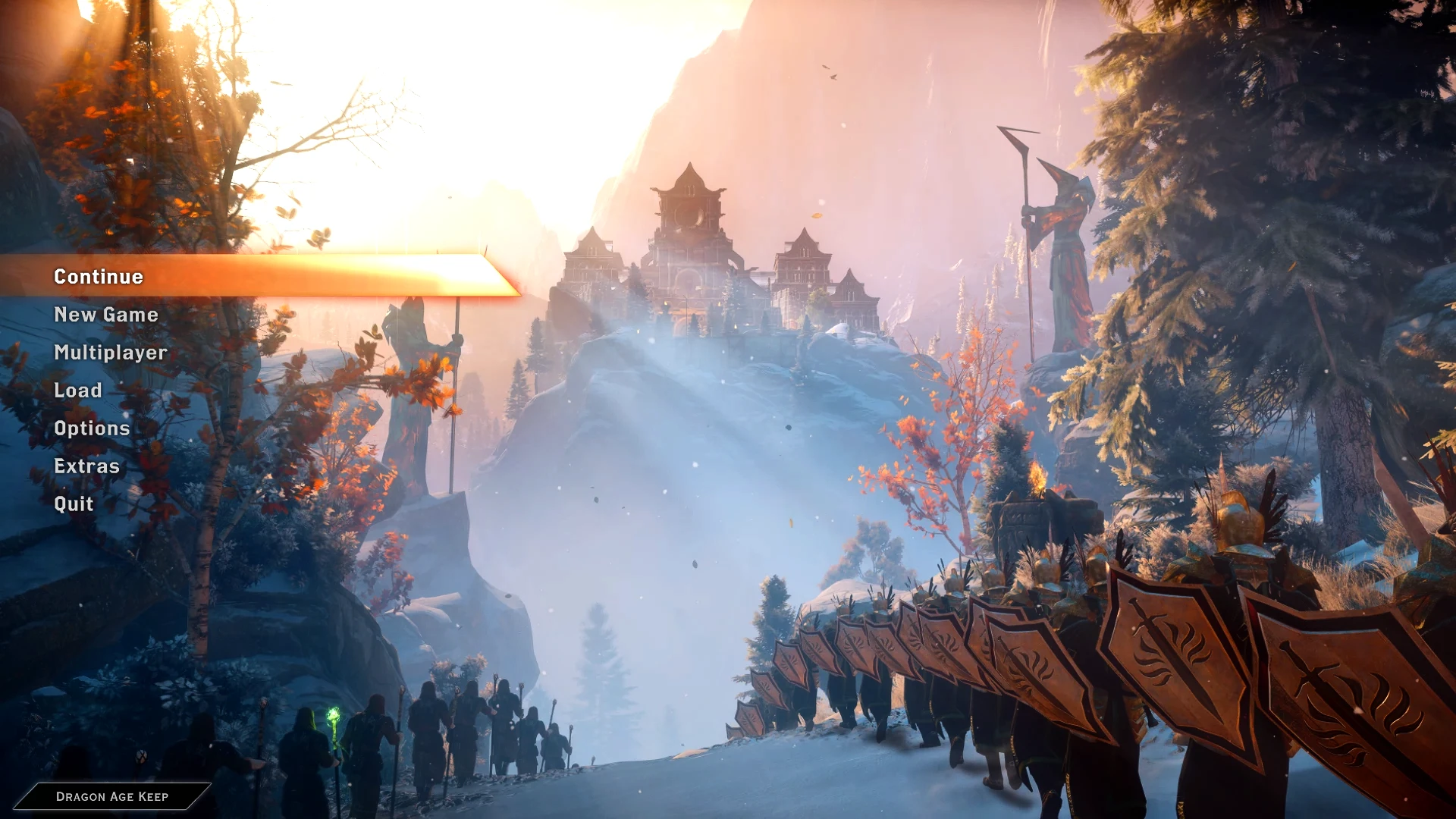
Preview
🔍 Analysis
- 👍 8.1% endorsement rate — high engagement, a strong quality signal
- 🏆 #64 of 75 Visuals and Graphics mods in this game by downloads
📋 About This Mod
There are 3 presets to chose from, all three have the same lighting changes just different sharpening techniques
Sharp Staves: makes everything a little clearer and brighter coloured, makes things clearer without any distortion.
Even Sharper Staves: adds some sharpening without too much distortion leading to crisp images but emphasizes white lines around things
Sharpest Staves: changes faces a lot, makes everything very sharp, but distorts some textures with its sharpness.
Instructions For Download
Step 1: Download reshade 3. 4. 0 from The Reshade Website follow their instructions
Step 2: Download and extract the reshade files of your choice
Step 3: place the ini file in your Dragon Age Inquisition folder. For me this is "OS (C:)/Program Files (x86)/Bioware/Dragon Age Inquisition"
Step 4: Load the game
Step 5: click "shift + F2" for the menu
Step 6: select the reshade of your choice
Trouble Shooting
Make sure you don't have any overlays running, such as origin in-game or fraps.
Make sure you have the correct reshade version (3. 4. 0)
Rename the file "dxgi.dll" to "d3dll.dll" (I have to do this myself for reshades to work)
Extra Information:
There is no Depth of field because I abhor blurry things, including distances and menus.
Images are now set to auto accept so please upload them, they make me happy :)
If you want to edit this feel free just ask before you upload it (I'll say yes I just want to know first)
Credits
Feel free to ask about any mods in the background. All are from this site, and I would be happy to link them for you.
Thanks to Crosire for the reshade release.
Sharper Staves Reshade is a ReShade preset pack for The Elder Scrolls V: Skyrim, designed to enhance the game's visuals by bringing out details and color. With 53 endorsements and 653 downloads, it offers a straightforward way to improve graphical fidelity, though it was last updated in 2018 and may require manual installation.
✨ Key Features
📊 Pros & Cons
✅ Pros
- Community-tested with 53 endorsements and 653 downloads—decent for a niche preset
- Simple goal: makes Skyrim's colors and details pop without overhauling the whole game
- No extra gameplay changes—pure visual tweak for those who want a fresh look
⚠️ Cons
- Last updated in 2018—likely outdated for current Skyrim versions and ReShade releases
- Only 53 endorsements—not a widely used preset, so expect to tweak settings yourself
For Skyrim players who want a quick visual boost using ReShade and don't mind manual setup. If you're new to ReShade or expect plug-and-play, skip this—look for more modern presets with better documentation.
💡 Beginner Tips
- Make sure you have ReShade installed and set up for Skyrim before adding these presets—you'll need to select the preset file in-game via the ReShade menu.
- Since the mod is from 2018, check if your Skyrim version (Special Edition or Legendary) matches the preset's intended version; if not, you may need to adjust settings.
- Use the ReShade in-game overlay to tweak the preset's intensity—many presets look better with slight adjustments to suit your system and taste.
📊 Mod Details
- Game
- Dragon Age Mods
- Author
- DragonPyromania
- Version
- 1.0
- Downloads
- 653
- Endorsements
- 53
- Category
- Visuals and Graphics
- Created
- 7/28/2018
- Updated
- 7/28/2018
🔧 How to Install Dragon Age Mods
Download from Nexus.
📖 Full step-by-step install guide for Dragon Age →
Visit the official mod page for specific installation instructions for this mod.
🎮 Need cheat codes or console commands? Check ur gaming wiki for Dragon Age commands, item IDs, and more.
Keep browsing — more Dragon Age mods await