DAI SWEETFX
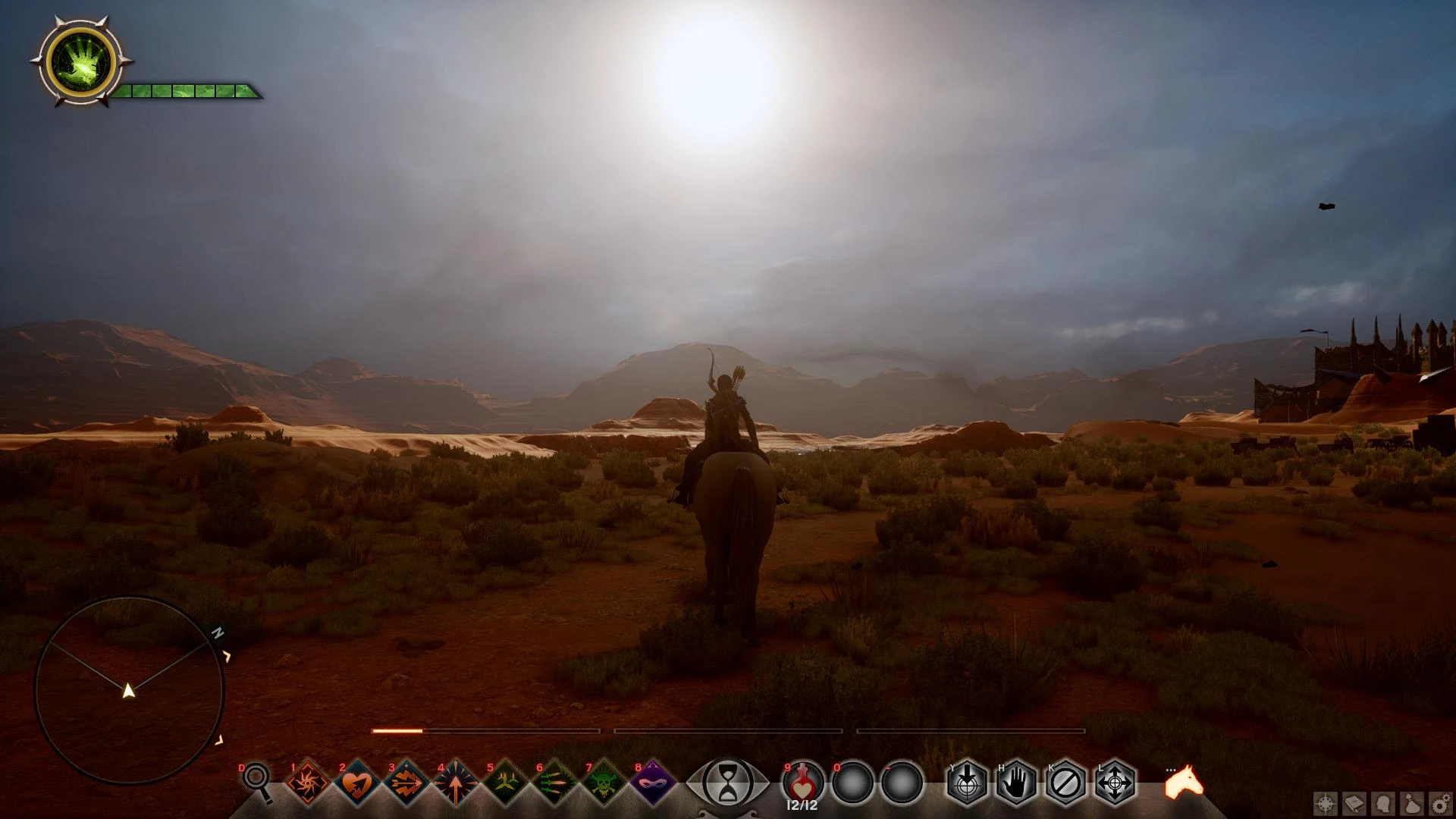
⚪ Last updated 2015Preview
🔍 Analysis
- 👍 5.3% endorsement rate — high engagement, a strong quality signal
- 🏆 #3 of 75 Visuals and Graphics mods in this game by downloads
📋 About This Mod
This is a SweetFX preset. The preset is aimed at making the game look less saturated and more atmospheric. Works with Windows 7, 8 and 8. 1.
Use the "Scroll Lock" key to toggle the effect on and off in game (This is the default SweetFX key and if you wish to change it open up "SweetFX_settings.txt" in notepad or similar program and follow the information provided there).
INSTALL Extract the contents of the zip file to your "Dragon Age Inquisition" folder, where the "DragonAgeInquisition.exe" is located and then run the game.
VERSION HISTORY: 1. 0: Initial release 2. 0: Made mist and spells less bright and closer intensity to original game. Interiors are slightly less dark and also brought out the colours a bit more.
Credit to CeeJay and Bolotaur
A SweetFX preset for Dragon Age: Inquisition that enhances visuals with custom color grading and sharpening. Compatible with Windows 8.1. Popular with over 3,000 endorsements, though it hasn't been updated since 2015.
✨ Key Features
📊 Pros & Cons
✅ Pros
- Community favorite with 3,192 endorsements and 60k downloads
- Simple preset that's easy to install and remove
- Works on Windows 8.1, which is nice for older systems
⚠️ Cons
- Last updated in 2015 – may not work with the latest game patches or DLC
- SweetFX injectors can trigger anti-cheat or cause crashes in some setups
For Dragon Age: Inquisition players who want a quick visual boost without messing with complex ENB configs. If you're on Windows 8.1 and want a simple SweetFX preset, this is a solid pick. Skip if you need modern compatibility or detailed customization options.
💡 Beginner Tips
- Make sure to disable the Origin in-game overlay to avoid conflicts with SweetFX.
- If the game crashes on launch, try running it in windowed mode or borderless window.
- Back up your original game files before installing, so you can revert if needed.
📊 Mod Details
- Game
- Dragon Age Mods
- Author
- ramccoid
- Version
- 2.0
- Downloads
- 60,734
- Endorsements
- 3,192
- Category
- Visuals and Graphics
- Created
- 12/20/2014
- Updated
- 1/15/2015
🔧 How to Install Dragon Age Mods
Download from Nexus.
📖 Full step-by-step install guide for Dragon Age →
Visit the official mod page for specific installation instructions for this mod.
🎮 Need cheat codes or console commands? Check ur gaming wiki for Dragon Age commands, item IDs, and more.
Keep browsing — more Dragon Age mods await