Kala's Natural Reshade
⚪ Last updated 2020⚠️ Install Order · 1 step
Install in this order, then this mod last — most mods fail to load without their framework and dependencies in place.
Preview
🔍 Analysis
- 👍 7.9% endorsement rate — high engagement, a strong quality signal
- 🏆 #22 of 75 Visuals and Graphics mods in this game by downloads
📋 About This Mod
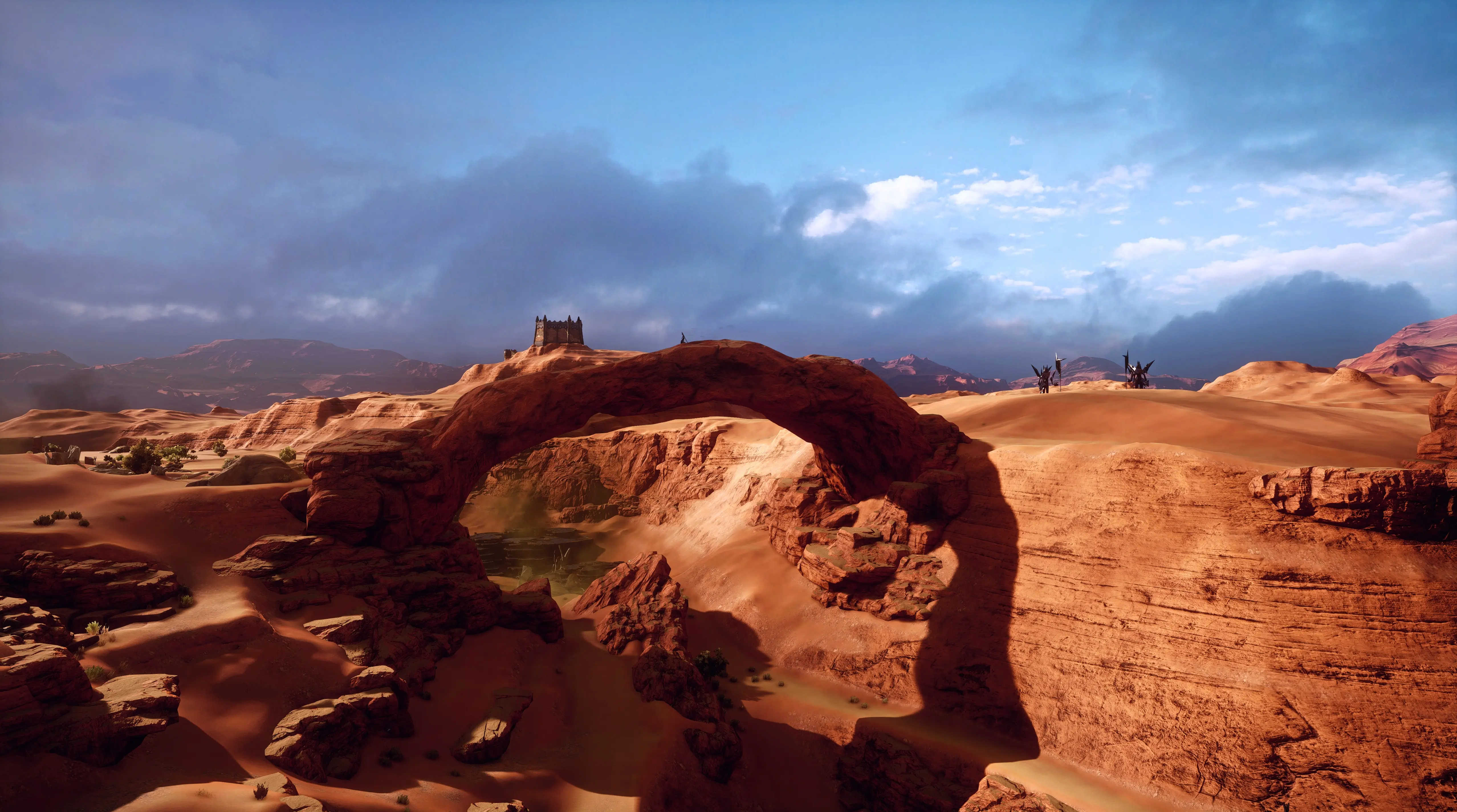
I aimed for a natural & vibrant reshade that still has a bit of a cinematic feel.
Thank-you so much to Nienazwana for the screenshots!
-
[]Installation:
[
]1) Install ReShade 4. 5. 4 or higher with all the shaders. If you have a previous installation of ReShade installed update it.[]2) Drop my preset into your DAI game folder
[]3) Load DAI, hit HOME key to open ReShade Menu, from top drop down list select Natural and the effects will load
Feel free to tinker and edit to your heart's content as I find I often have to adjust settings to tweak my screenshots as I like.
Thank-you & credit to Crosire for developing ReShade.
DISCLAIMER: This mod is a modder's resource now. You are free to use them for your own mods, the only thing I ask - please mention that you used my assets and provide the links to my mods. I will likely no longer be updating or maintaining my mods, thank-you for all your kind words and awesome screenshots I do really appreciate it!
Kala's Natural Reshade is a ReShade preset designed to enhance visuals with a natural yet vibrant look. Created for personal use and shared publicly, it has gained modest traction with 328 endorsements and over 4,000 downloads. Last updated in April 2020, it remains a simple option for players seeking a subtle visual upgrade.
✨ Key Features
📊 Pros & Cons
✅ Pros
- Community-tested with 328 endorsements and 4,175 downloads
- Aims for a natural look that avoids oversaturation
- Simple preset—no complex setup or multiple files
⚠️ Cons
- Last updated in April 2020—may not be compatible with newer game versions or ReShade updates
- Requires ReShade to be installed separately, which isn't included
For players who want a subtle, natural visual enhancement without heavy saturation or fantasy-like effects. Ideal for those who prefer a more realistic look and are comfortable with ReShade. Skip if you want dramatic visual overhauls or if you're not using ReShade.
💡 Beginner Tips
- Make sure you have ReShade installed and set up for your game before adding this preset.
- Place the preset file in the ReShade presets folder and select it in-game via the ReShade overlay.
- If the preset looks too strong or too weak, adjust the intensity sliders in ReShade's settings to fit your preference.
📊 Mod Details
- Game
- Dragon Age Mods
- Author
- Kalahira
- Version
- 1.0
- Downloads
- 4,175
- Endorsements
- 328
- Category
- Visuals and Graphics
- Created
- 4/2/2020
- Updated
- 4/2/2020
🔧 How to Install Dragon Age Mods
Download from Nexus.
📖 Full step-by-step install guide for Dragon Age →
Visit the official mod page for specific installation instructions for this mod.
🎮 Need cheat codes or console commands? Check ur gaming wiki for Dragon Age commands, item IDs, and more.
Keep browsing — more Dragon Age mods await