Inquisition Enhanced - ReShade Preset
⚪ Last updated 2015⚠️ Install Order · 1 step
Install in this order, then this mod last — most mods fail to load without their framework and dependencies in place.
Preview
🔍 Analysis
- 👍 6.8% endorsement rate — high engagement, a strong quality signal
- 🏆 #23 of 75 Visuals and Graphics mods in this game by downloads
📋 About This Mod
2017. 01. 31 IMPORTANT NOTE
This preset hasn't been updated for a long time now, and will probably not be updated in the future, unless I play the game again someday. Feel free to maintain it by creating another preset page based on this one.
Also, I probably won't have time to answer your comments myself in the future. Sorry 'bout that.
Thanks for the endorsements and comments btw. :)
Hello folks,
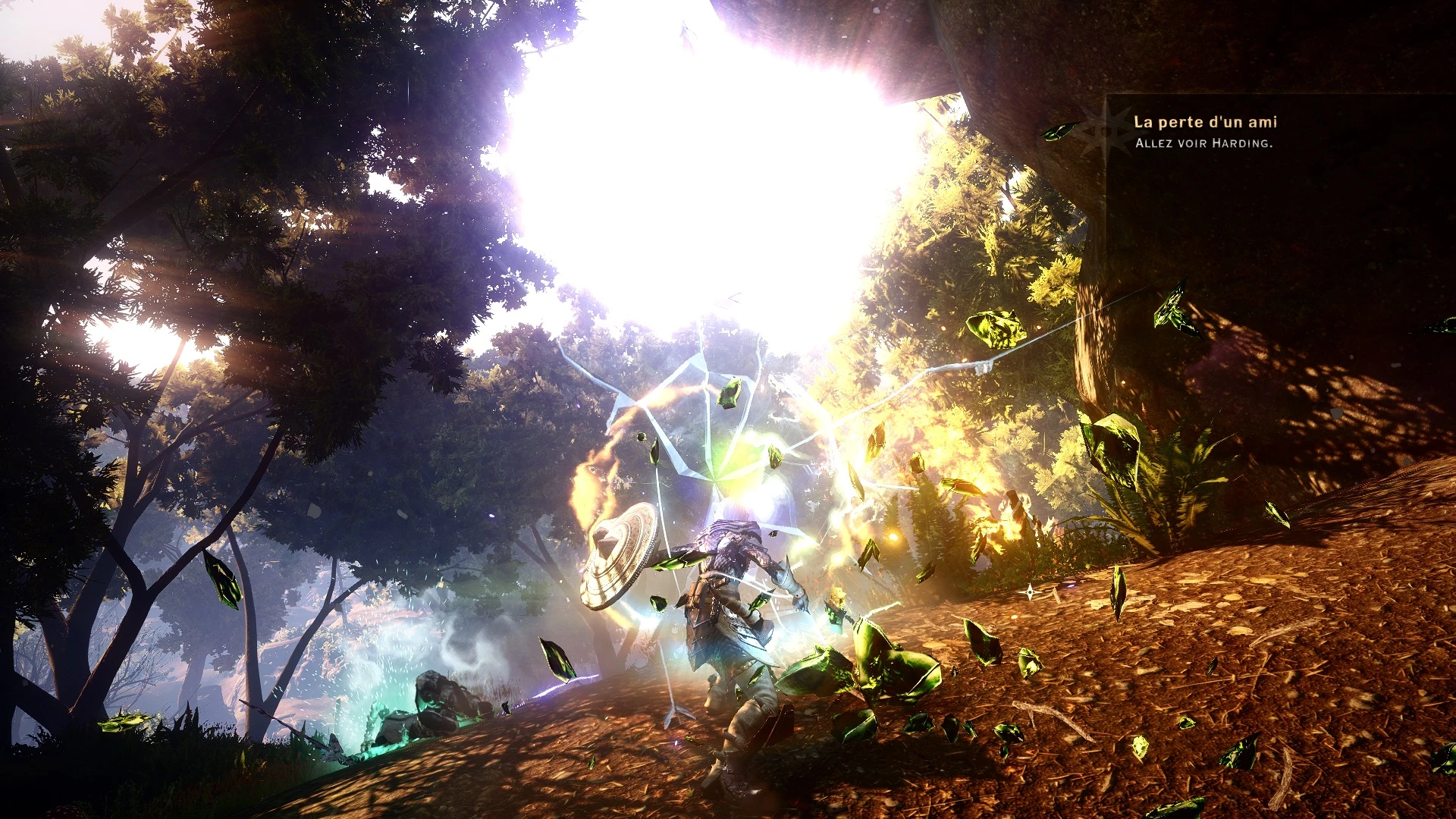
Here is a ReShade preset I made 'cause I thought the original game graphics were a bit too "dull". The preset adds some shiny effects and shadow contrasts, and some other effects that I won't list 'cause I'm lazy. ;)
The preset is really basic, since I just activated some default ReShade/SweetFX effects, mostly leaving sample configurations as it was.
Hope you enjoy, feel free to comment or ask something (my native language is french, so you can ask in french too).
Videos
cGE81KG6rEA zRdaPDoIOyY
hm8joqxlF_Q SlFcd8jPQsw
Install
- Download the last version of the preset and extract it anywhere you want.
- Copy the files dxgi.dll, ReShade.fx and the ReShade directory into your game directory, where DragonAgeInquisition.exe is (make a Windows file search if you don't know where it is).
If you did it well, you should see some ReShade overlay texts in the top-left corner when you launch the game. If you don't see it, you probably copied the files in the wrong directory.
Note : you can disable the in-game Anti-Aliasing since the preset uses its own.
Uninstall
Delete dxgi.dll, ReShade.fx and ReShade directory from your game directory.
Changelog
/!\ /!\ FPS COST IS WAY HIGHER IN 1. 1 ! Use 1. 0 instead if it's too laggy for you /!\ /!\
- Added LensFlare effect
- Added GodRays effect
- Added AmbiantLight effect
- Added Advanced Motion Blur effect
- Plus some other little effects
Note : LensFlare and GodRays effects add a REALLY shiny sun lightning, so prepare your sunglasses 8D
Inquisition Enhanced is a ReShade preset that globally improves the graphics of Dragon Age: Inquisition. It has 231 endorsements and over 3,300 downloads, last updated in 2015. This is a straightforward visual enhancement mod for players seeking a quick graphics boost.
✨ Key Features
📊 Pros & Cons
✅ Pros
- Decent community support with 231 endorsements
- Over 3,300 downloads show it's been tried by many
- Easy to install if you're familiar with ReShade
⚠️ Cons
- Last updated in 2015 – may not work with the latest game patches or ReShade versions
- Requires ReShade, which isn't included – you'll need to set that up separately
For Dragon Age: Inquisition players who want a quick, all-in-one visual upgrade without tweaking dozens of settings. If you're new to ReShade, you might find the setup a bit fiddly, but if you're comfortable with it, this preset is a no-fuss option. Skip if you're looking for specific, customizable effects – this is a single preset.
💡 Beginner Tips
- Make sure you have ReShade installed and working before adding this preset – it's not included.
- After installing, launch the game and check the ReShade overlay (usually Shift+F2) to adjust the preset's intensity if it's too strong.
- If the game crashes or looks weird, try running the game in DirectX 11 mode, as ReShade often requires that.
📊 Mod Details
- Game
- Dragon Age Mods
- Author
- Kirk
- Version
- 1.1
- Downloads
- 3,387
- Endorsements
- 231
- Category
- Visuals and Graphics
- Created
- 7/1/2015
- Updated
- 7/2/2015
🔧 How to Install Dragon Age Mods
Download from Nexus.
📖 Full step-by-step install guide for Dragon Age →
Visit the official mod page for specific installation instructions for this mod.
🎮 Need cheat codes or console commands? Check ur gaming wiki for Dragon Age commands, item IDs, and more.
Keep browsing — more Dragon Age mods await